製品概要
In 2023, one of our best-selling large-format 3D scanners, MagicSwift plus, has been upgraded to enhance its scan quality. With instilled brand-new technologies, it’s capable of working with our self-developed Connect gadget and JMStudio app for mobile scanning. The accessories have also been updaded to the next level, with a newly-designed turntable and an optimized power supply to massively improve the using experience.
チュートリアルビデオ
以下のチュートリアルビデオを確認し、MagicSwift plus の使用方法を学びましょう。
技術仕様
詳細は、公式サイトにアクセスしてをご参照ください: MagicSwift Plus 技術仕様 https://store.3dmakerpro.com/products/magicswift-plus-3d-scanner
製品の開封
同梱物一覧
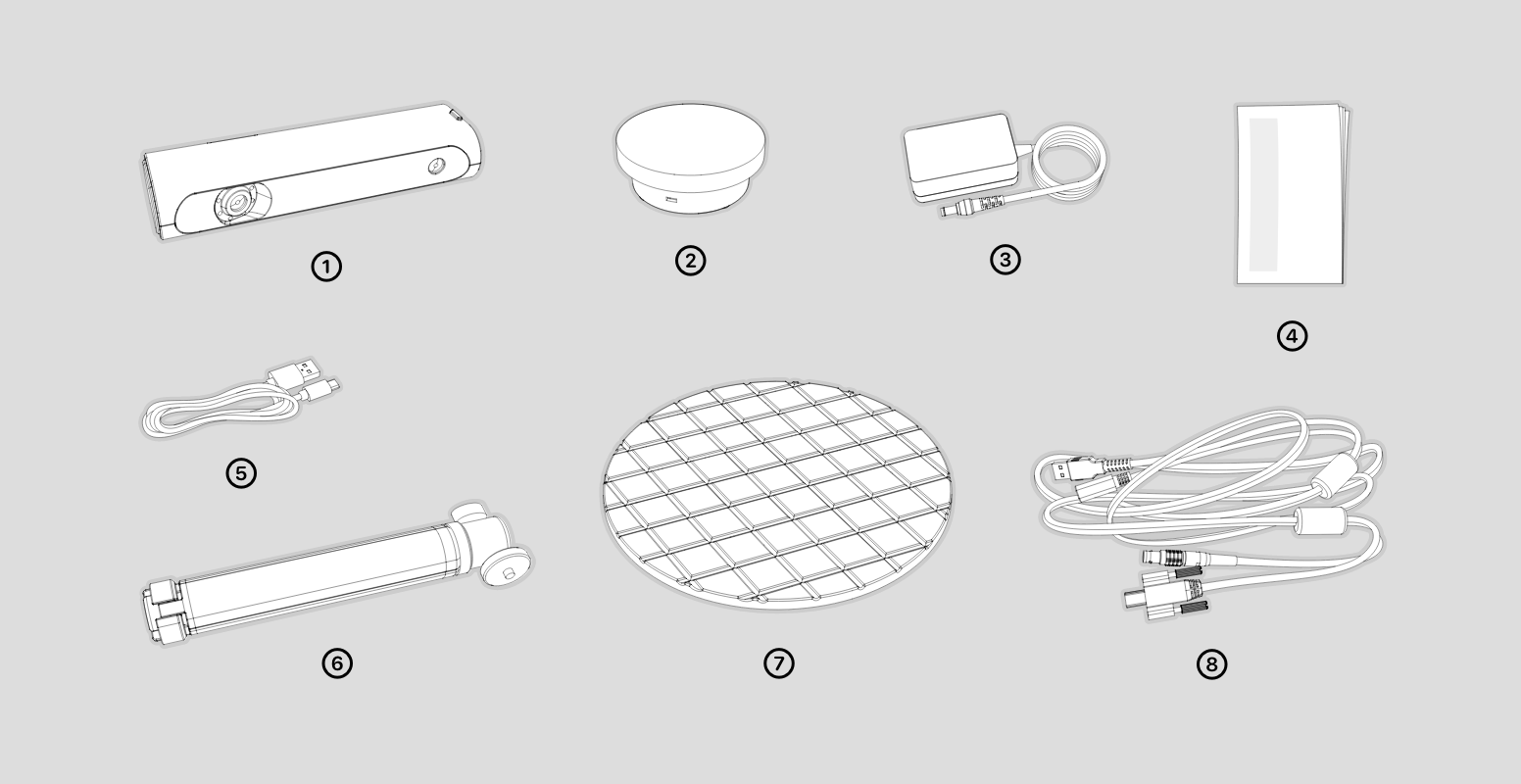
同梱物一覧は以下の通りです。
①本体 ②タ-ンテ-プル ③電源アダプタ ④マニュアル ⑤タ-ンテ-プルゲ-プル ⑥三脚 ⑦タ-ンテ-プルバネル ⑧オ-ルインつンケ-プル
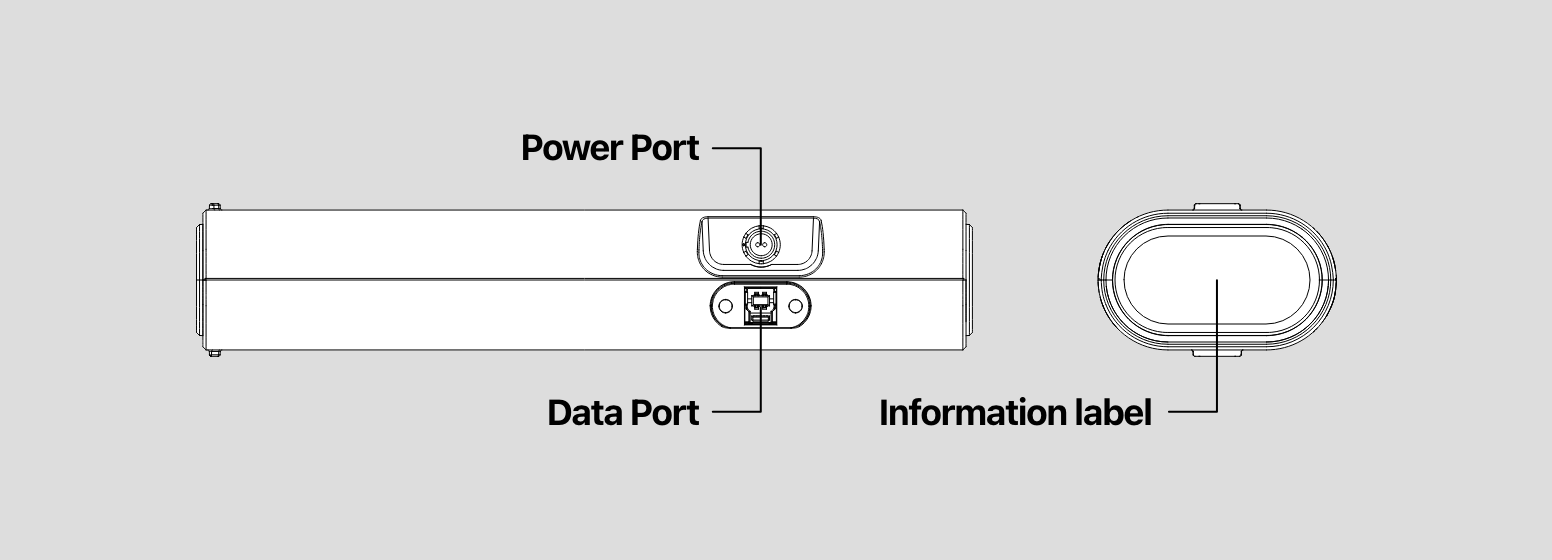
外観
接続方法
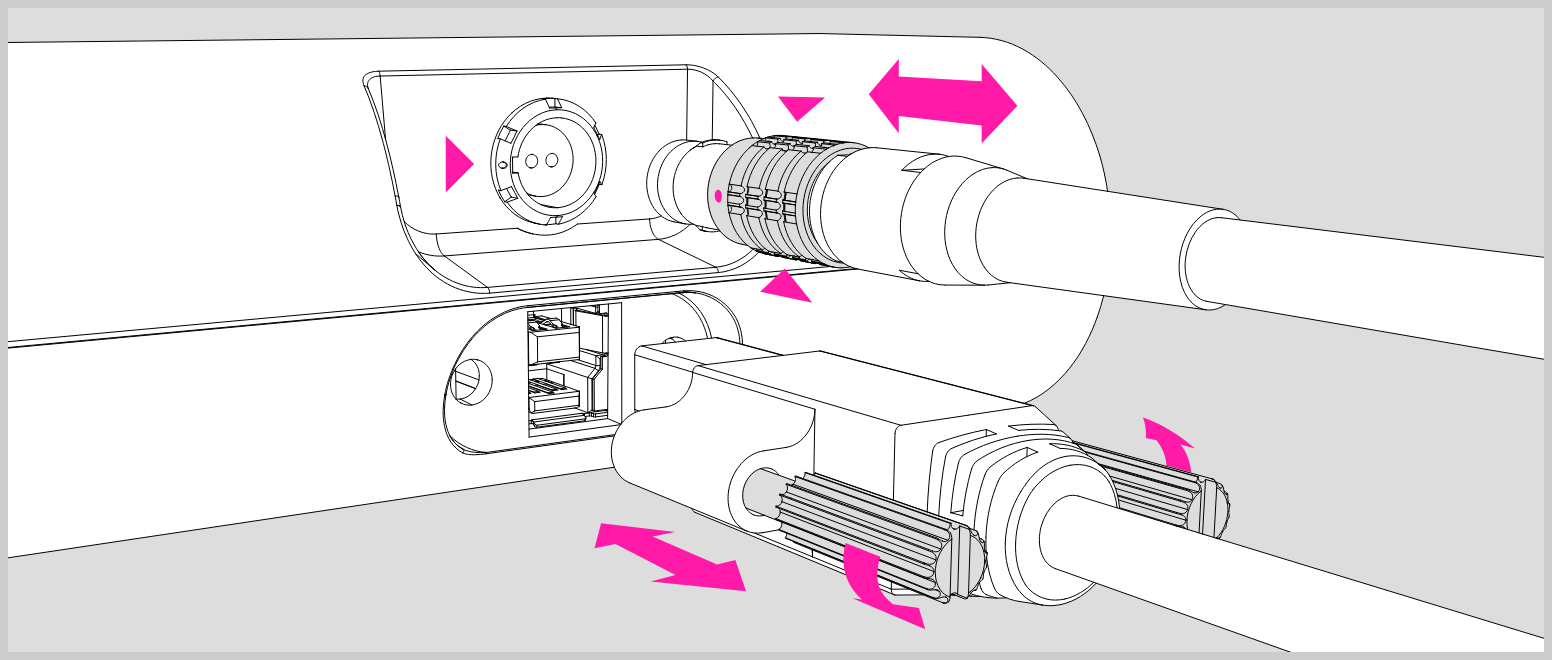
オ-ルインワンゲ-プルを使用して、-端を本体ソケットに挿入し、他端をパソコン USB ソケットと電源アダプタに接続します。
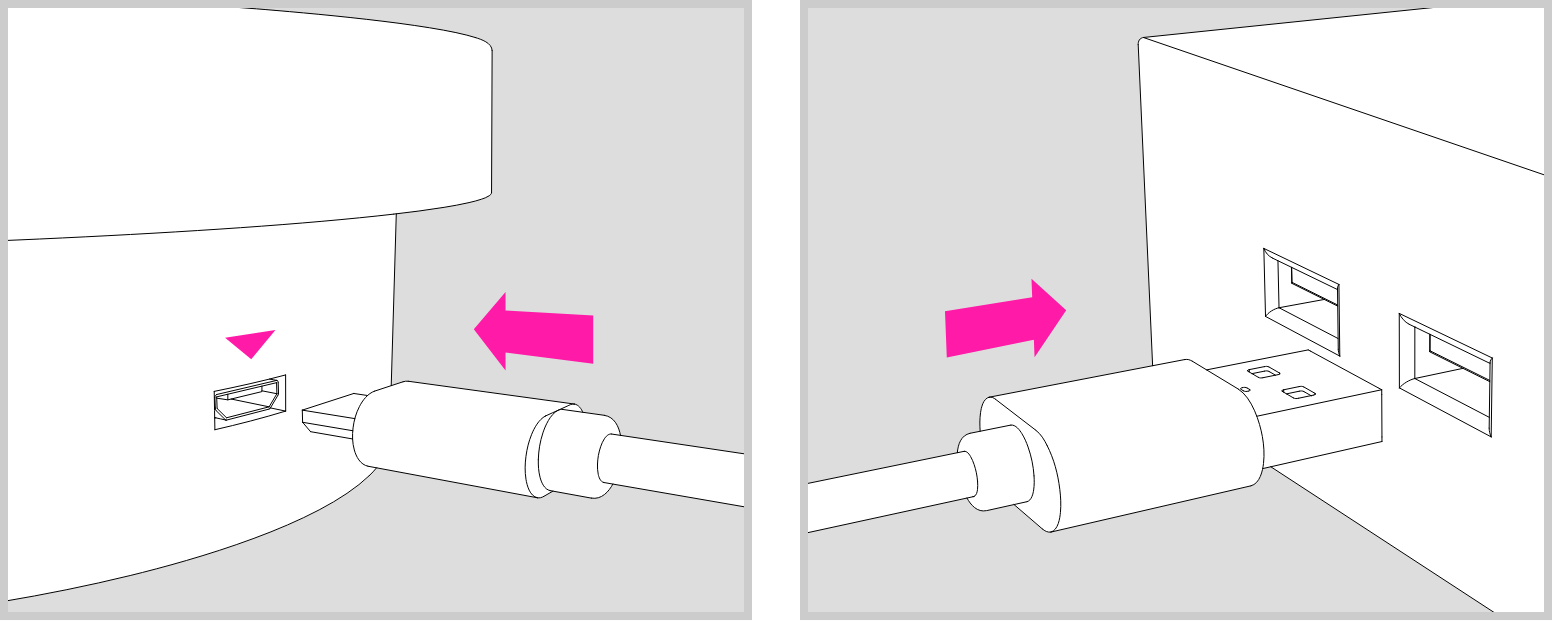
タ-ンテ-プルゲ-プルを使用して、タ-ンテ-プルに電源を供給します。
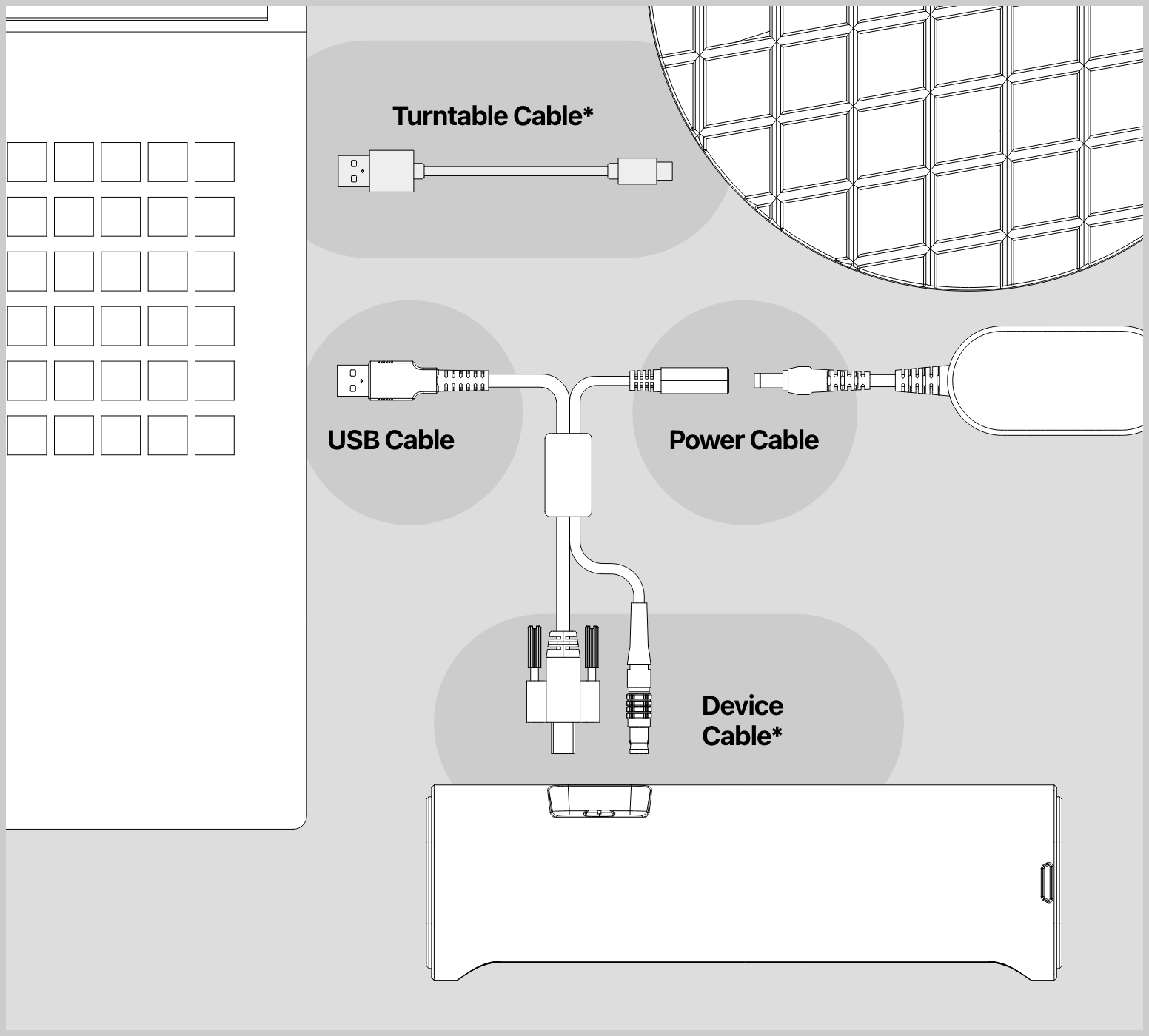
* オ-ルインつンゲ-プル
オ-ルインフンゲ-プルの赤い点を本体のソゲットのノッチに合わせ、捕入します。
取り外しは、プラグの灰色の部分をつまんで引き出すことができます。
* タ-ンテ-プルゲ-プル
タ-ンテ-プルゲ-プルを使用することで、パソコンまたは USB電源アダプタから、タ-ンテ-プルに電源を供給することができます。