Product Profile
In 2023, one of our best-selling large-format 3D scanners, MagicSwift plus, has been upgraded to enhance its scan quality. With instilled brand-new technologies, it’s capable of working with our self-developed Connect gadget and JMStudio app for mobile scanning. The accessories have also been updaded to the next level, with a newly-designed turntable and an optimized power supply to massively improve the using experience.
Tutorials
Check the tutorials below to get a quick look of how MagicSwift plus works.
Technical Specifications
For more information, please visit our official website: MagicSwift Plus Specs
Unboxing
Packing List
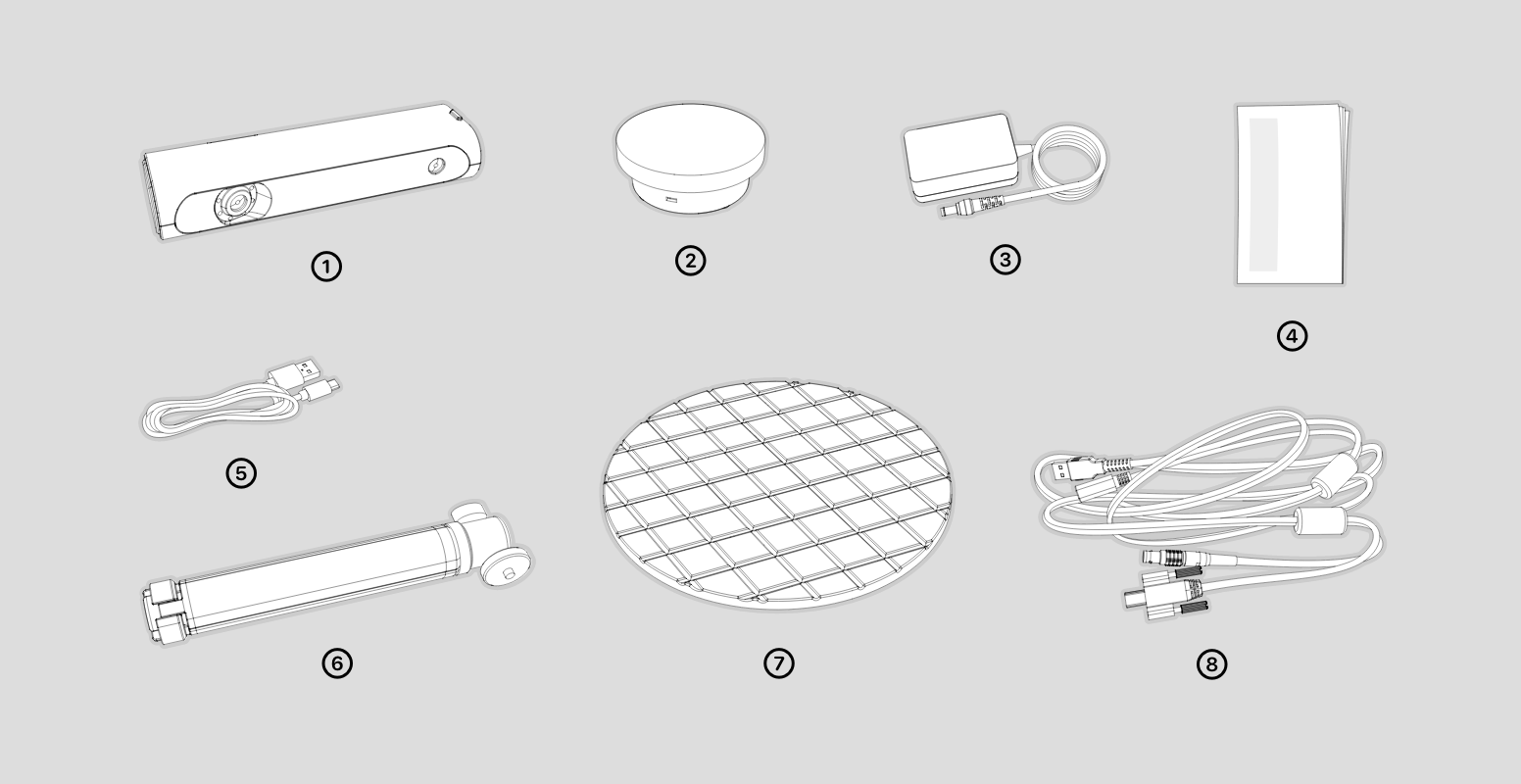
The packing lists are as follows.
①scanner body ②turntable ③power adapter ④manual ⑤turntable cable ⑥tripod ⑦Turntable Surface ⑧device cable
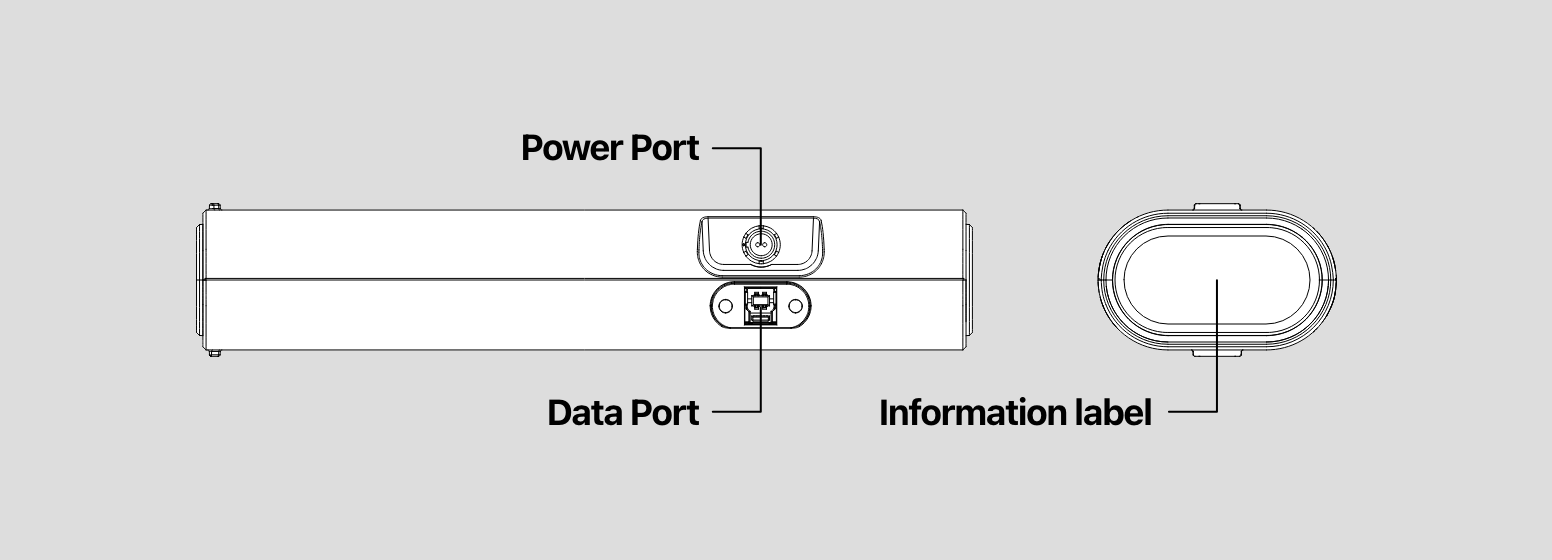
Appearance
Hardware Connection
Plug one side of the device cable (as it's showing Device Cable) into the scanner, another into the computer USB port and power adapter;
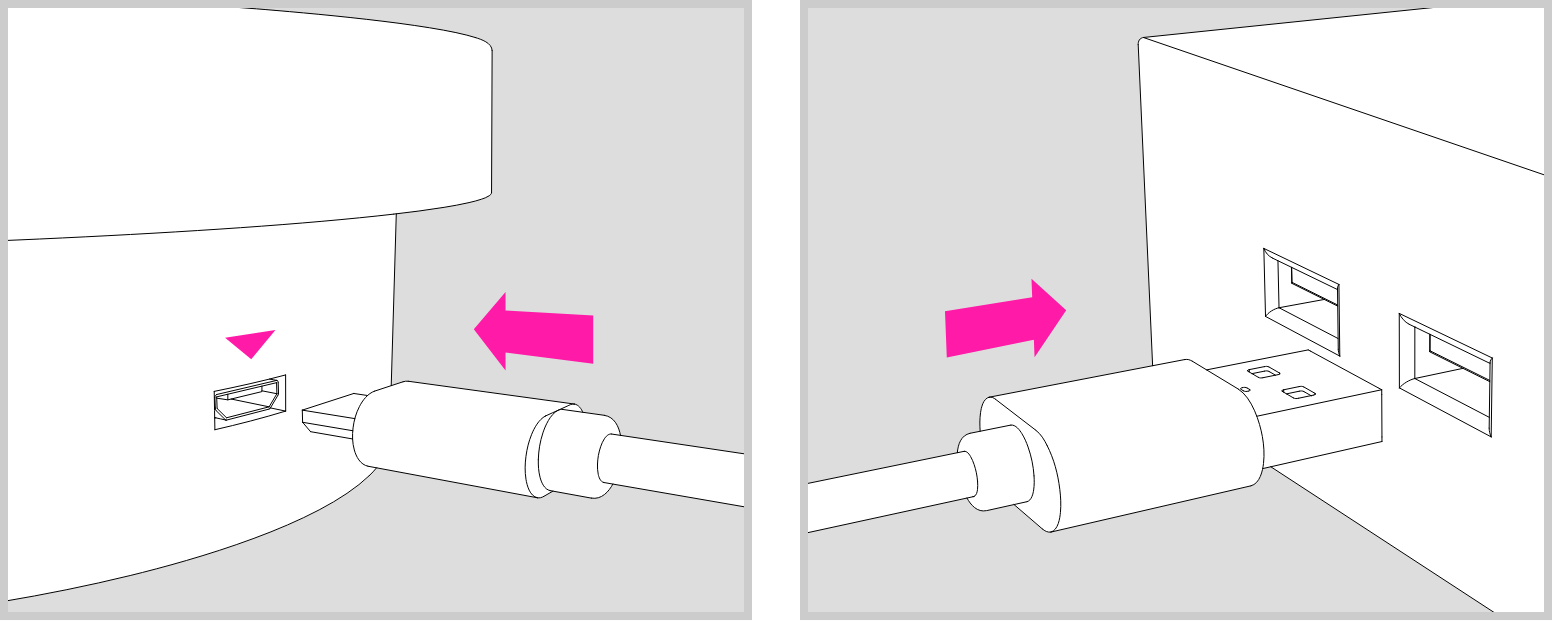
Use the turntable cable to power the turntable.
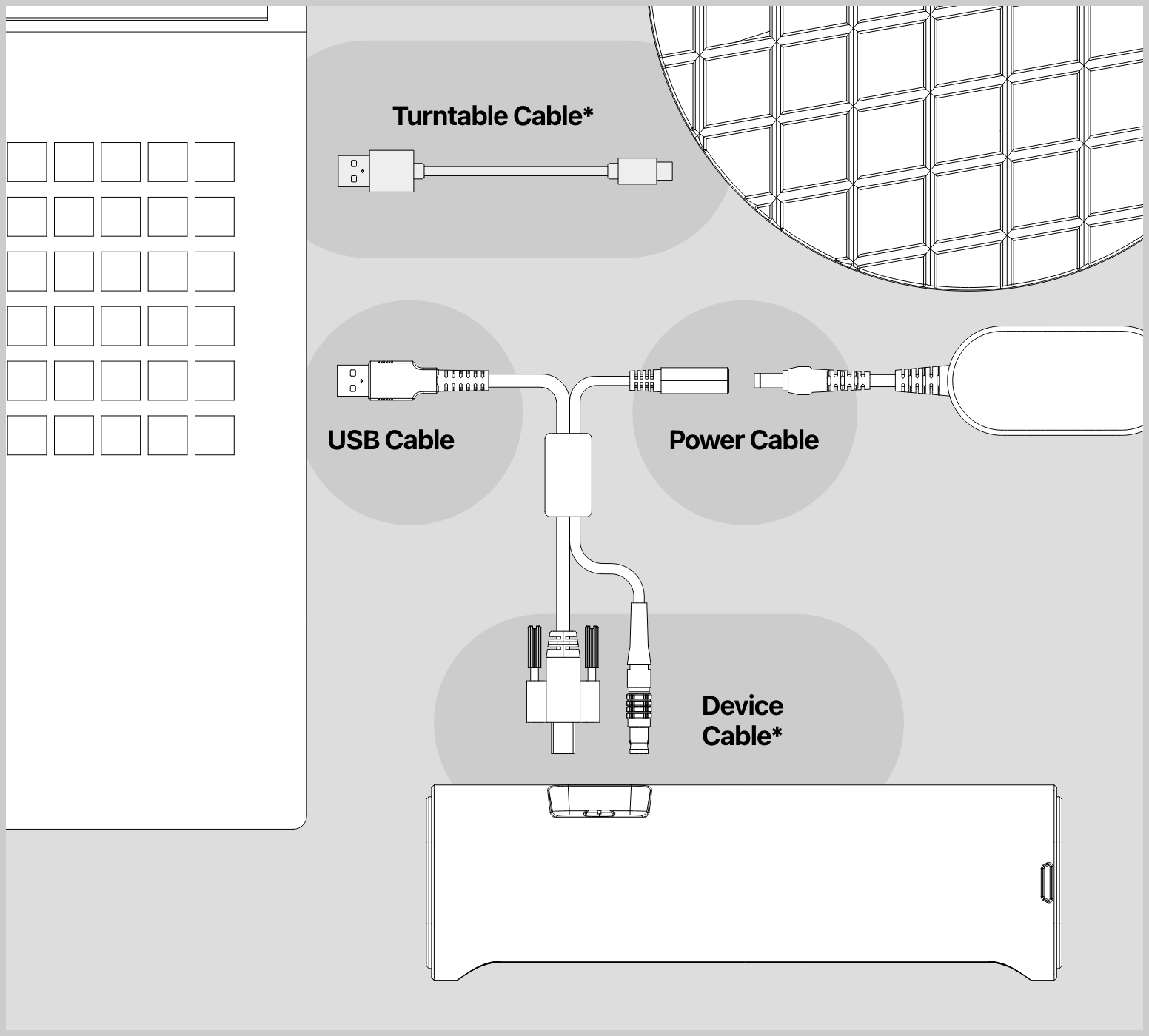
* Device Cable
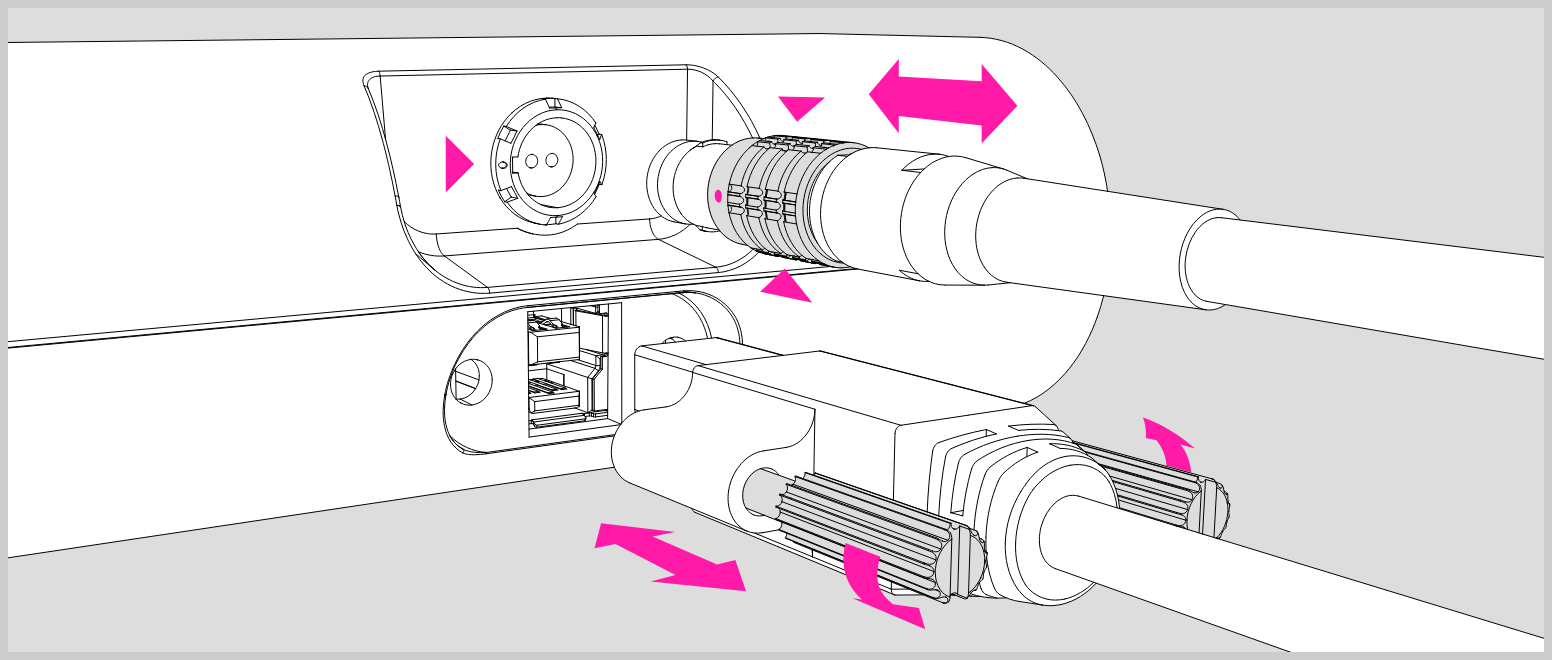
Plug the device cable into the port of the scanner, make sure the red dot is lined up with the groove on the port;
To unplug the cable, move backwards the bushing (as marked with the red triangles) and pull out the cable directly.
* Turntable Cable
The turntable cable can be connected to the computer through the USB port for power supply, or use a USB power adapter to power the turntable.