Tutorials
Packing List
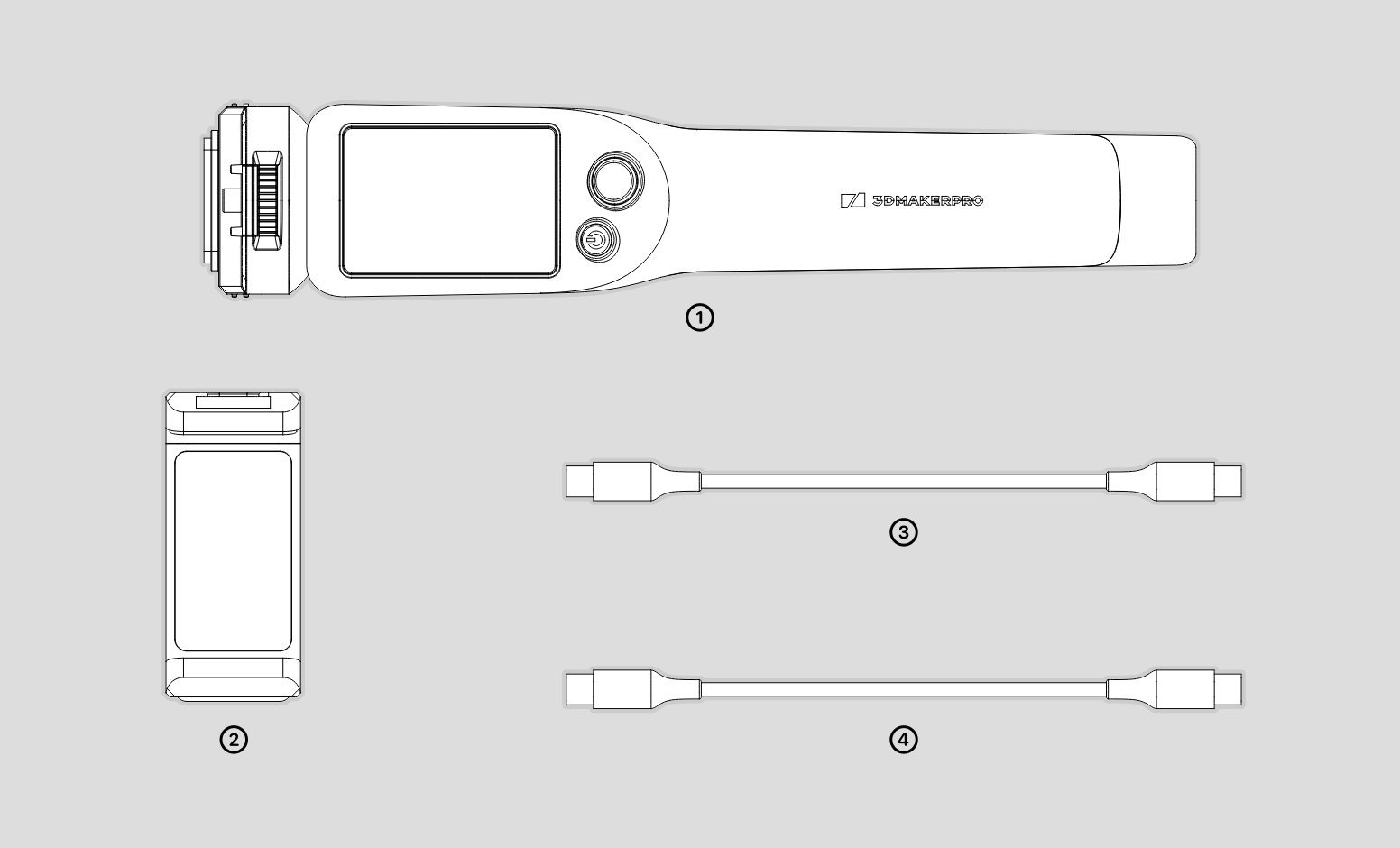
The packing lists are as follows.
①Connect ②Phone Holder ③Power Cable ④Mobile Cable
Hardware Connection
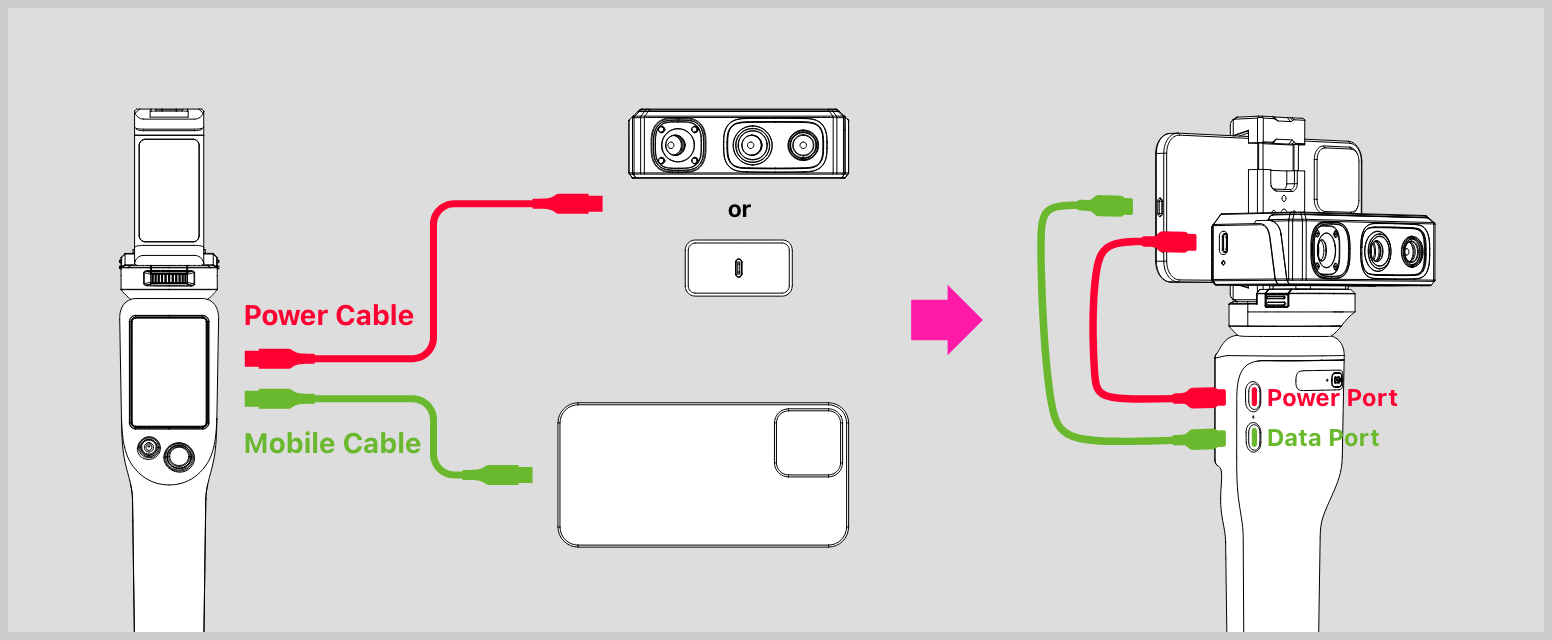
There are two ports on the right side of the Smart Grip. The Power Port is for connecting the scanner to Smart Grip with the power cable; or charge the Grip with the power cable/device cable and the power adapter. The Data Port is for connecting the smartphone to Smart Grip with the mobile cable.
There are two buttons below the scan distance display of the Smart Grip. One is Power on/off button: press and hold for 1s to power it on, and for 3s to power it off; another is the Start/Stop button.
The button on the back is for indicating the battery of the Grip.