Tutorials
Packing List
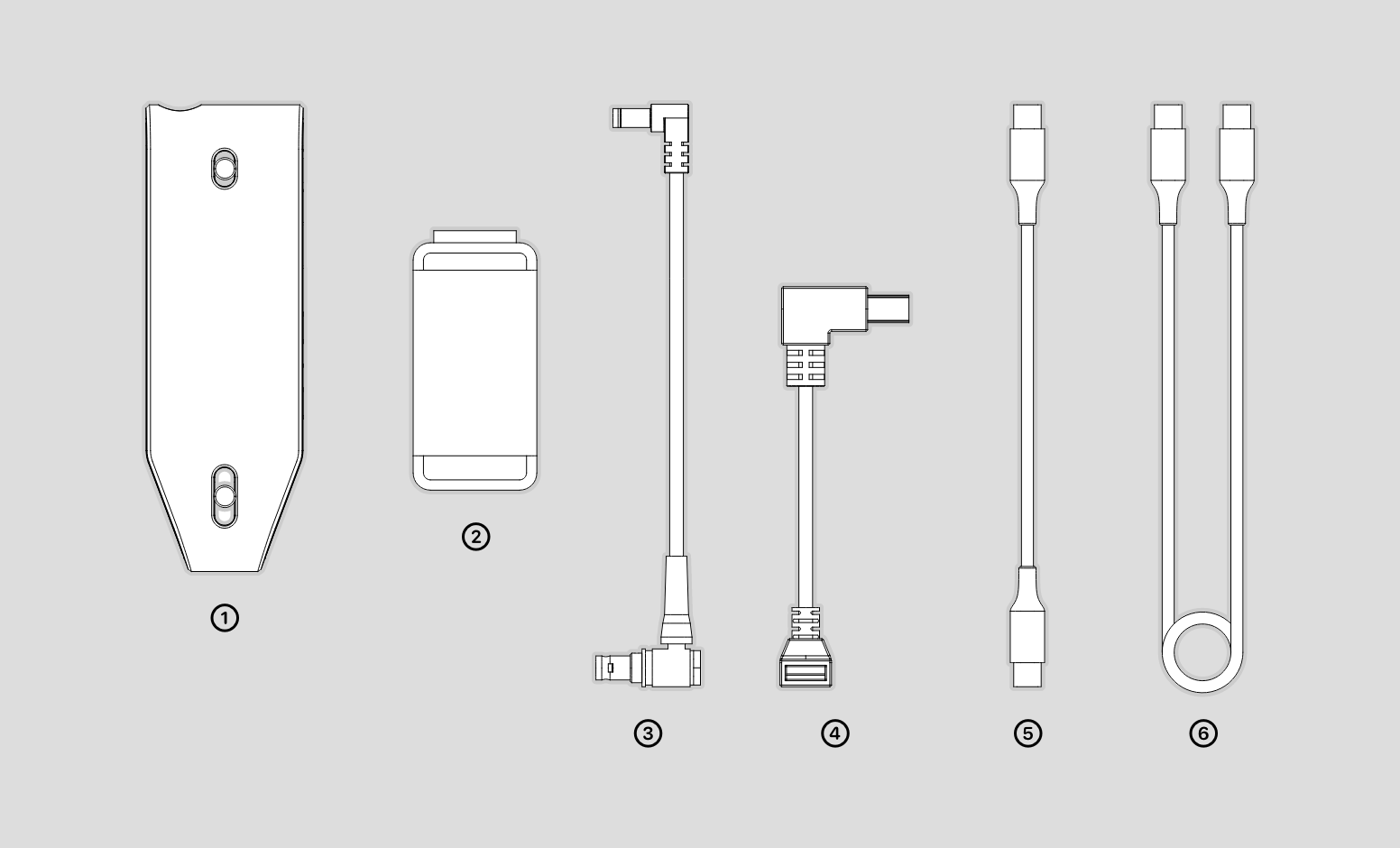
The packing lists are as follows.
①Connect ②Phone Holder ③Device Cable1 ④Device Cable2 ⑤Mobile Cable ⑥Power Cable
Hardware Connection
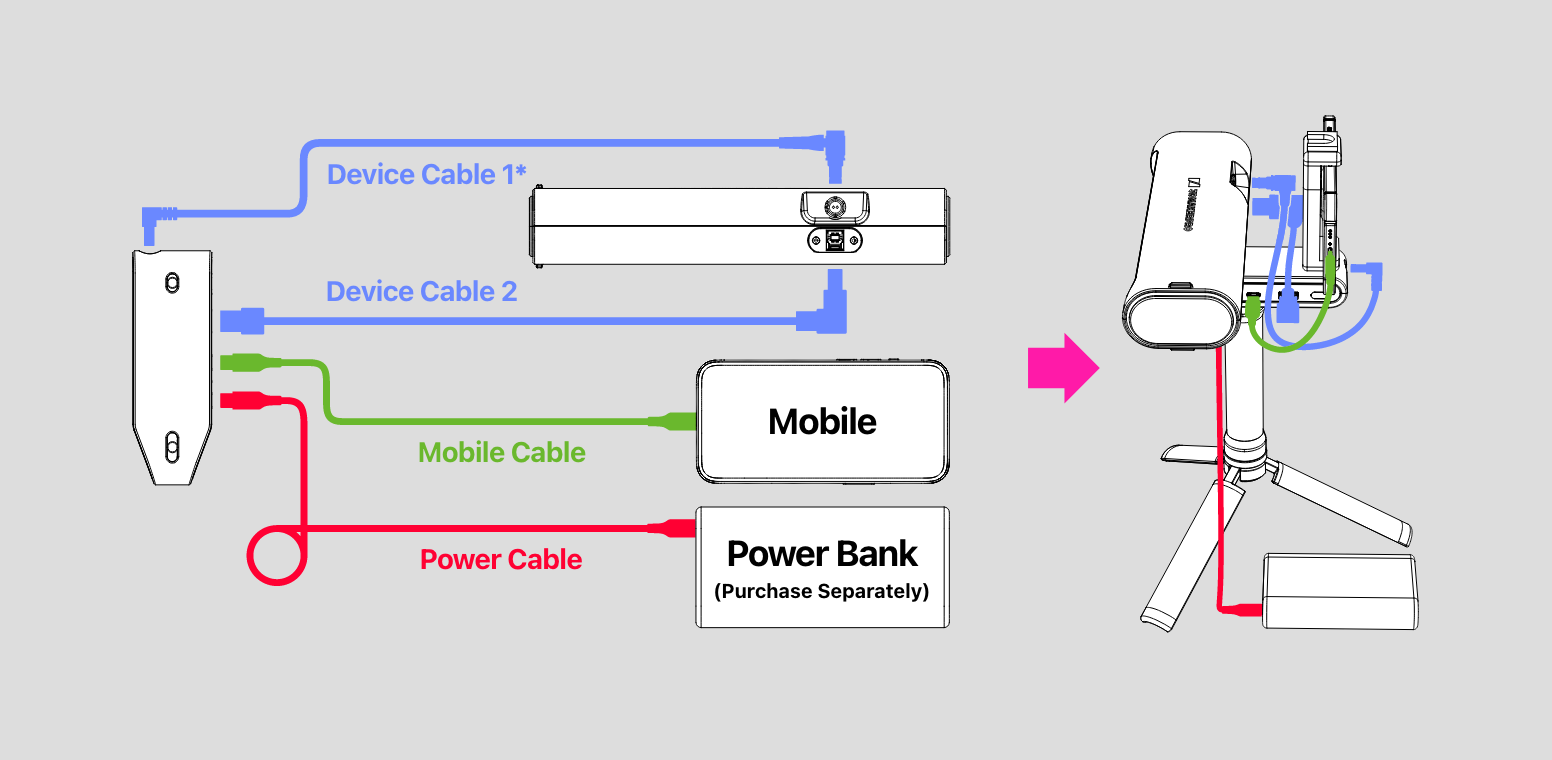
Connect the 3DMakerpro Connect to the scanner with the device cable; connect it to the phone with the mobile cable; connect it to the power bank with the power cable. Notice the power bank needs to be purchased by itself, and the requirements are: 12V PD 22.5W Type-C interface.
* Device Cable1
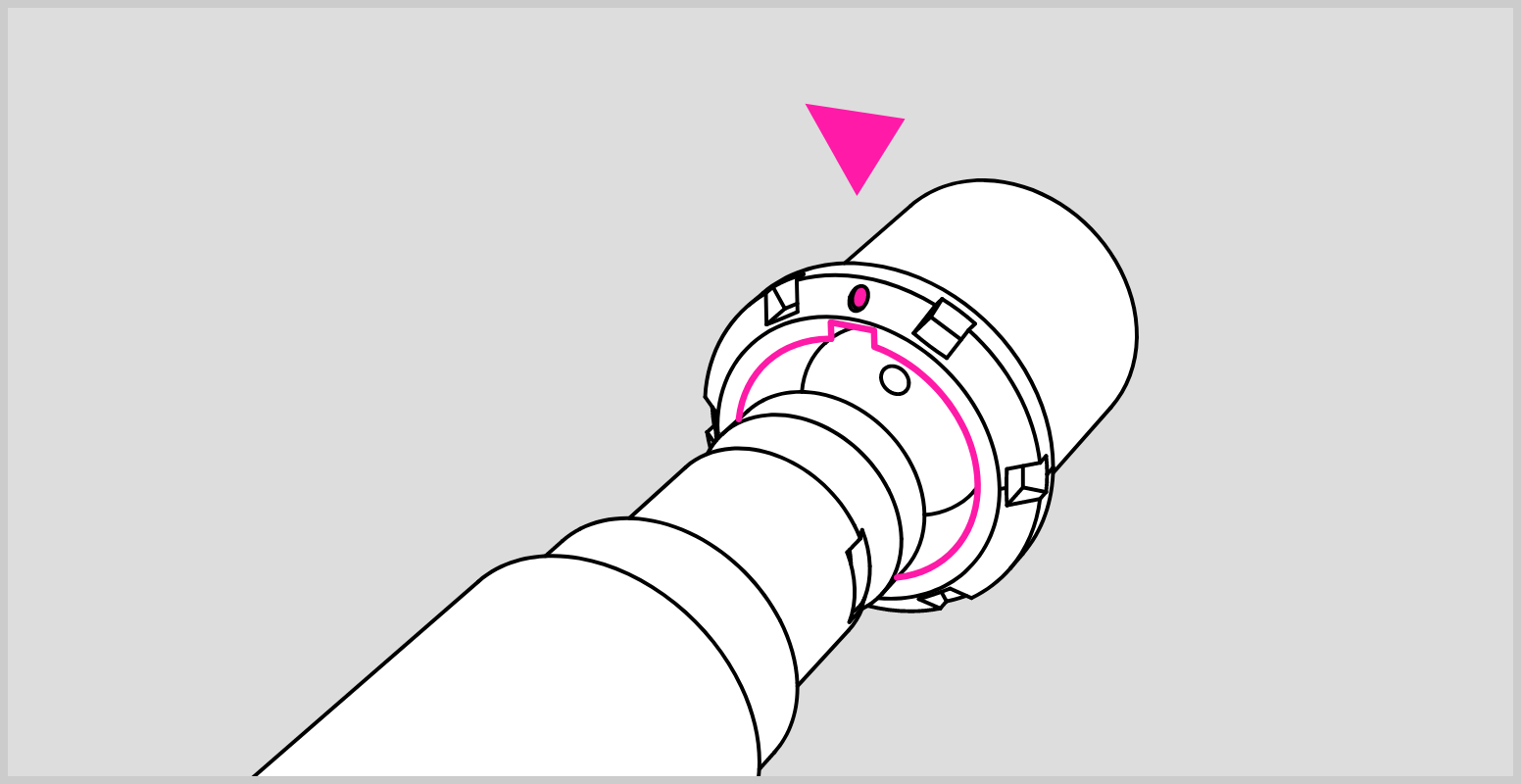
Please make sure the red dot on the plug is lined up with the groove on the device port in case of causing damage to the device. Be sure to plug and unplug the cable in the power-off state.