Packing List
The packing lists are as follows.
①Scanner Body ②Power Adapter ③Power Cable ④Manual ⑤Handle ⑥USB Flash Drive ⑦USB-C to A Adapter ⑧Memory Card Case
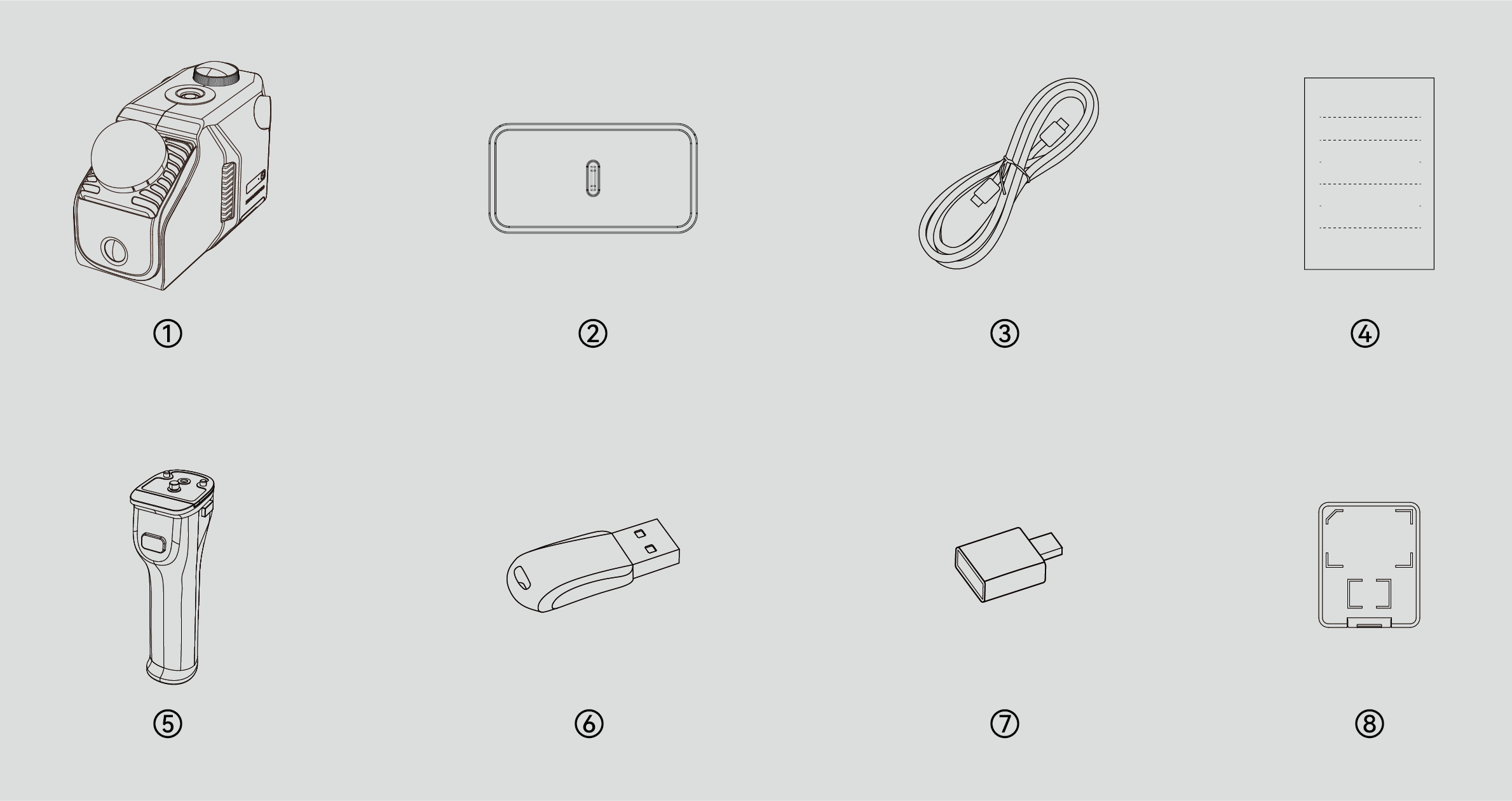
*The appearance of the product isn't standard across all specifications and editions. Product images are for illustrative purposes only!
*The memory card has been installed in the device before leaving the factory. The memory card case is only for storing the card.
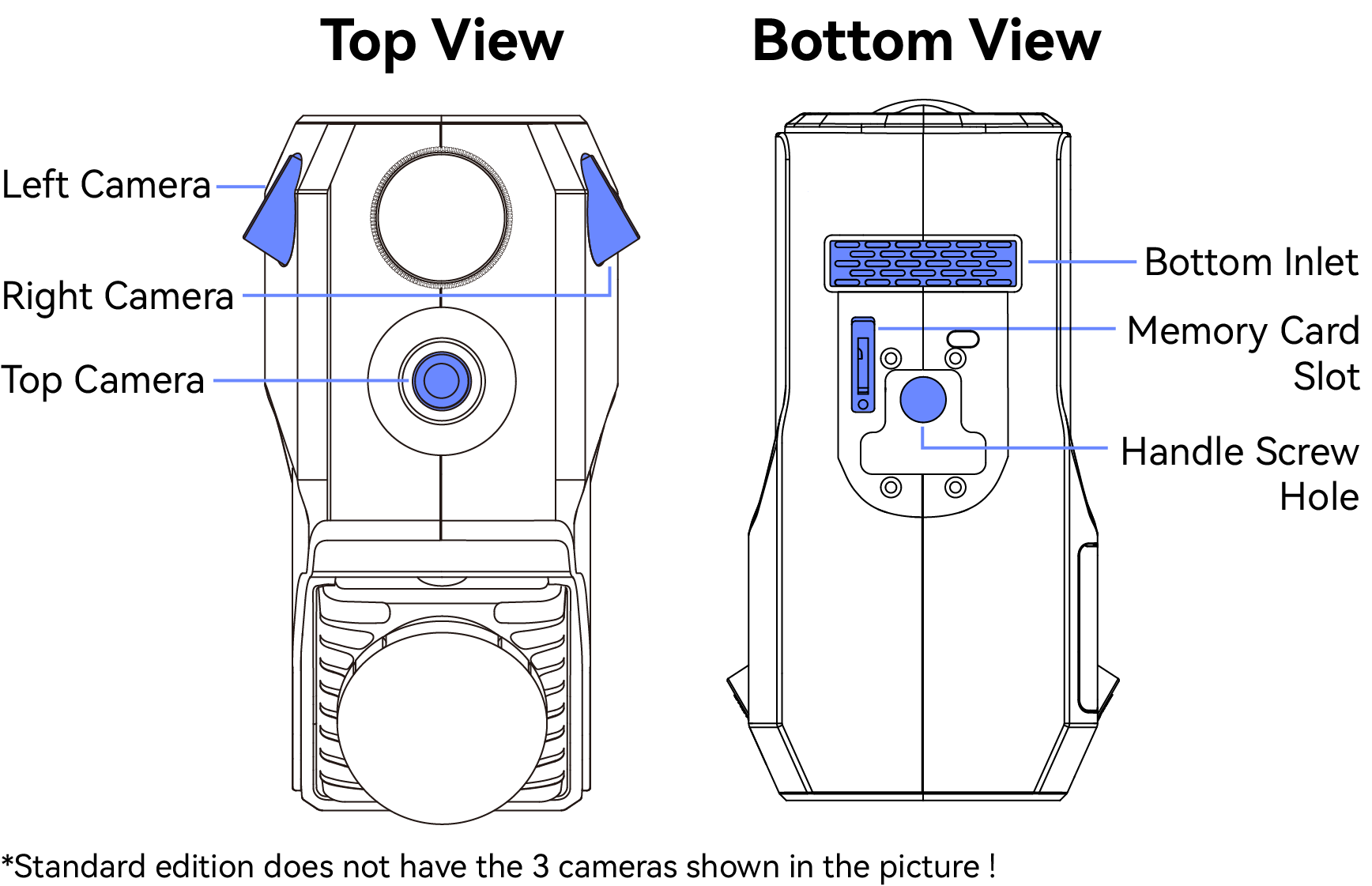
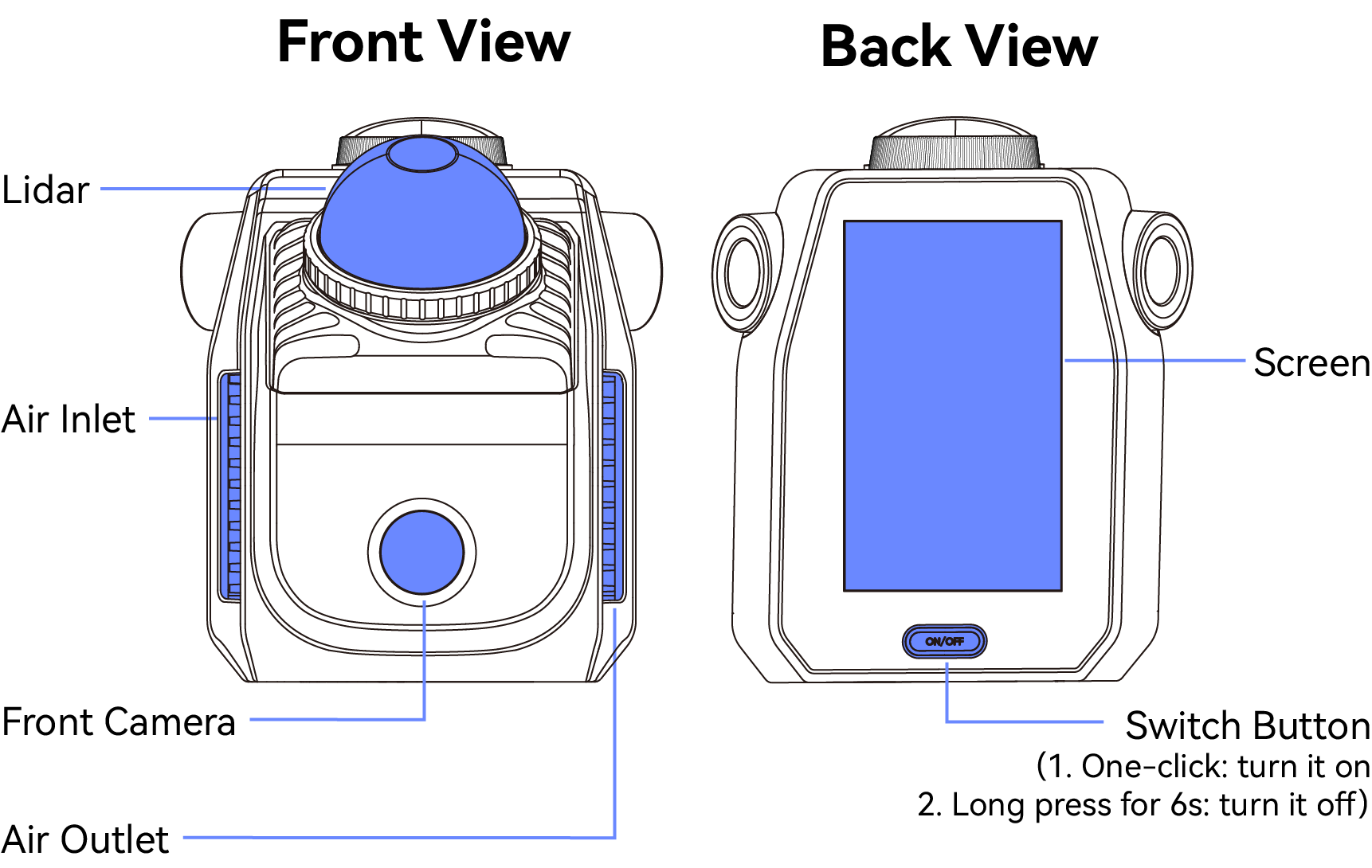
Main Structures
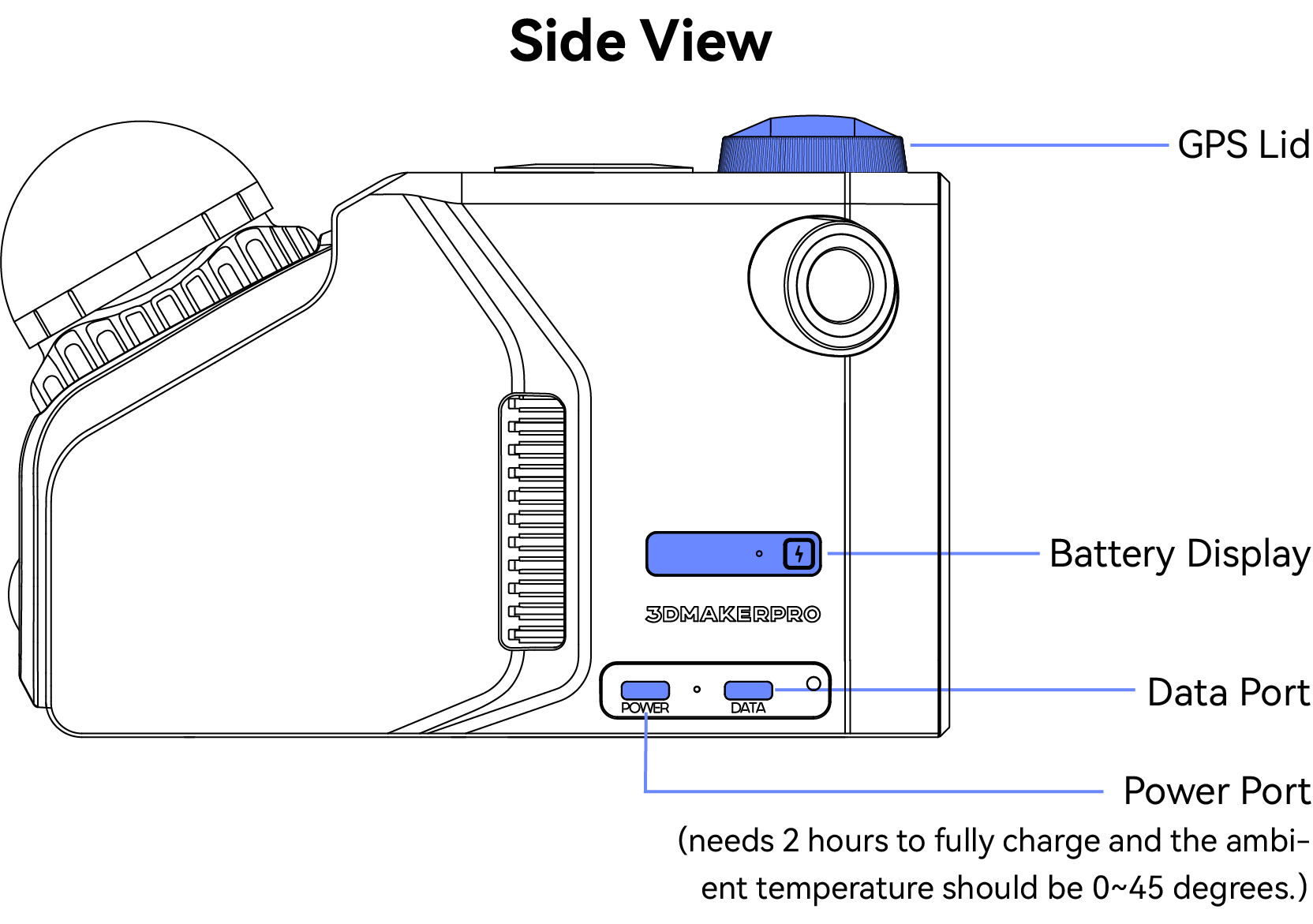
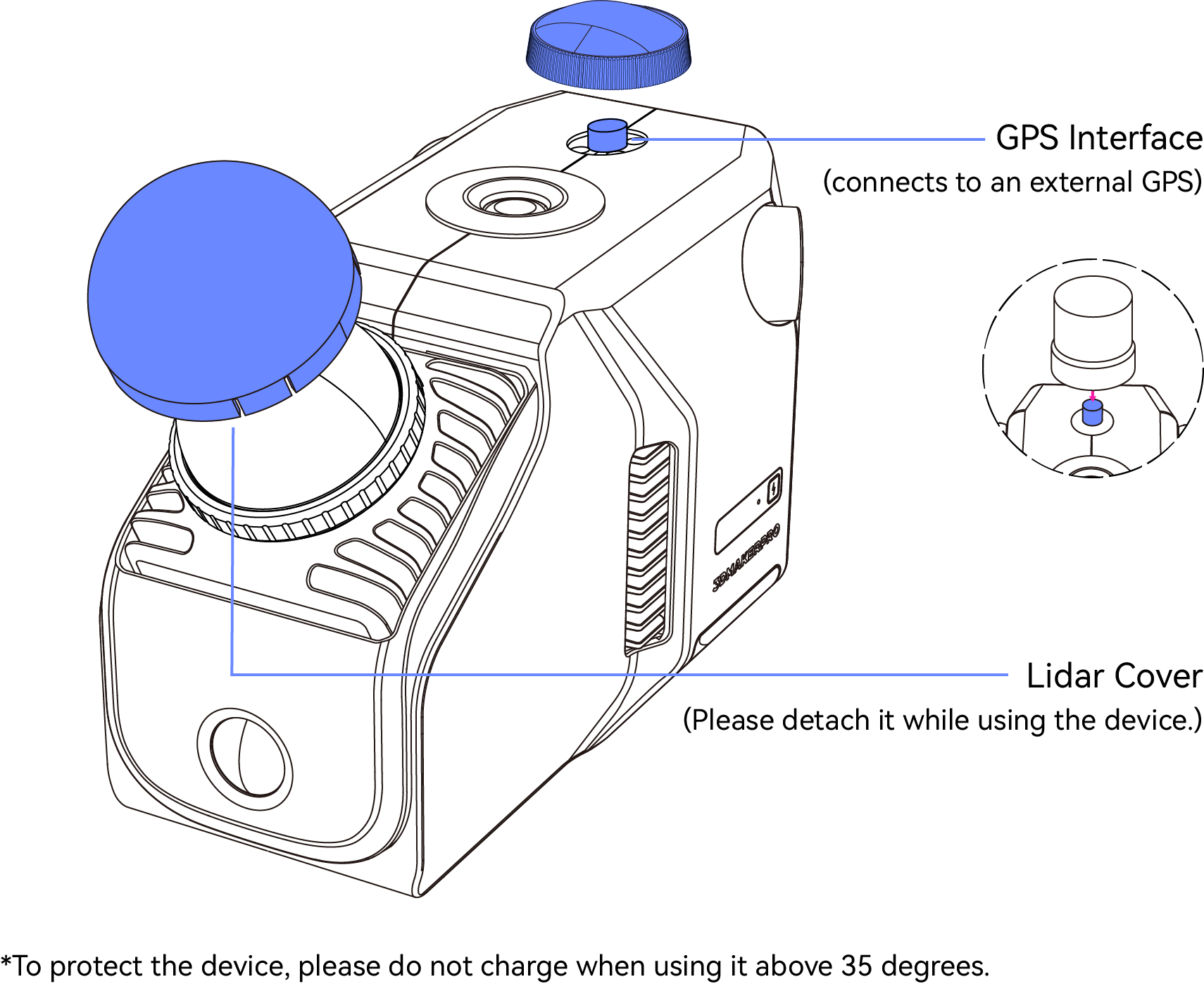
Hardware Connection
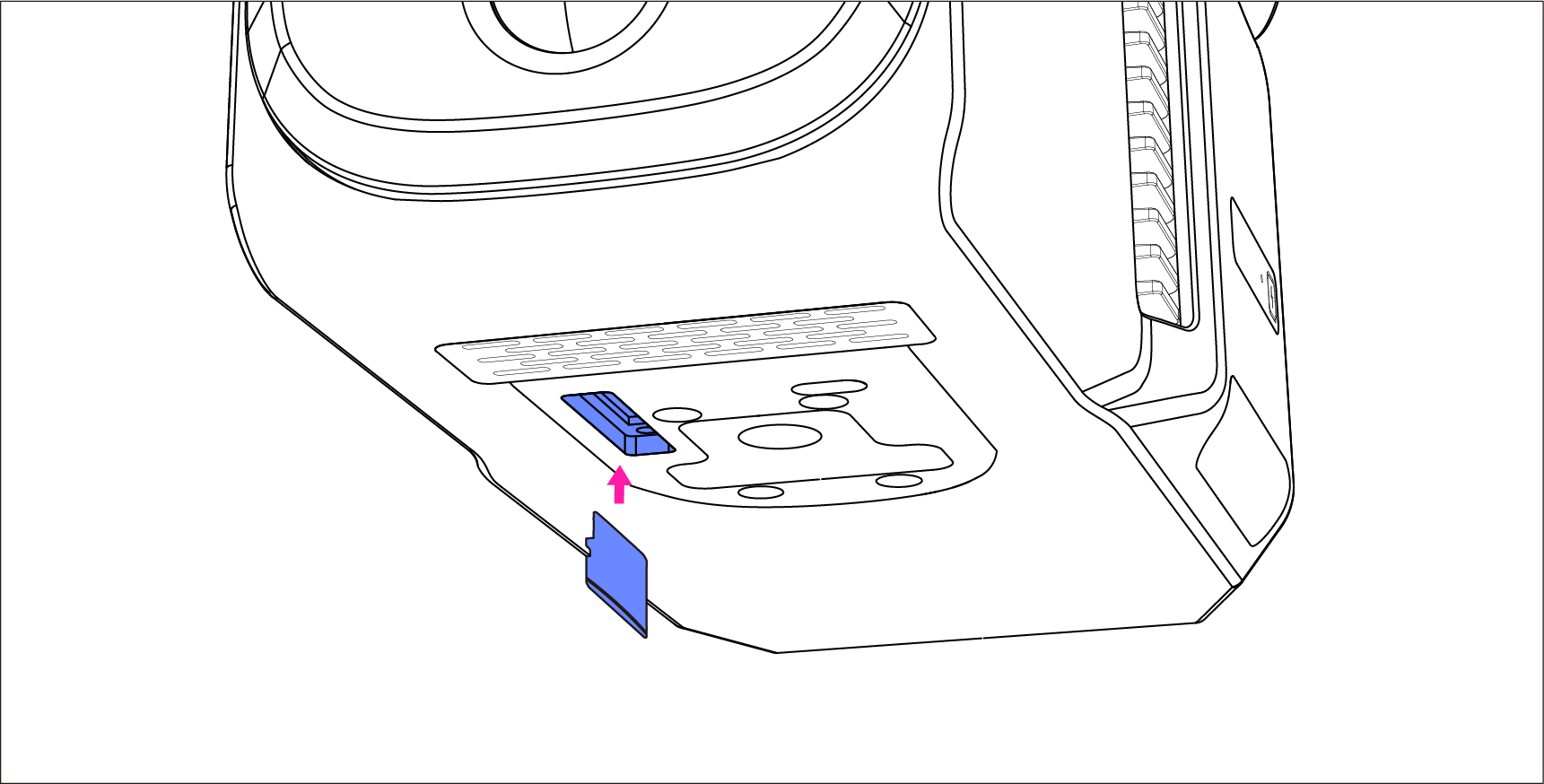
*1.Insert the Memory Card
The memory card is factory installed in the device, if you need to unplug and reinsert it for other operations, you can refer to the following operations:
Insert the memory card into the device through the slot at the bottom.
2.Connect to the Handle
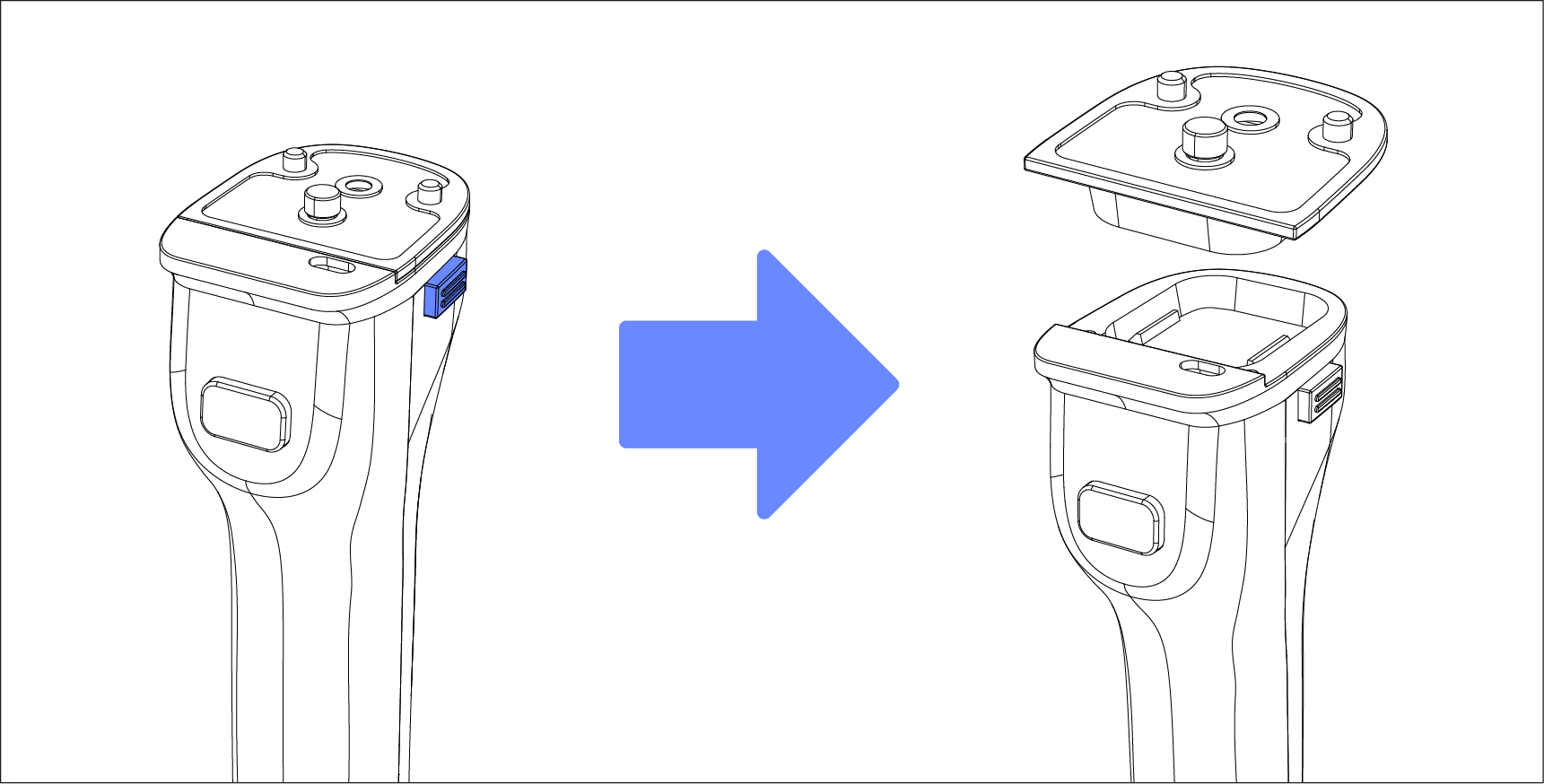
a.Press the two side buttons to release the mounting plate from the handle.
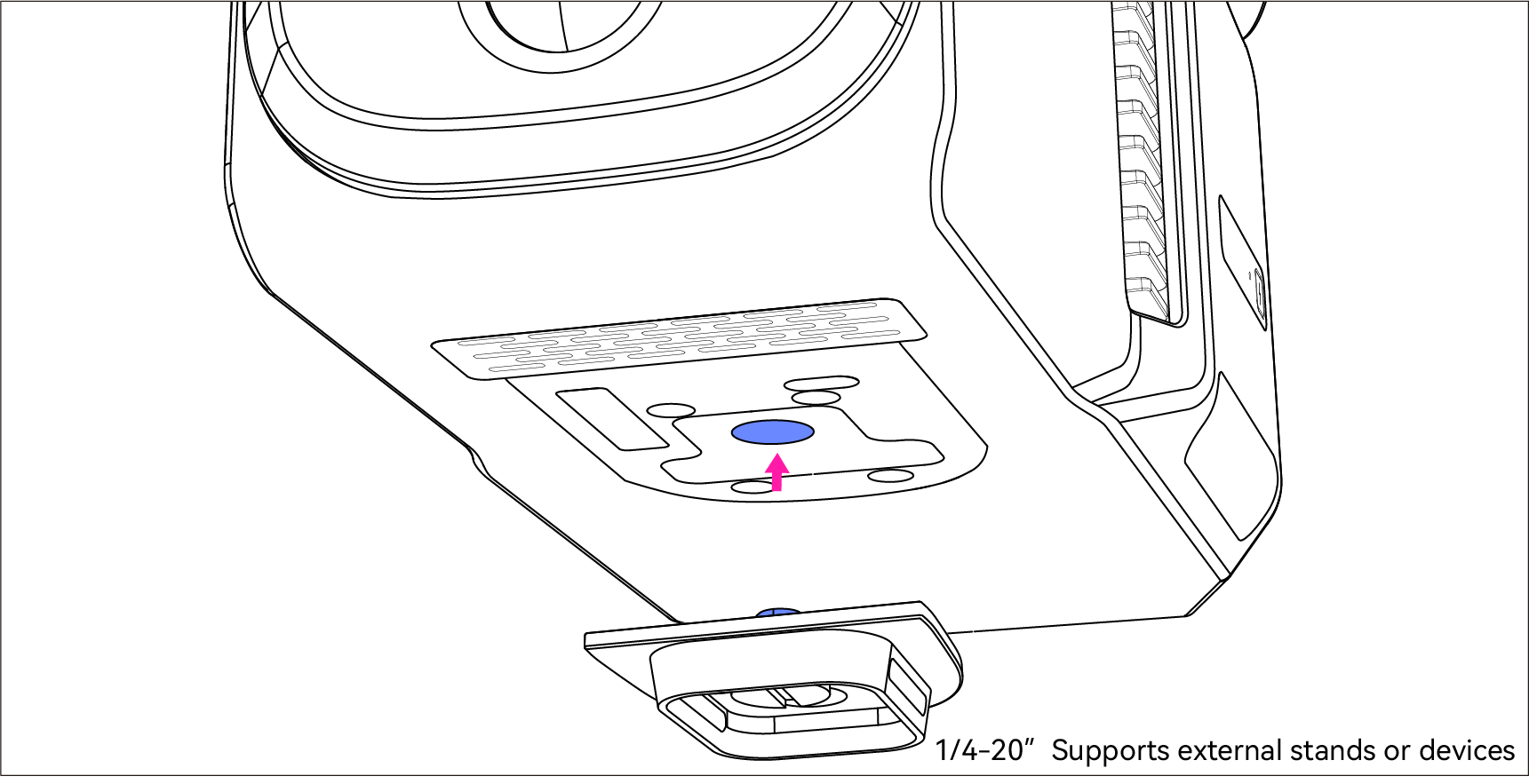
b.Fit the mounting plate into the scanner through the bottom screw hole.
Pre-fix the mounting plate into the scanner through the bottom screw hole. Once in place, tighten the ring screw on the plate.
Note: Please make sure the screws are tight with the device to prevent the device from falling off!
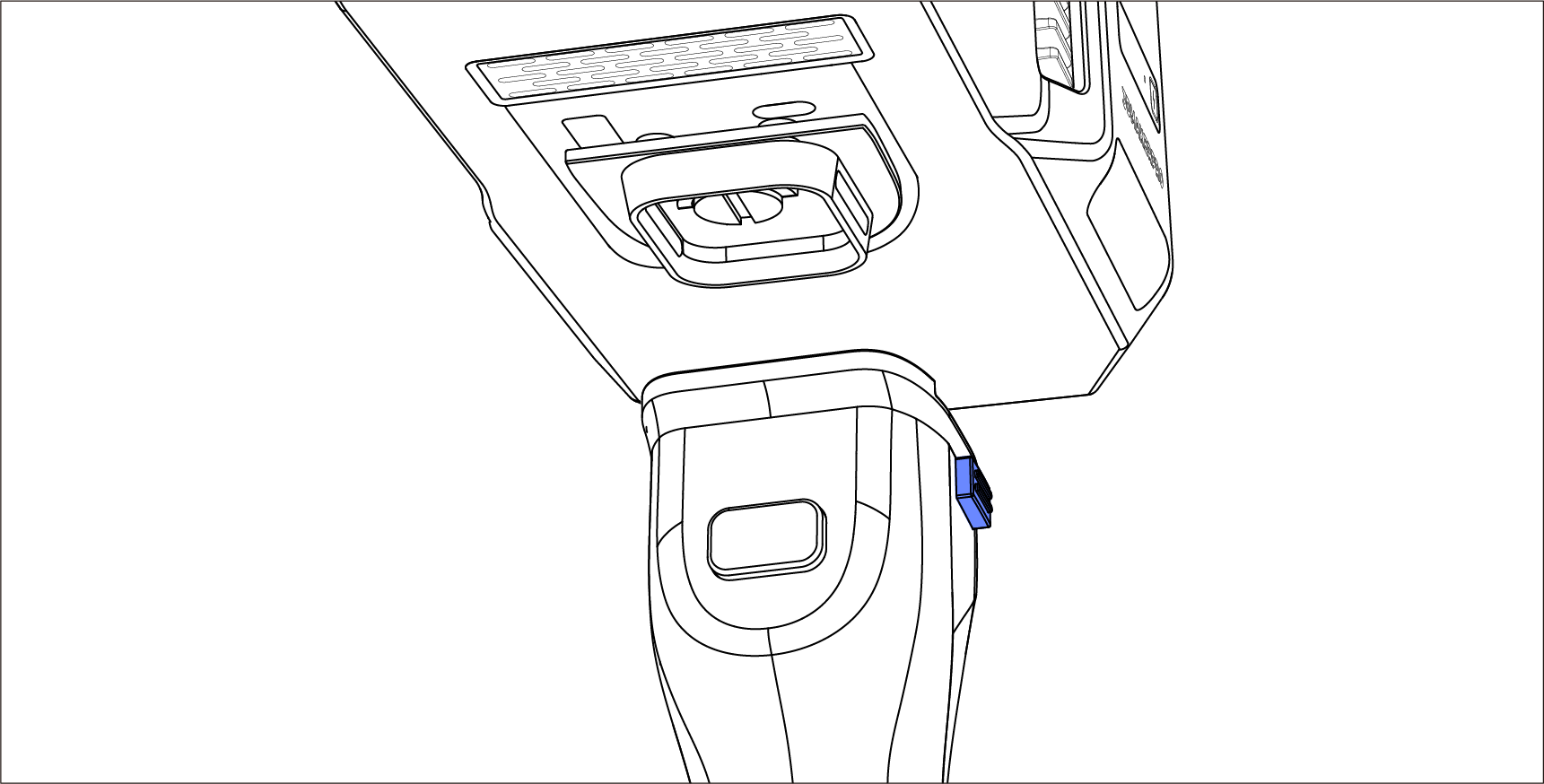
c.Press the two side buttons on the handle and sit the scanner onto it.