PACKING LIST
1.Hot Shoe Mount 2.Utility Frame 3. Base 4. Knurled Head Thumb Screws 5. Long Knurled Head Thumb Screw 6. Antenna Mount
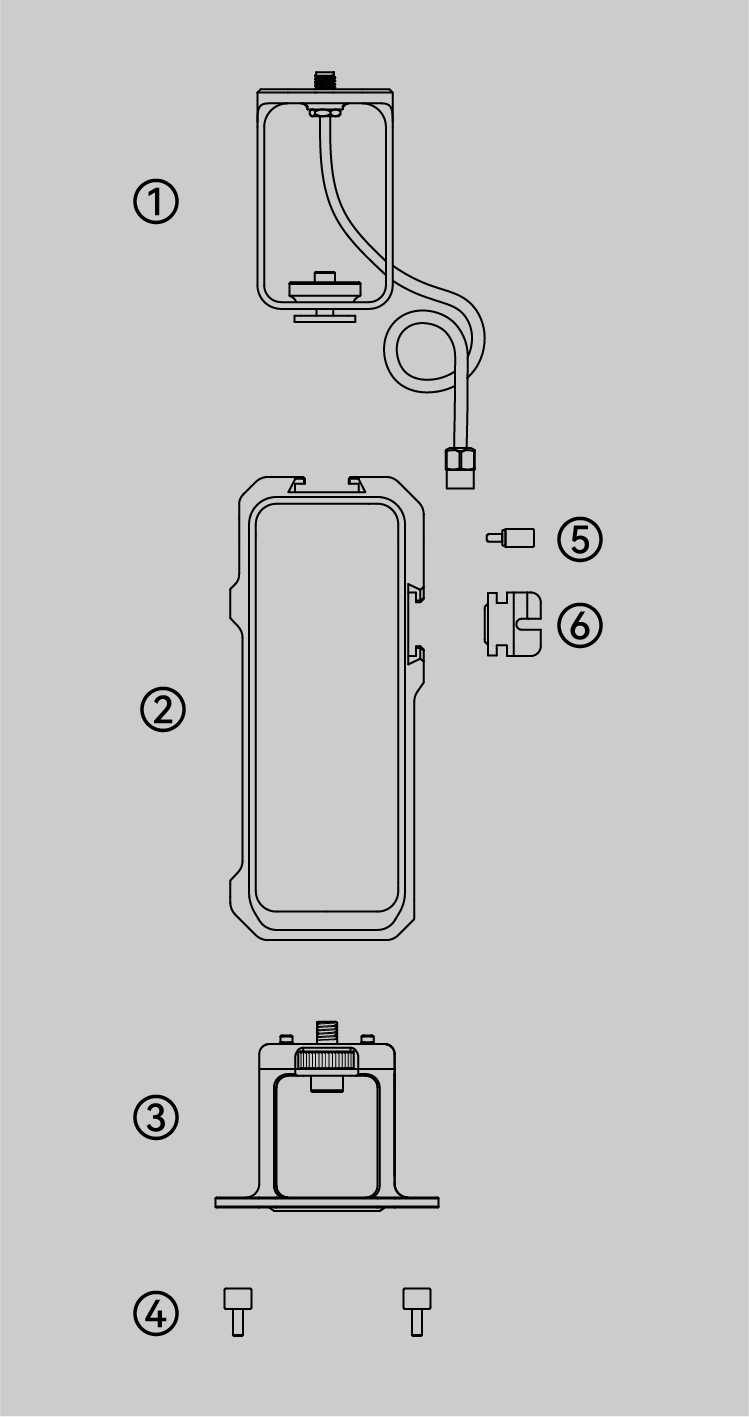
*Product images are for illustrative purposes only! The actual product may vary.
Precautions
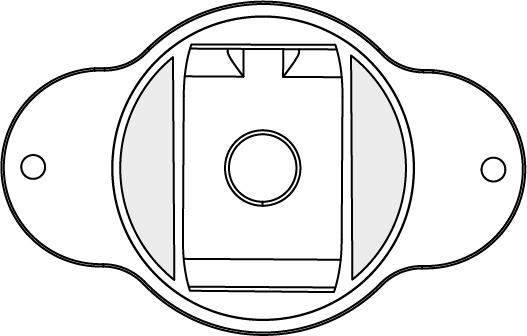
To be compatible with multiple devices, the base is equipped with a rubber strip at the bottom.
When used with Hawk, it is recommended to keep the rubber strip installed; when used with Raven, it is recommended to remove the rubber strip to prevent unstable installation with the device.
Hardware Assembly
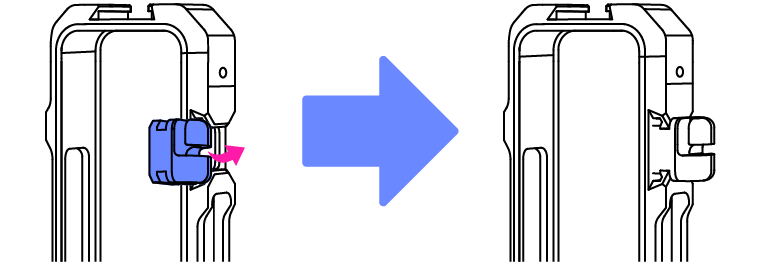
① Insert the antenna mount into the buckle on the right side of the utility frame.
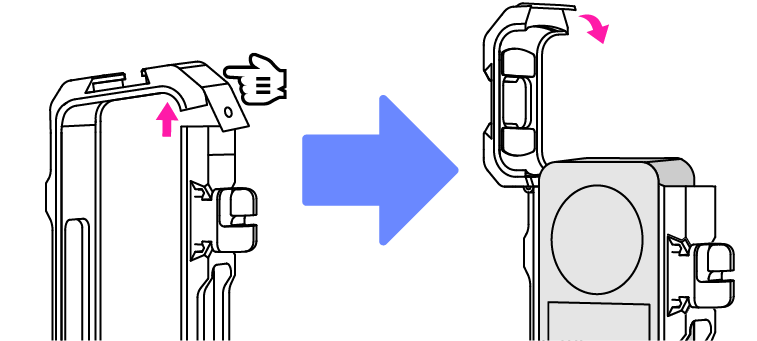
② Press and hold the switch on the right to unlock the utility frame. Then close the frame once other peripheral devices have been inserted.
③ Insert the long knurled head thumb screw into the hole and turn it clockwise to lock the frame securely.
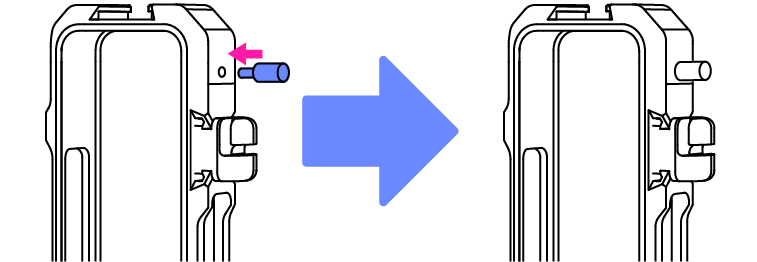
④ After inserting the plate of the hot shoe mount into the top of the utility frame, tighten the screw to secure the connection.
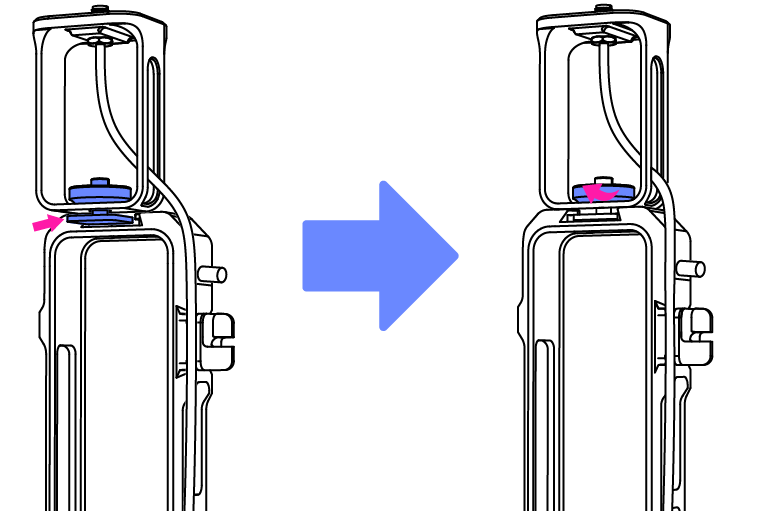
⑤ Align the screw on the base with the screw hole at the bottom of the utility frame, then tighten the screw.
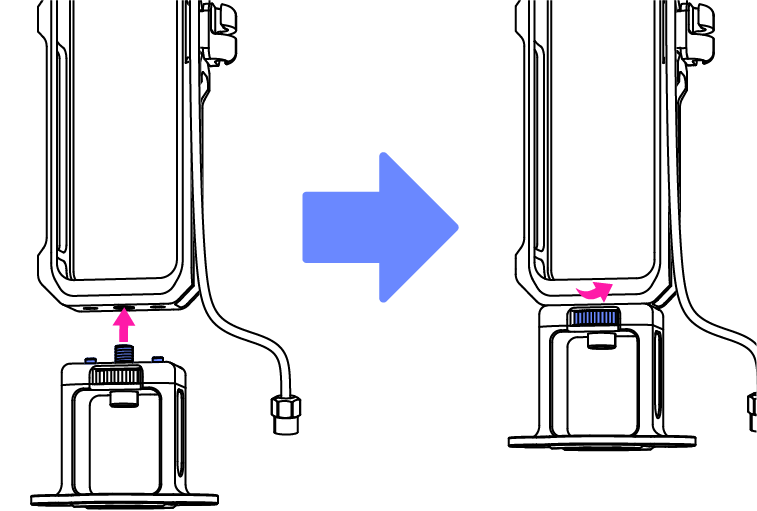
⑥ Insert the antenna extension cable into the base after passing it through the antenna mount on the right side of the utility frame.
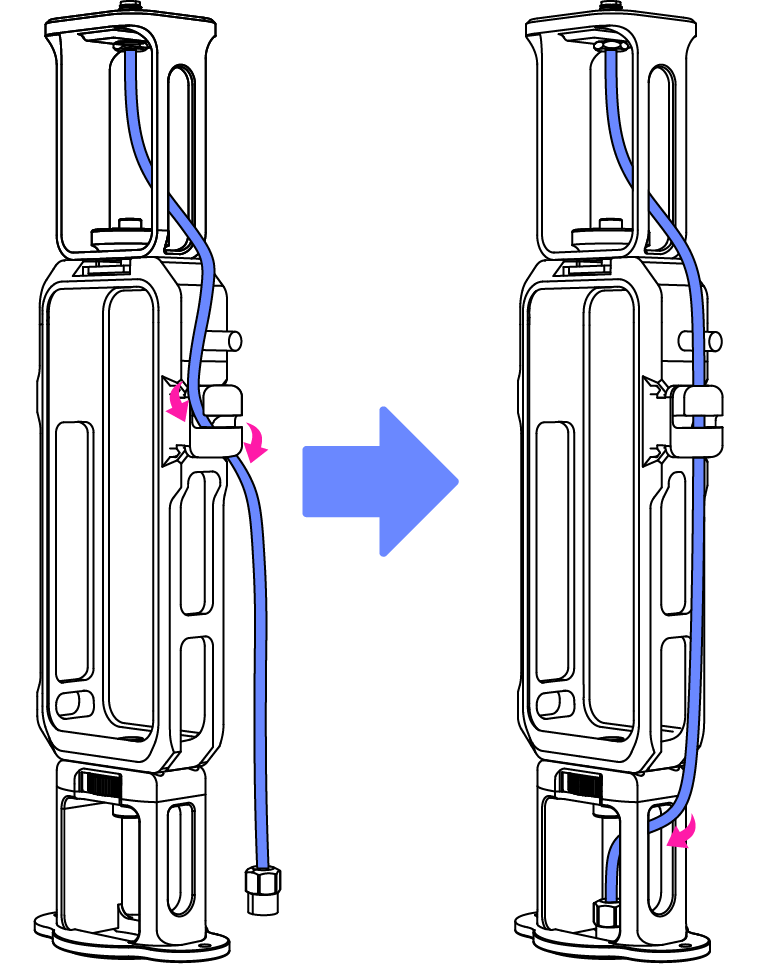
*Please make sure the screws are properly tightened to prevent the device from falling apart!
How to Use
① Use the knurled head thumb screw to secure the scanner to the utility frame.
② Connect the antenna extension cable to the scanner via the GPS interface and tighten the screw.
③ Mount the external GPS on the top of the camera kit.
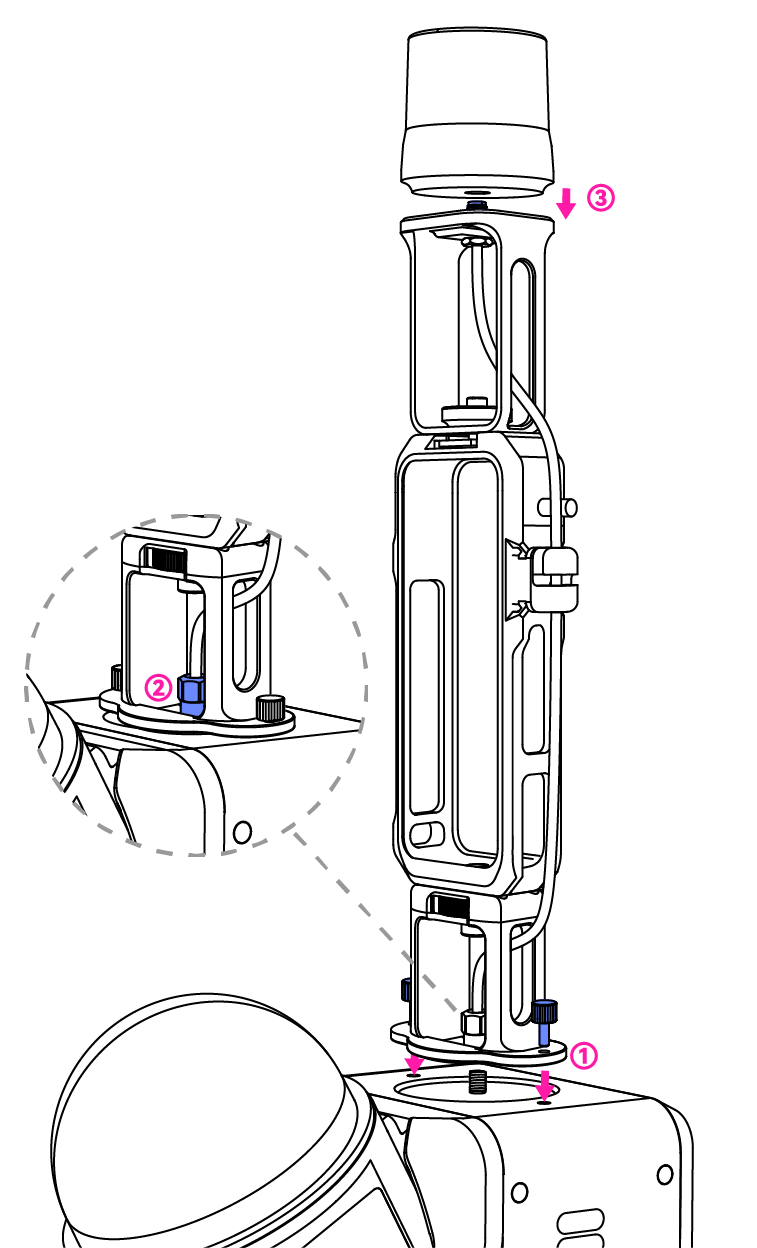
*Scanner and external GPS are not included.