Hardware connection
Plug one side of the data transmission cable (as it's showing Device Cable) into the scanner, another into the computer USB port and power adapter;
The turntable cable is for powering up the turntable.
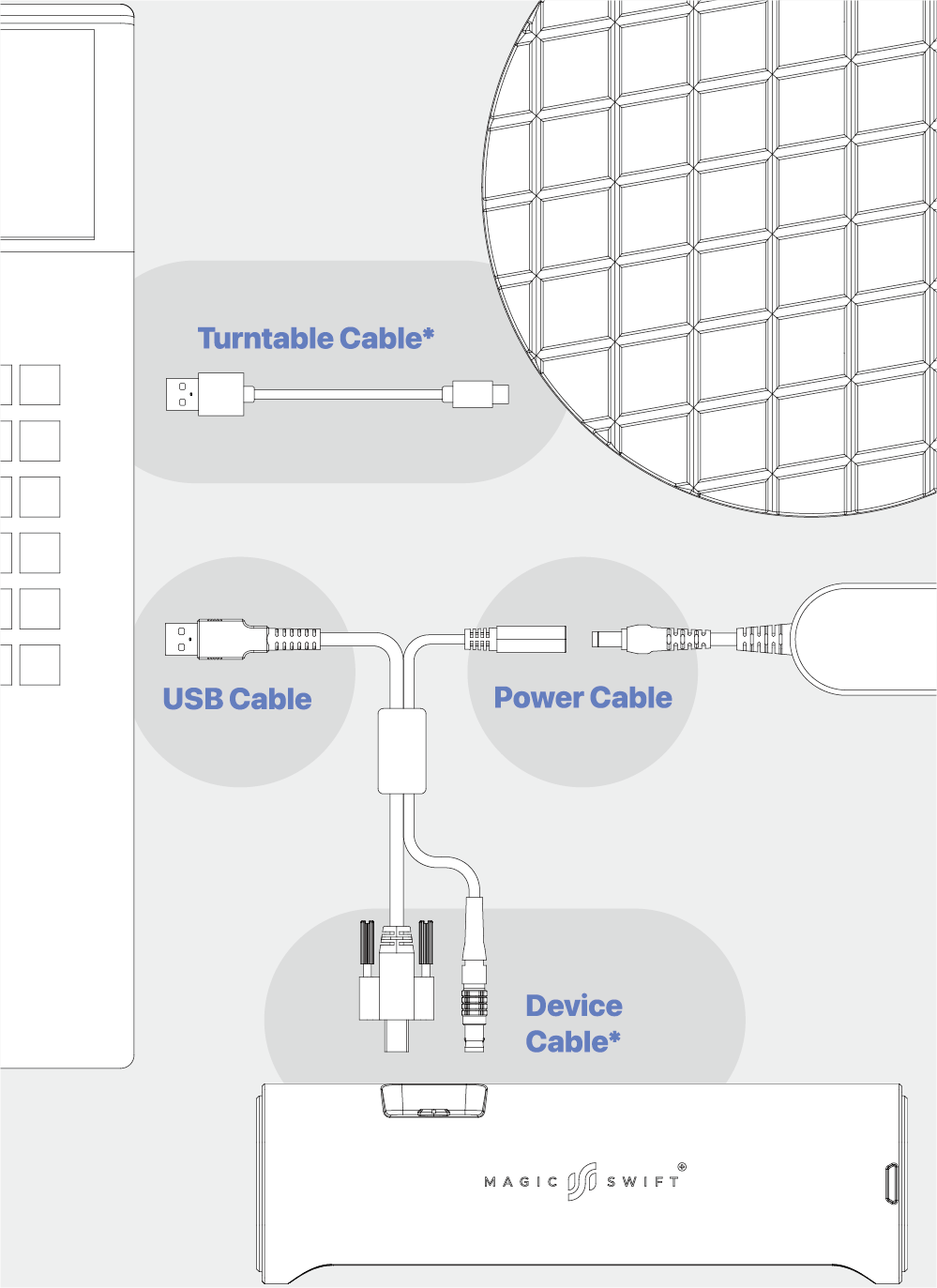
*Device Cable
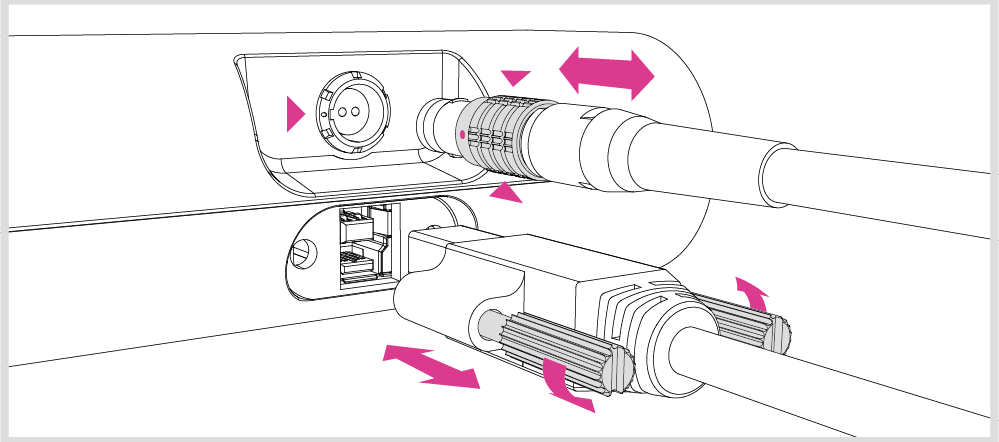
Plug the dcvicc cable into thc port of the scanncr, makc sure the red dot is lined up with the groove on the port;
To unplug thc cable, movc backwards thc bushing (as marked with the red triangles) and pull out the cable directly.
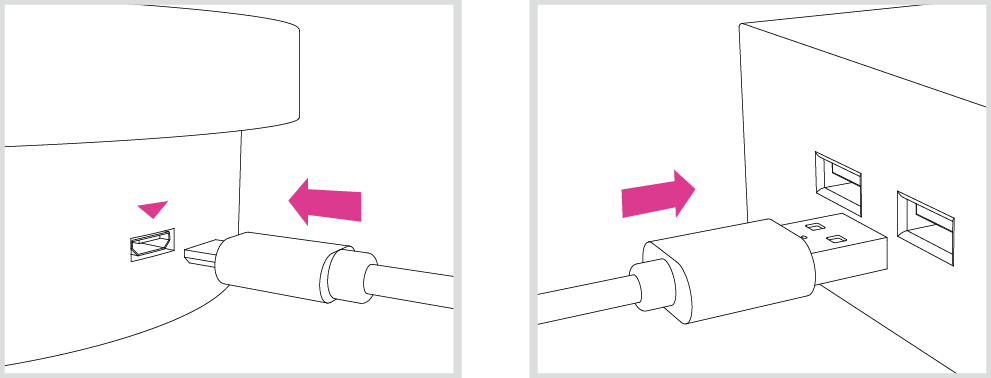
*Turntable Cable
The turntable can be powered up by connecting it to the computer or the power adapter with the turntable cable.
Packing List
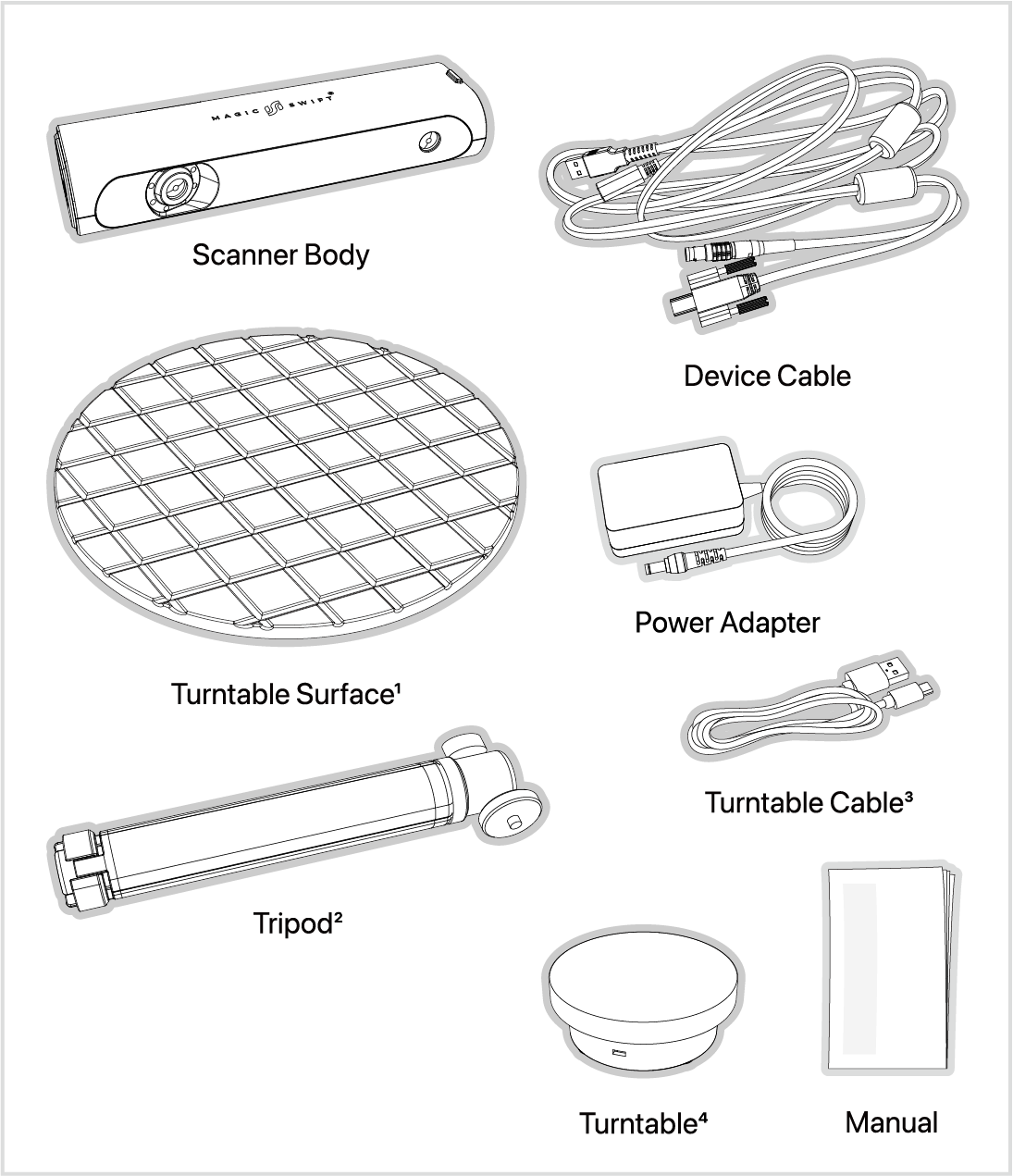
Product images are for illustrative purposes only.
1234 Not included in the Standard Combo.