Product Profile
Scan Big, Pay Less, and Make It Easy
lynx is the second large format 3D scanner of 3dmakerpro. It not only supports fully automatic scanning of 3D models in turntable mode, but also supports handheld mode to freely scan large objects. The original non-stick mode and one-click model generation make 3D scanning as easy as shooting a video.
Technical Specifications
For more information, please visit our official website: Lynx Specs
Unboxing
Packing List
The packing lists are as follows for different combinations
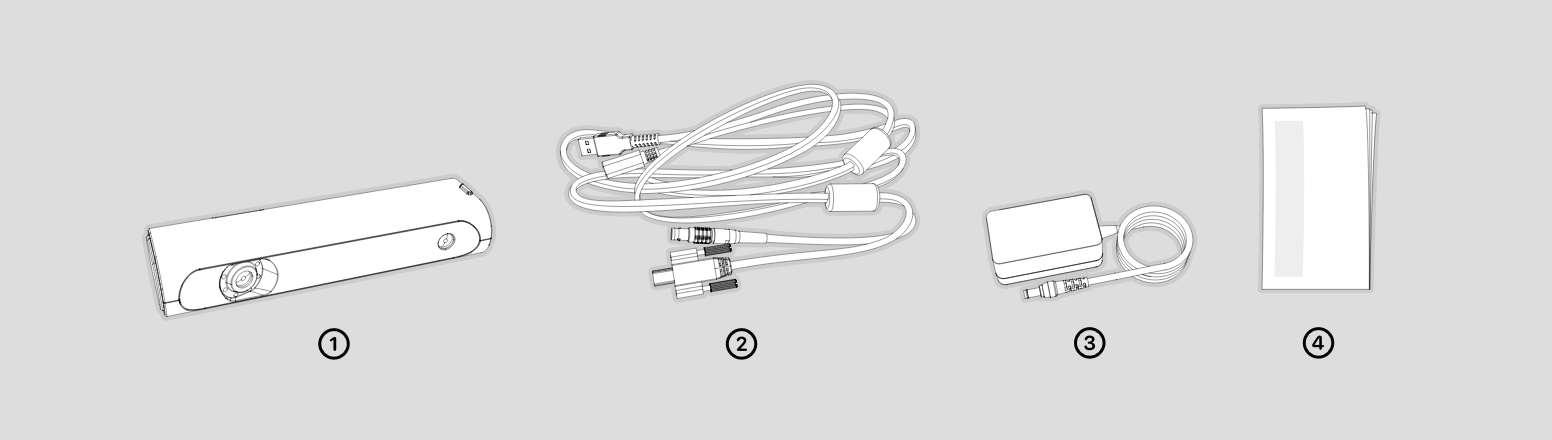
Standard Combo
①scanner body ②device cable ③power adapter ④manual
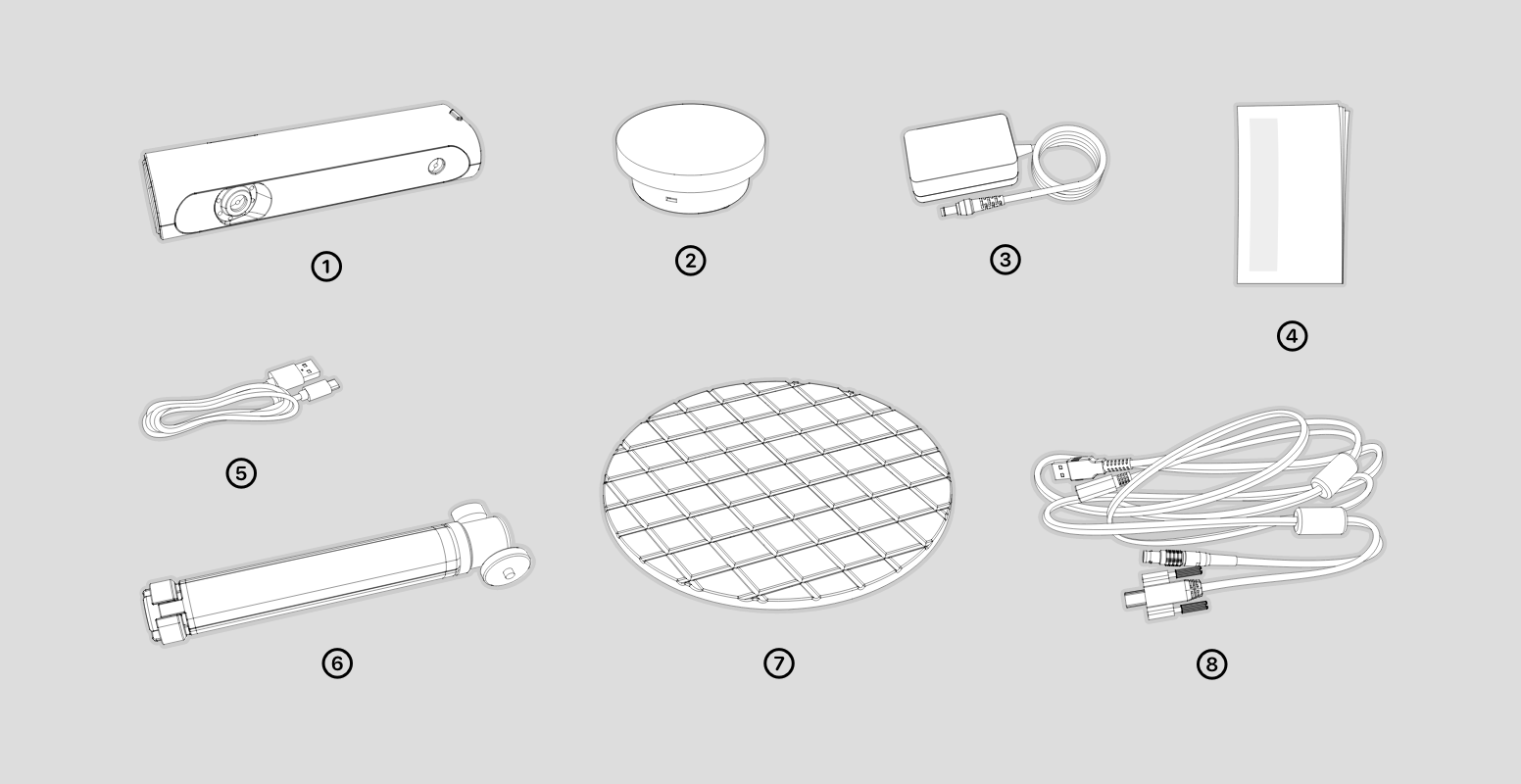
Premium combo
①scanner body ②turntable ③power adapter ④manual ⑤turntable cable ⑥tripod ⑦Turntable Surface ⑧device cable
Appearance
Hardware Connection
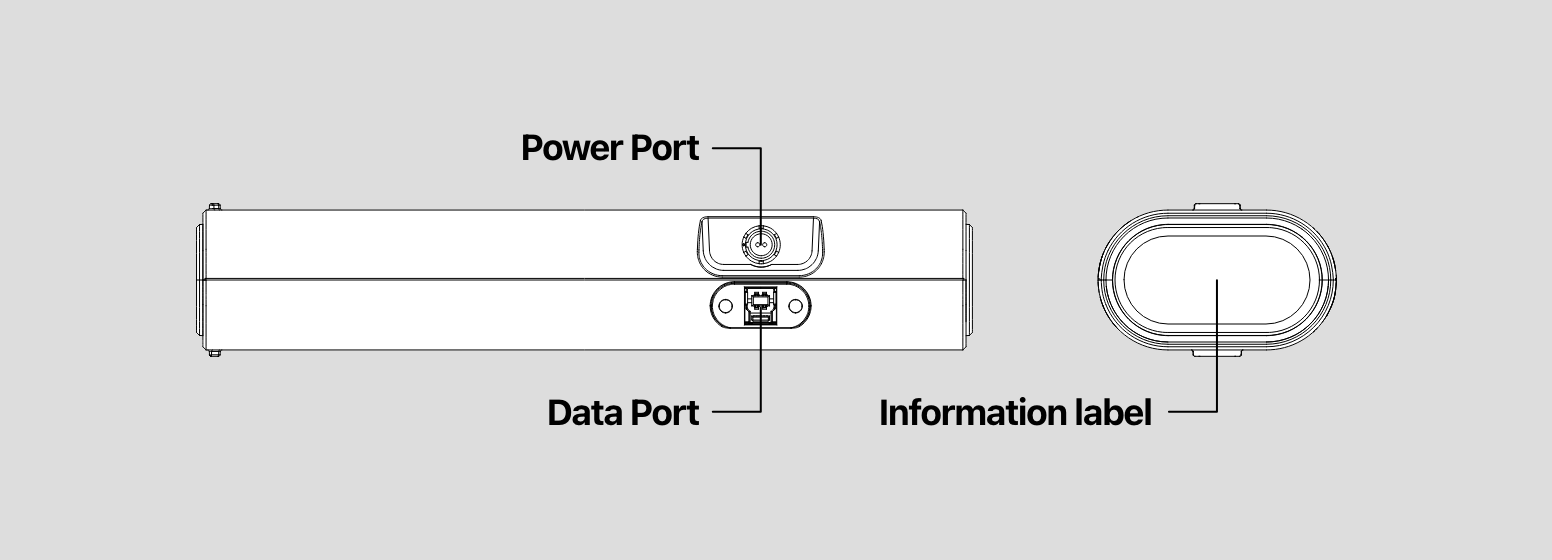
Plug one side of the device cable (as it's showing Device Cable) into the scanner, another into the computer USB port and power adapter;
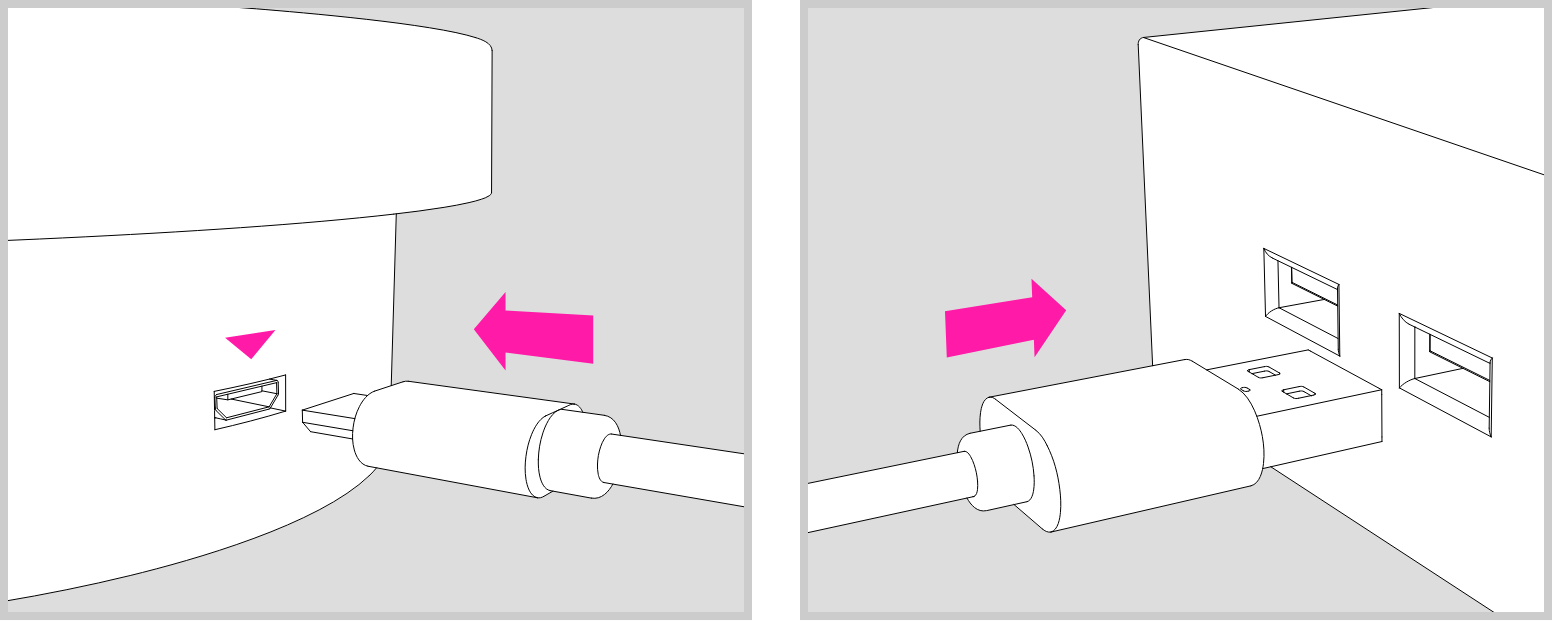
Use the turntable cable to power the turntable.
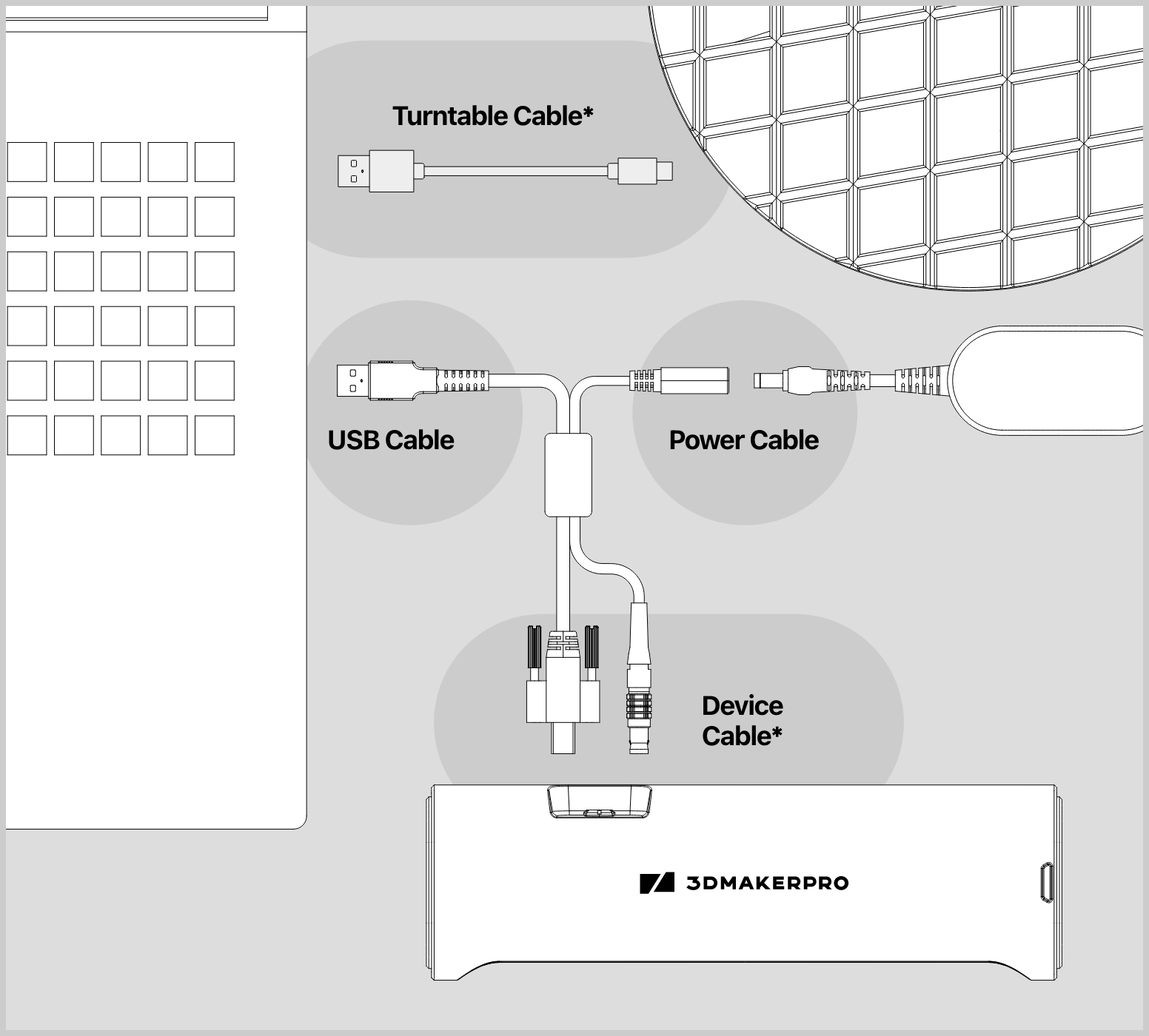
* Device Cable
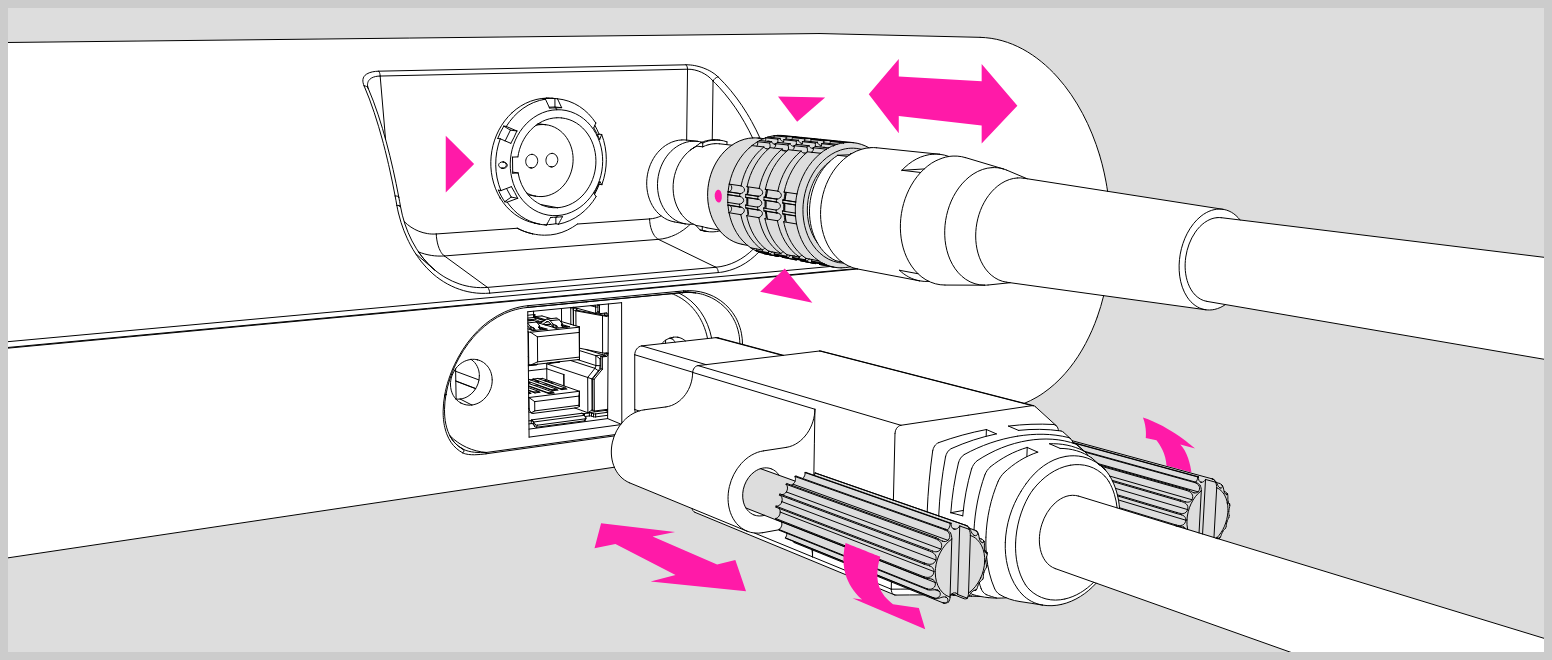
Plug the device cable into the port of the scanner, make sure the red dot is lined up with the groove on the port;
To unplug the cable, move backwards the bushing (as marked with the red triangles) and pull out the cable directly.
* Turntable Cable
The turntable cable can be connected to the computer through the USB port for power supply, or use a USB power adapter to power the turntable.