Tutorials
Lista di Imballaggio
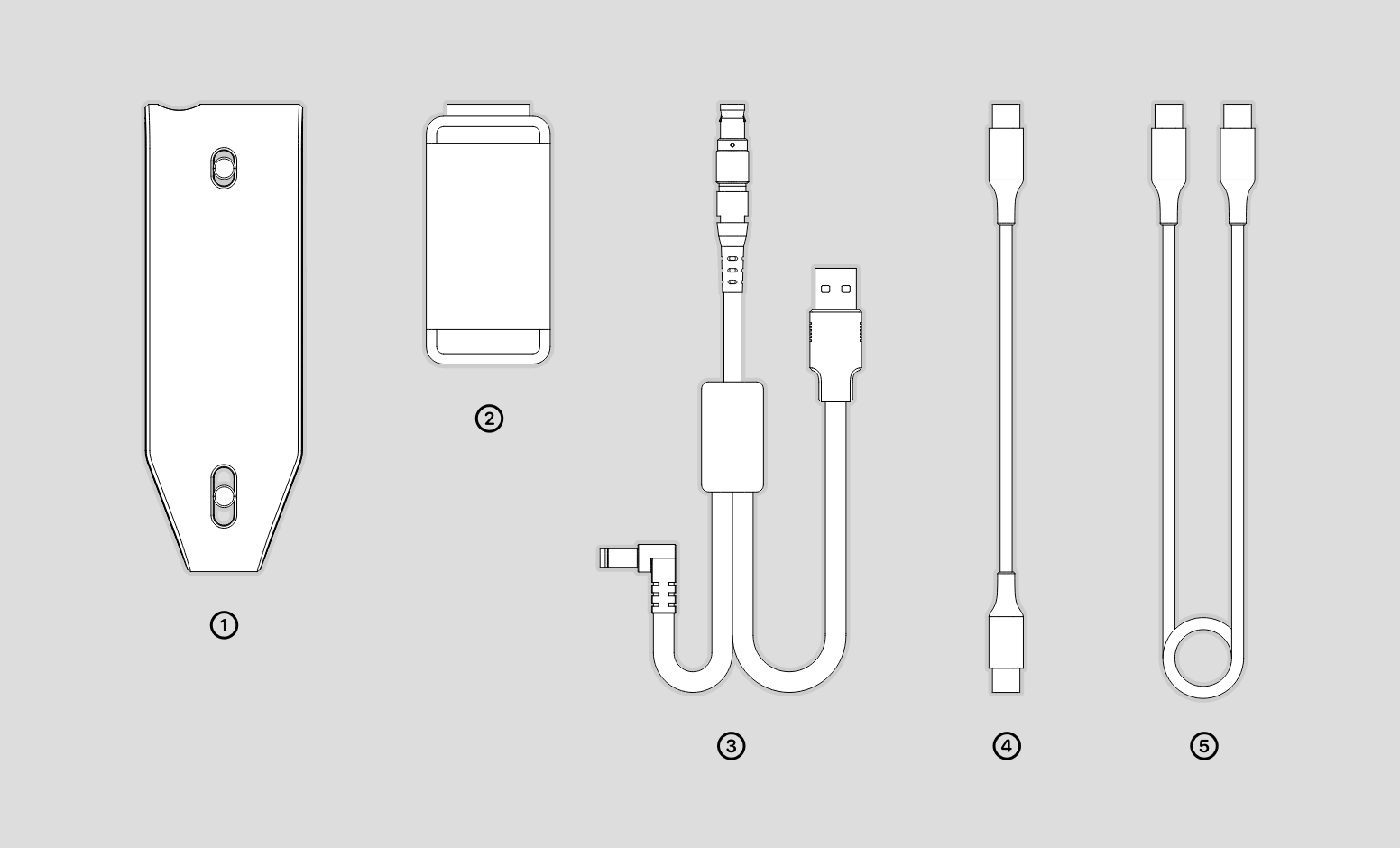
La lista di imballaggio e la seguente.
①Connect ②Supporto Telefono ③Cavo Dispositivo ④Cavo Mobile ⑤Cavo Alimentazione
Connessione Hardware
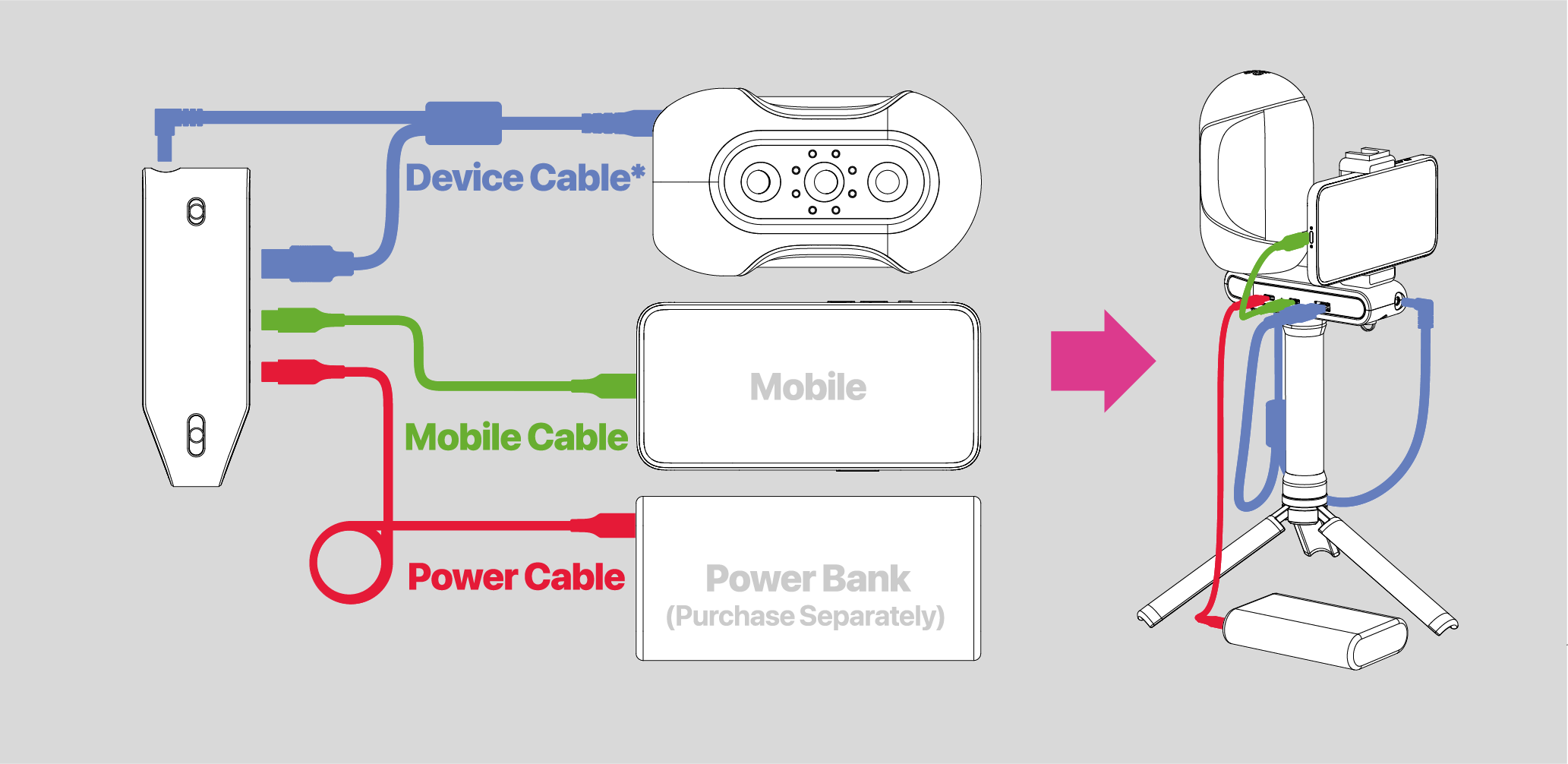
Connect the 3DMakerpro Connect to the scanner with the Cavo Dispositivo; connect it to the phone with the mobile cable; connect it to the power bank with the Cavo Alimentazione. In this case, we use Mole(as shown in the pic), and the connection logic applies to all the compatible scanners. Notice the power bank needs to be purchased by itself, and the requirements are: 12V PD 22.5W Type-C interface.
* Cavo Dispositivo
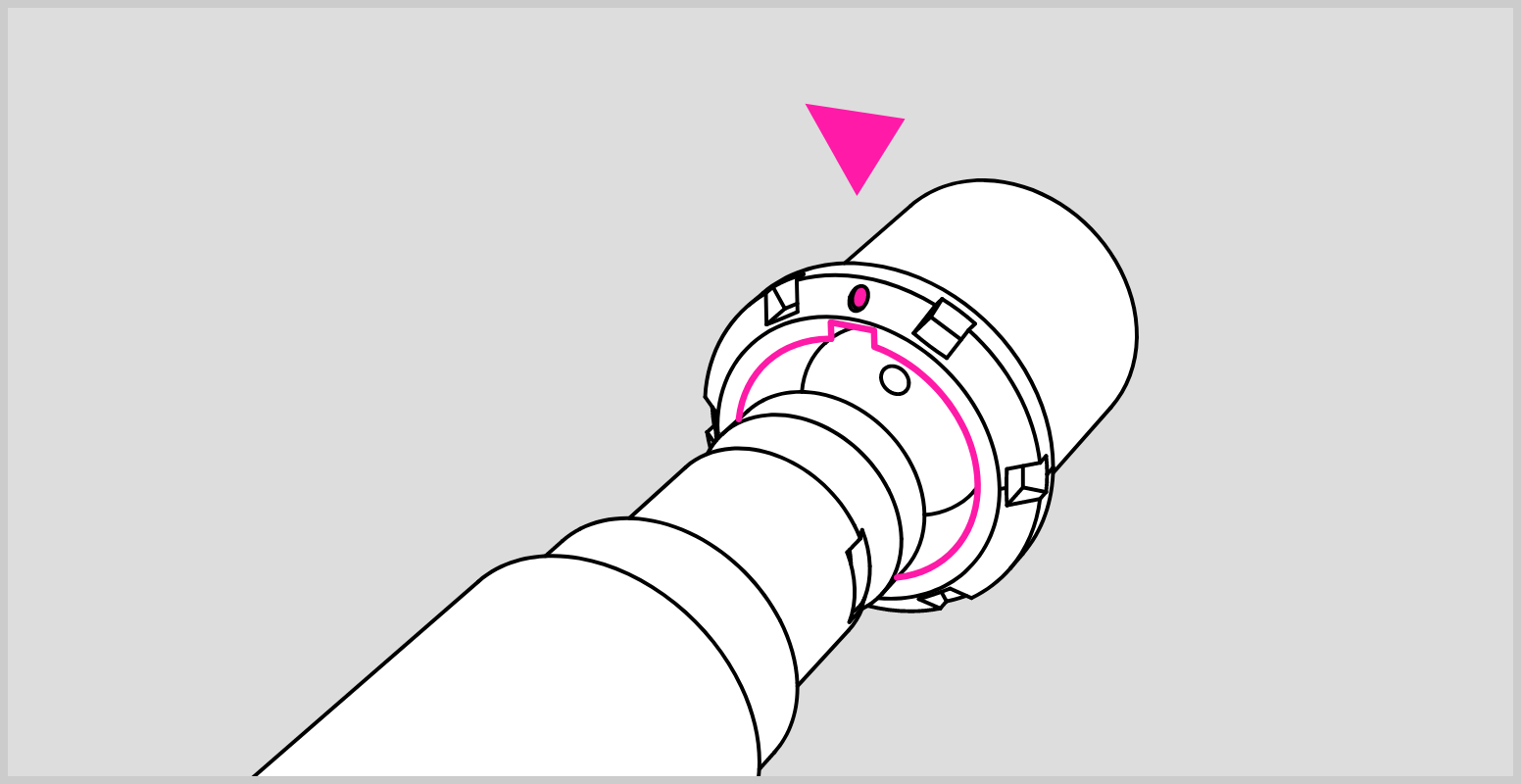
Please make sure the red dot on the plug is lined up with the groove on the device port in case of causing damage to the device. Be sure to plug and unplug the cable in the power-off state.