Lista di Imballaggio
La lista di imballaggio e la seguente.
①Corpo Scanner ②Alimentatore ③Cavo Alimentazione ④Manual ⑤Handle ⑥Chiavetta USB ⑦USB-C to A Adapter ⑧Scheda di Memoria Case
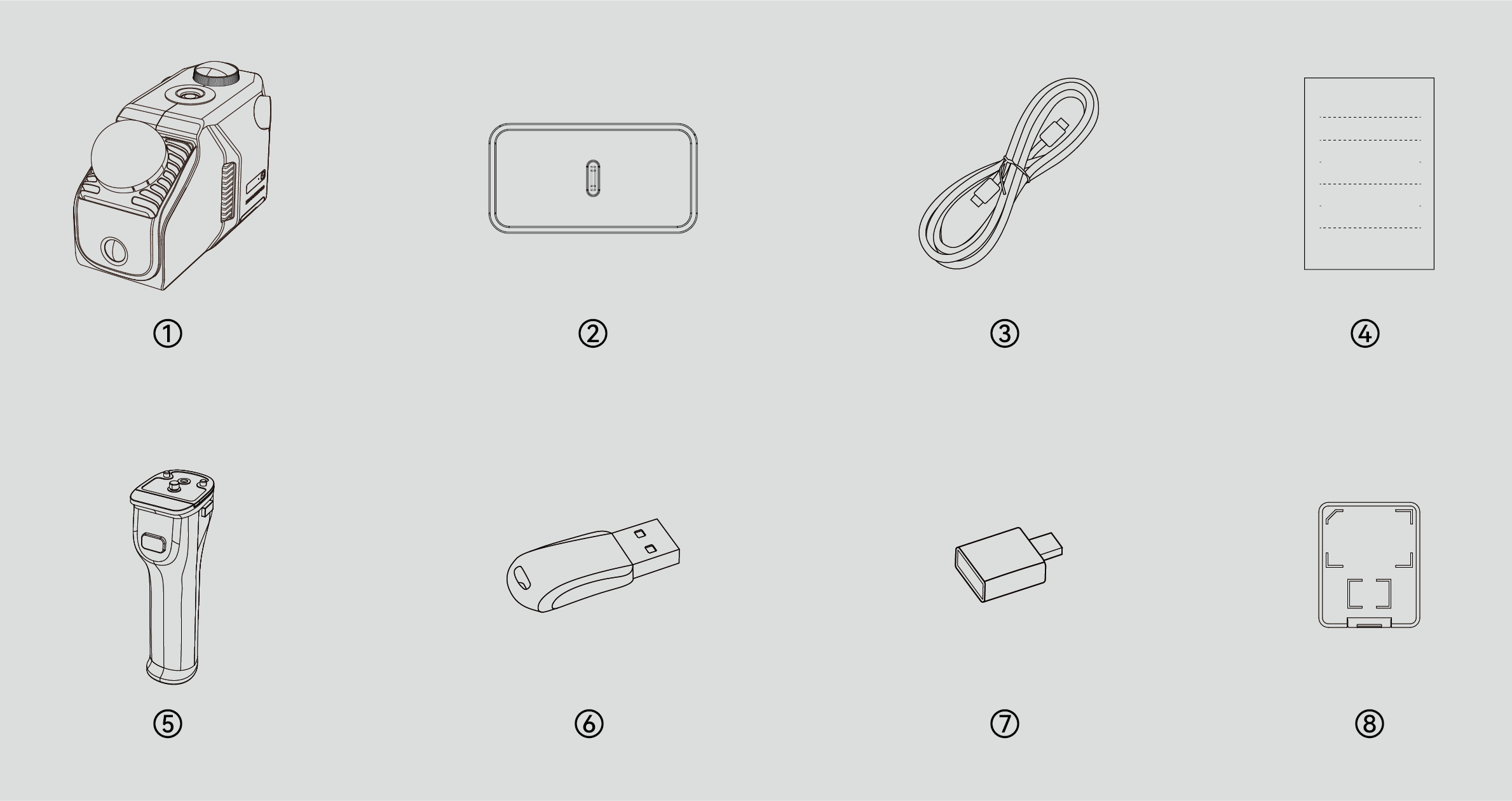
*L'aspetto del prodotto non è standard in tutte le specifiche ed edizioni. Le immagini sono solo a scopo illustrativo!
*La scheda di memoria e stata installata in fabbrica. The Scheda di Memoria case is only for storing the card.
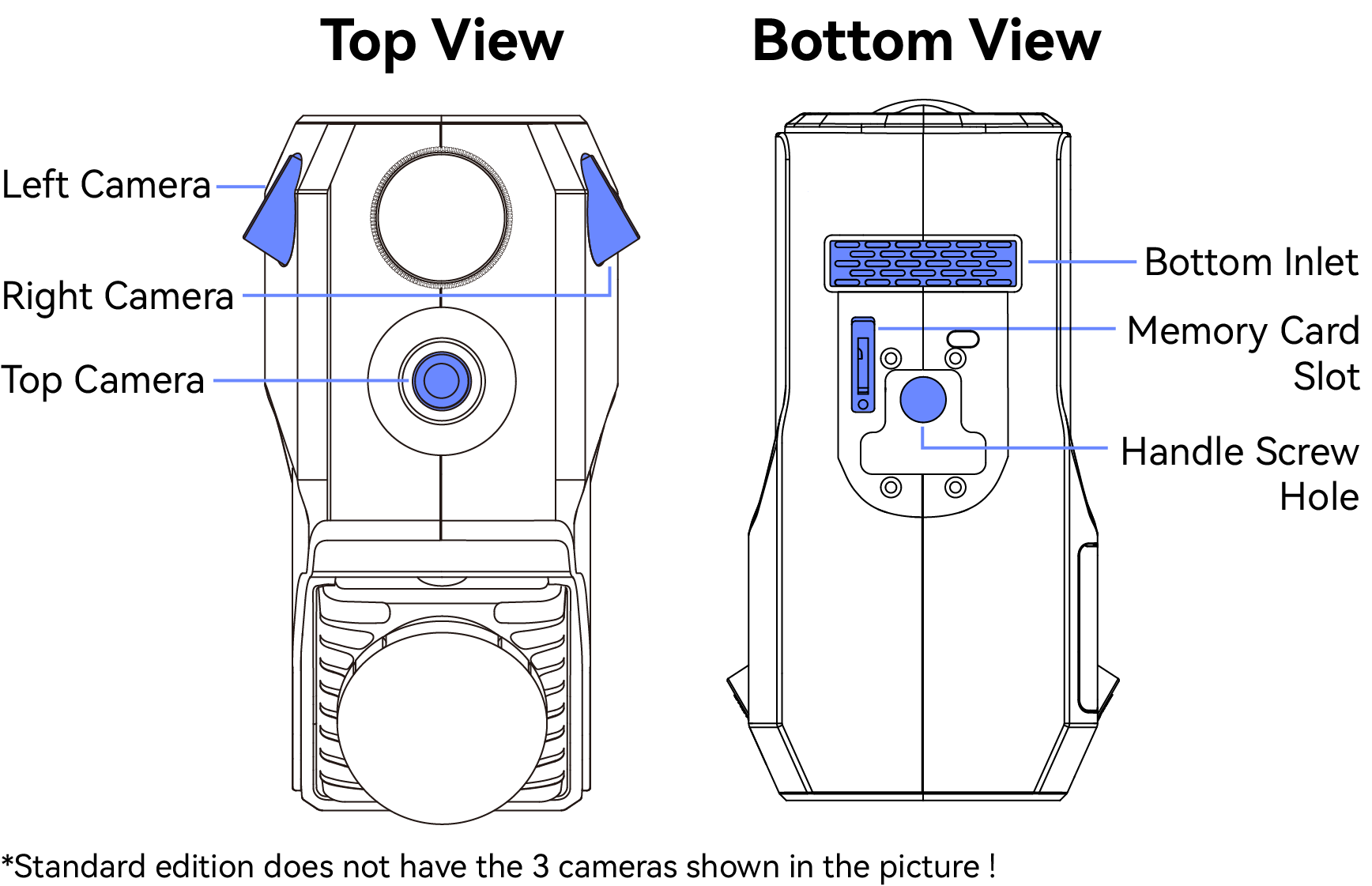
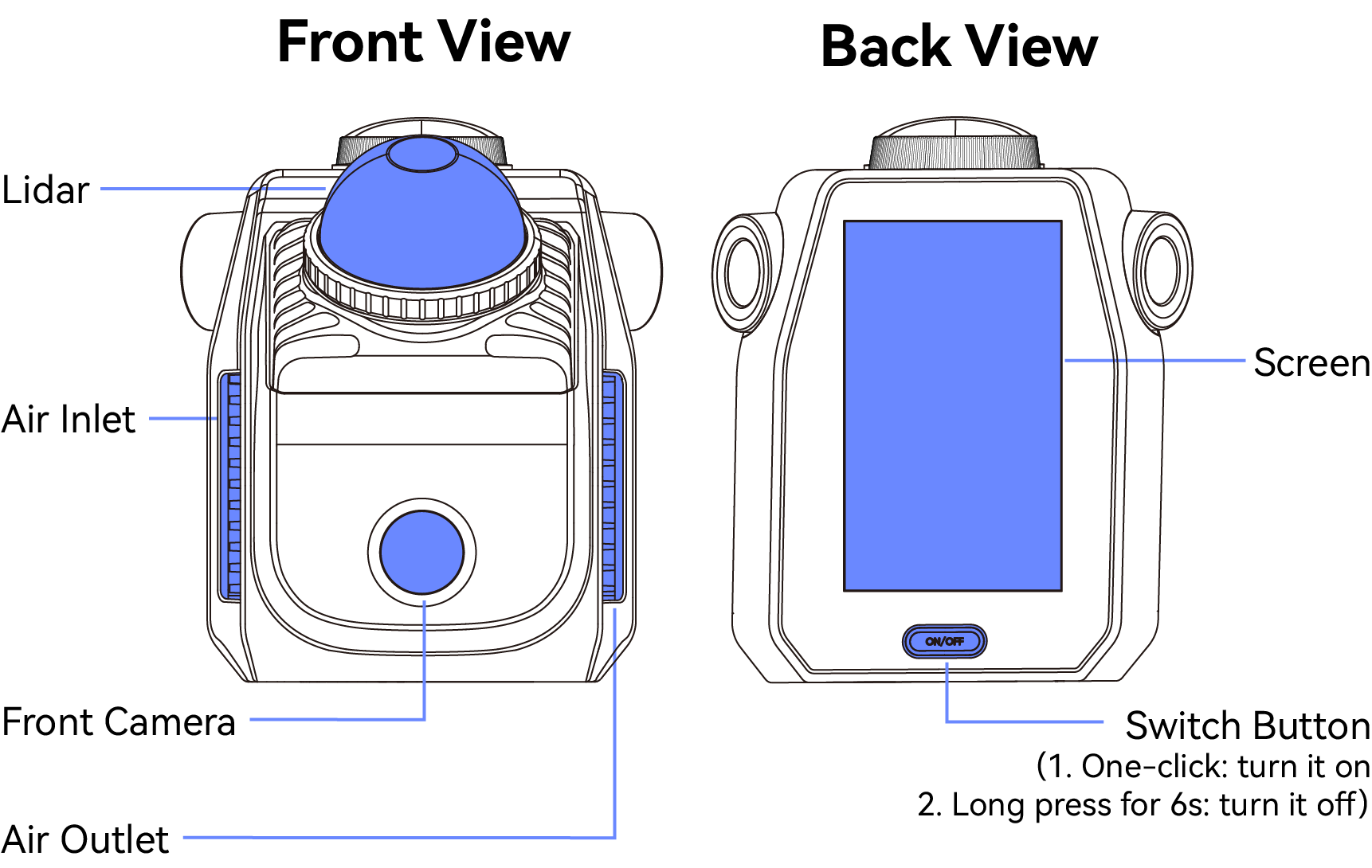
Main Structures
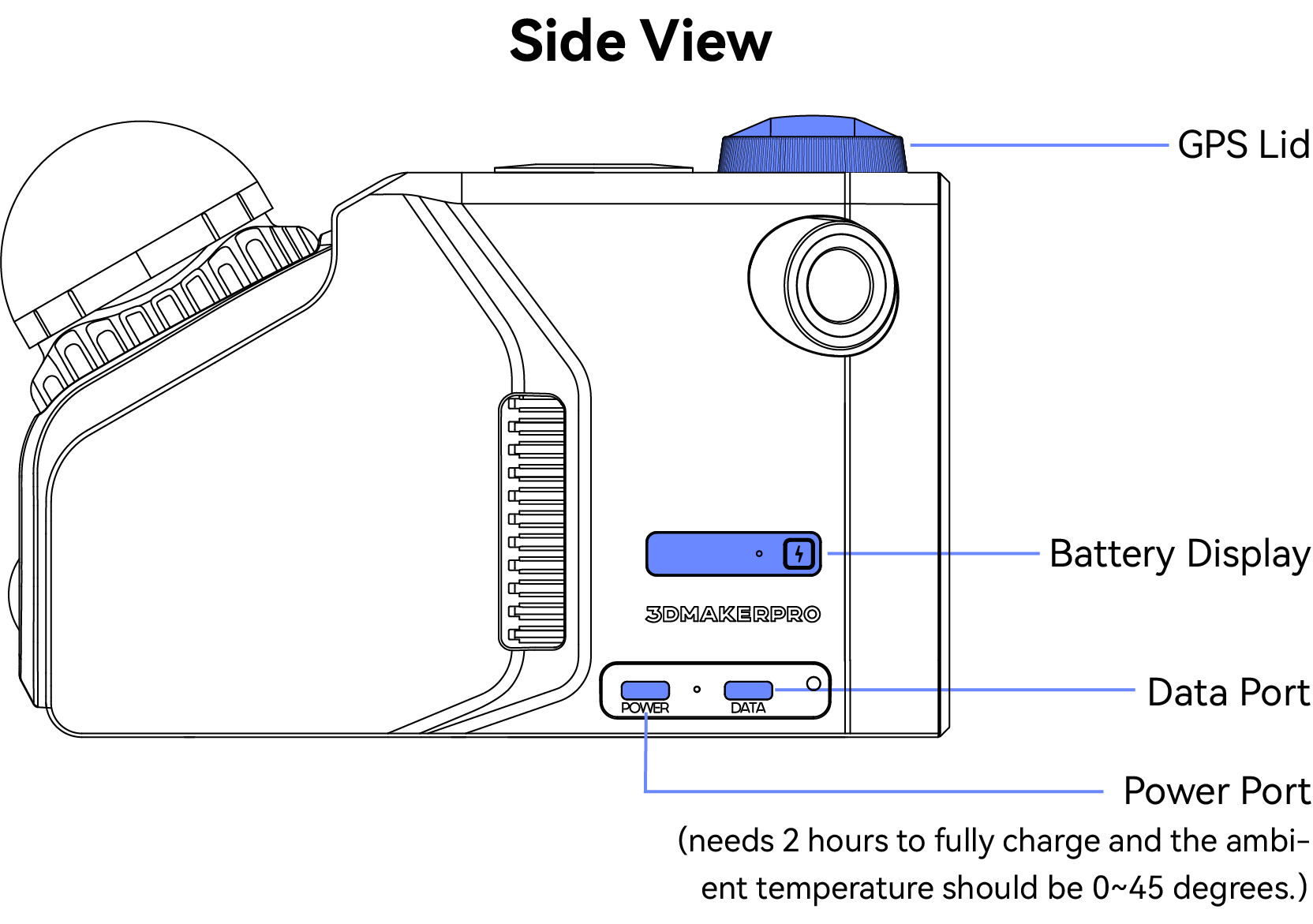
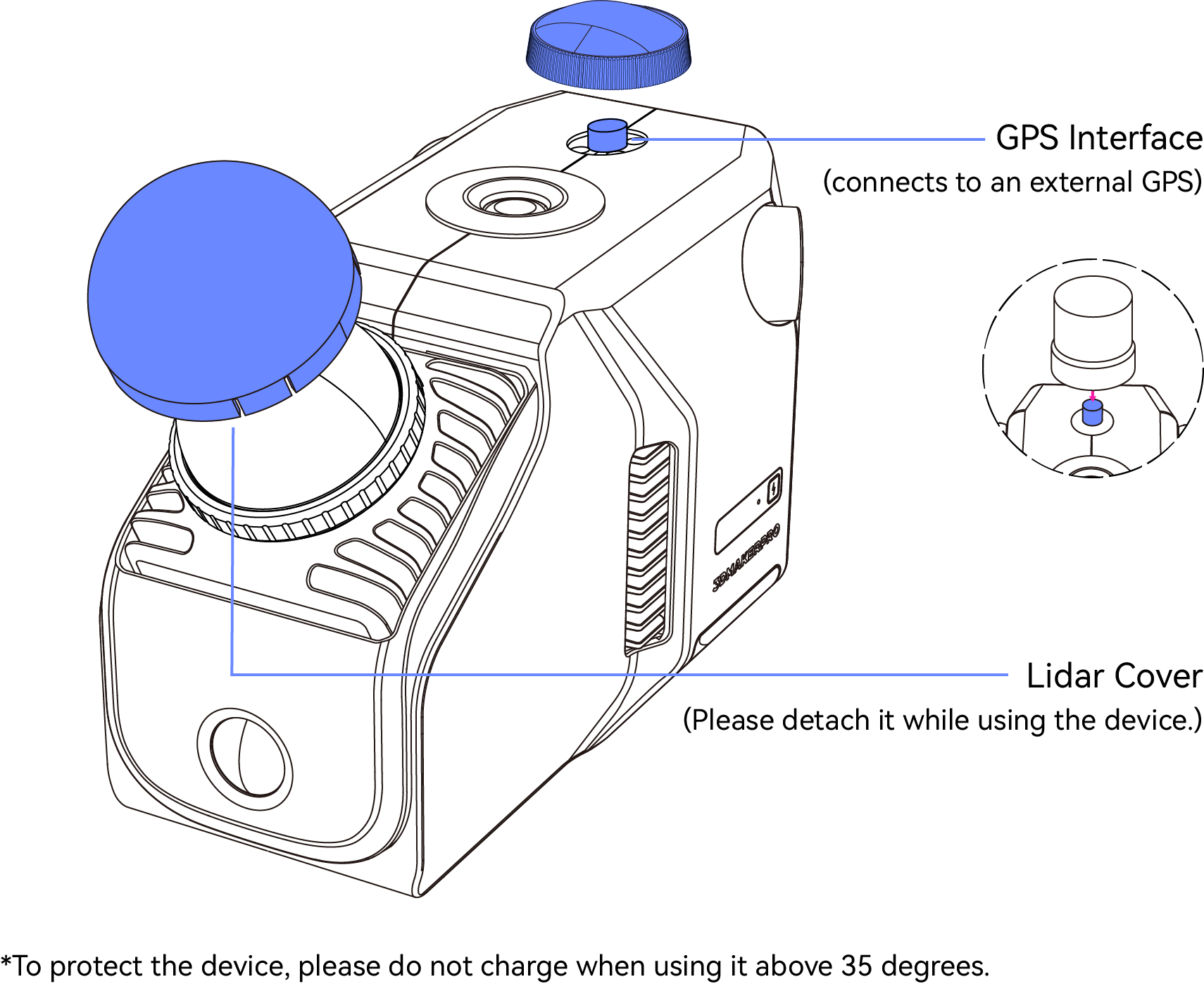
Connessione Hardware
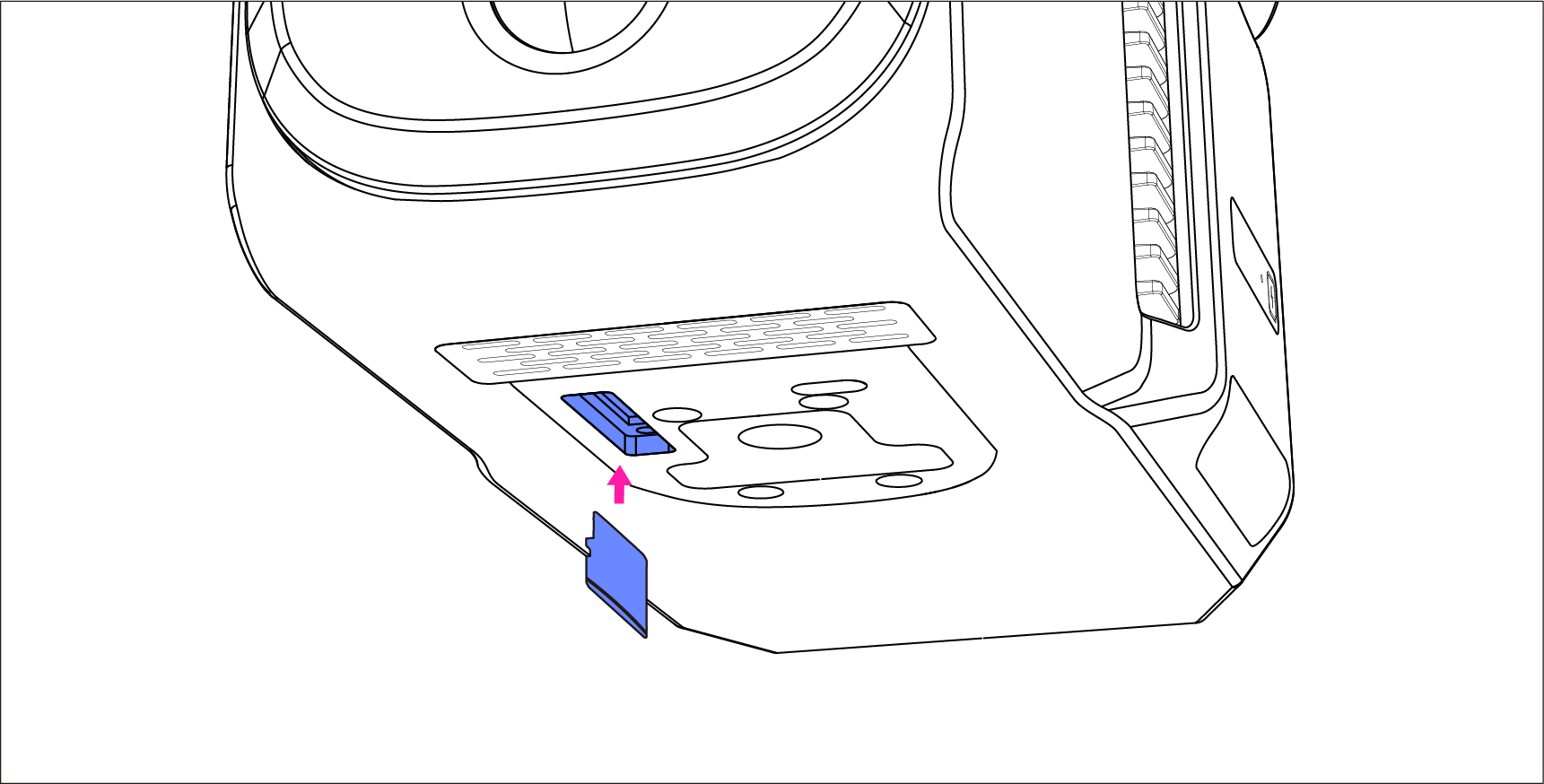
*1.Inserire la Scheda di Memoria
La scheda di memoria è stata installata in fabbrica. Se devi scollegarla e reinserirla per altre operazioni, puoi fare riferimento alle seguenti operazioni:
Inserire la Scheda di Memoria nel dispositivo attraverso lo slot nella parte inferiore.
2.Collegare alla Maniglia
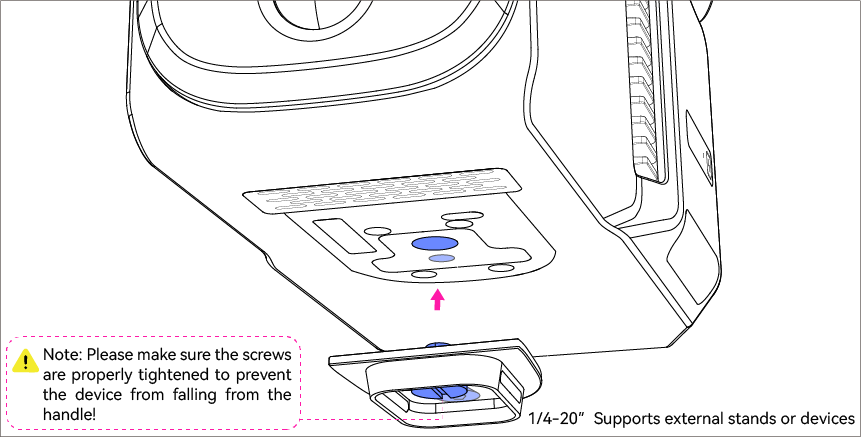
a. Premi i due pulsanti laterali per rilasciare la piastra dal manico.
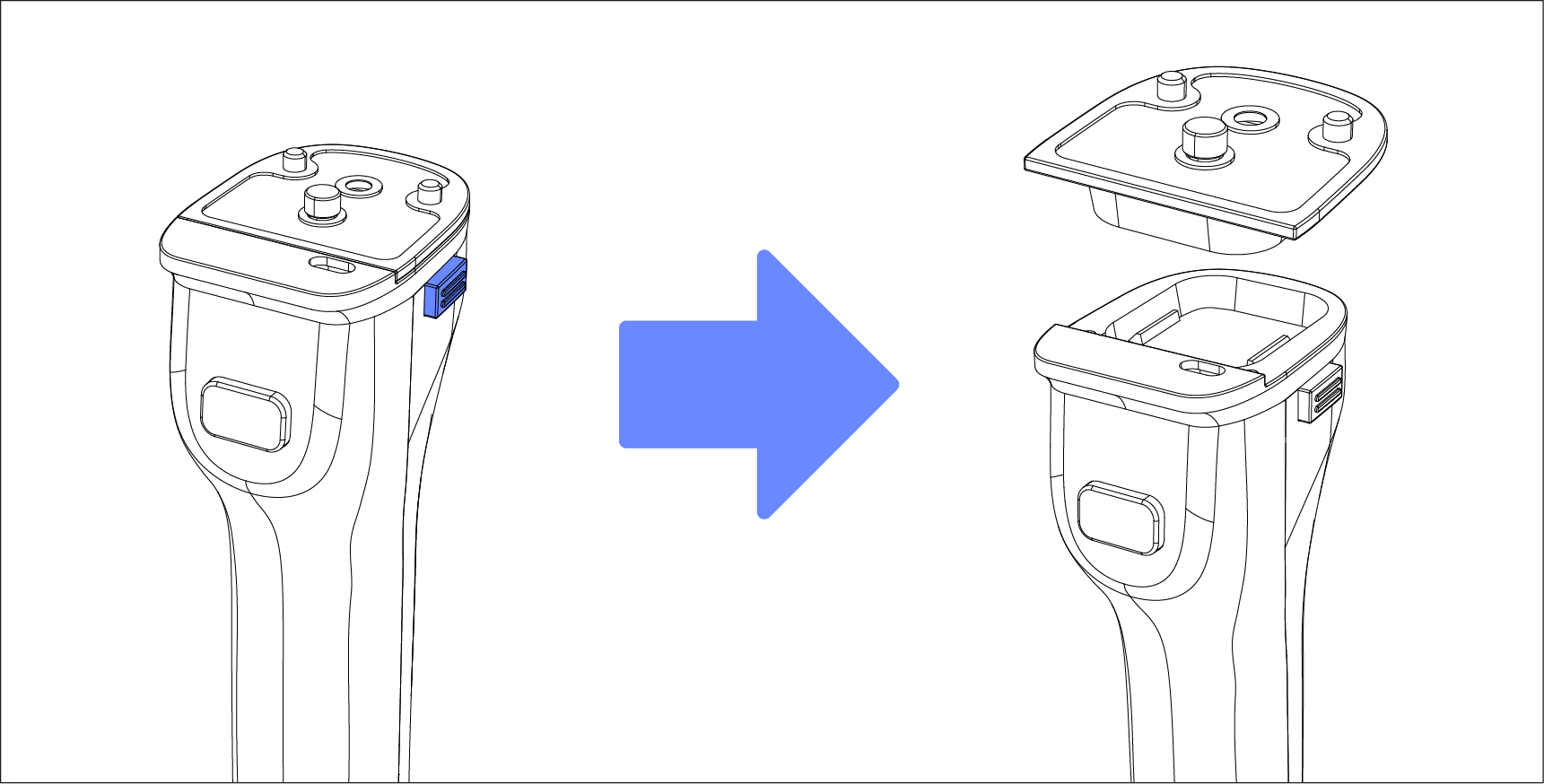
b. Inserisci la piastra nello scanner attraverso il foro inferiore.
Pre-fix the mounting plate into the scanner through the bottom screw hole. Once in place, tighten the ring screw on the plate.
Use a hex wrench to tighten the dispensing screw from the hole behind the ring screw to reinforce it.
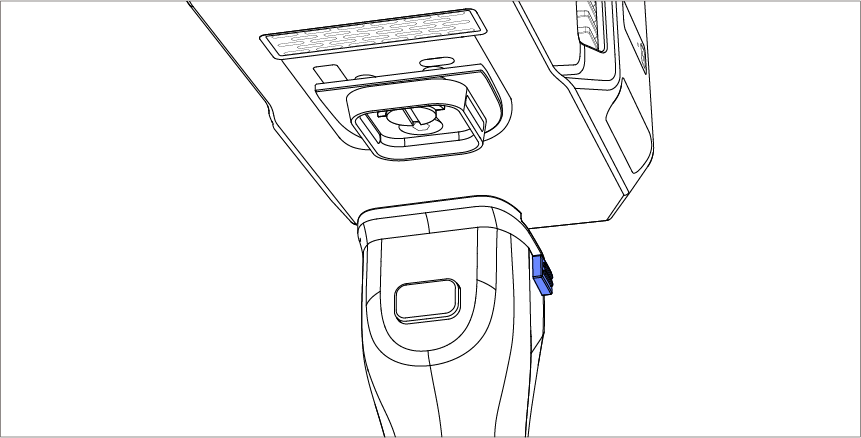
c. Premi i due pulsanti laterali e posiziona lo scanner.
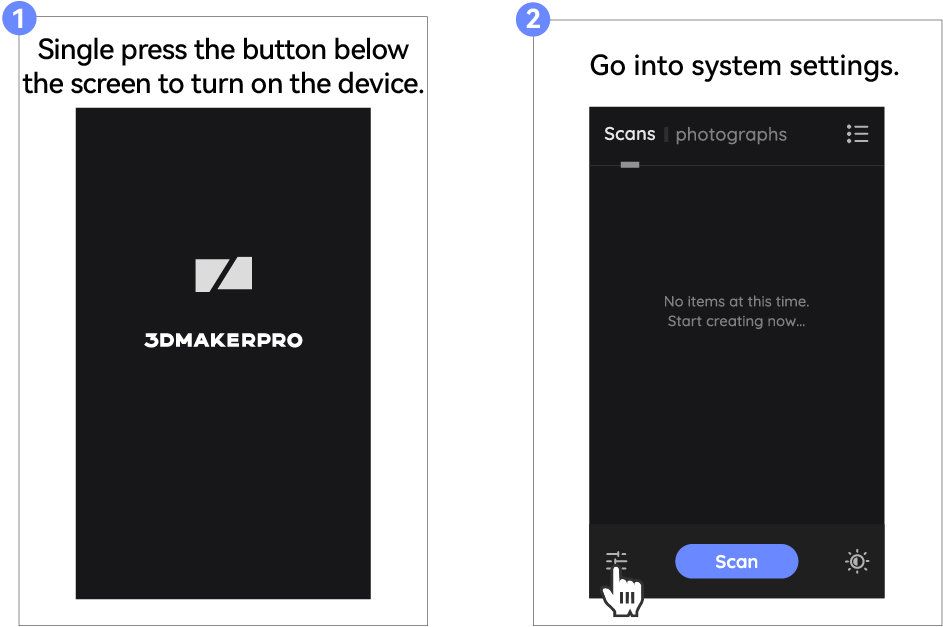
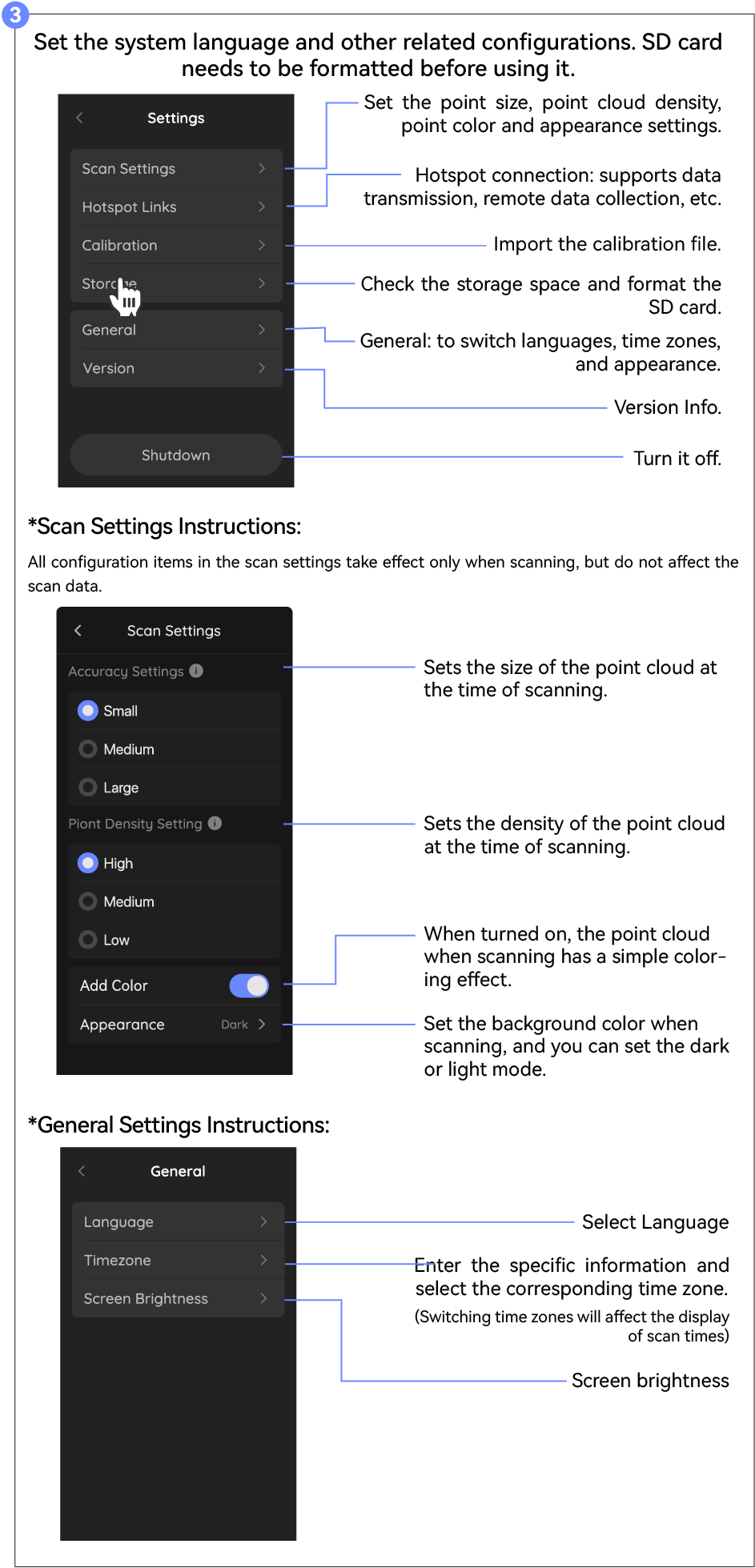
Prima della Scansione
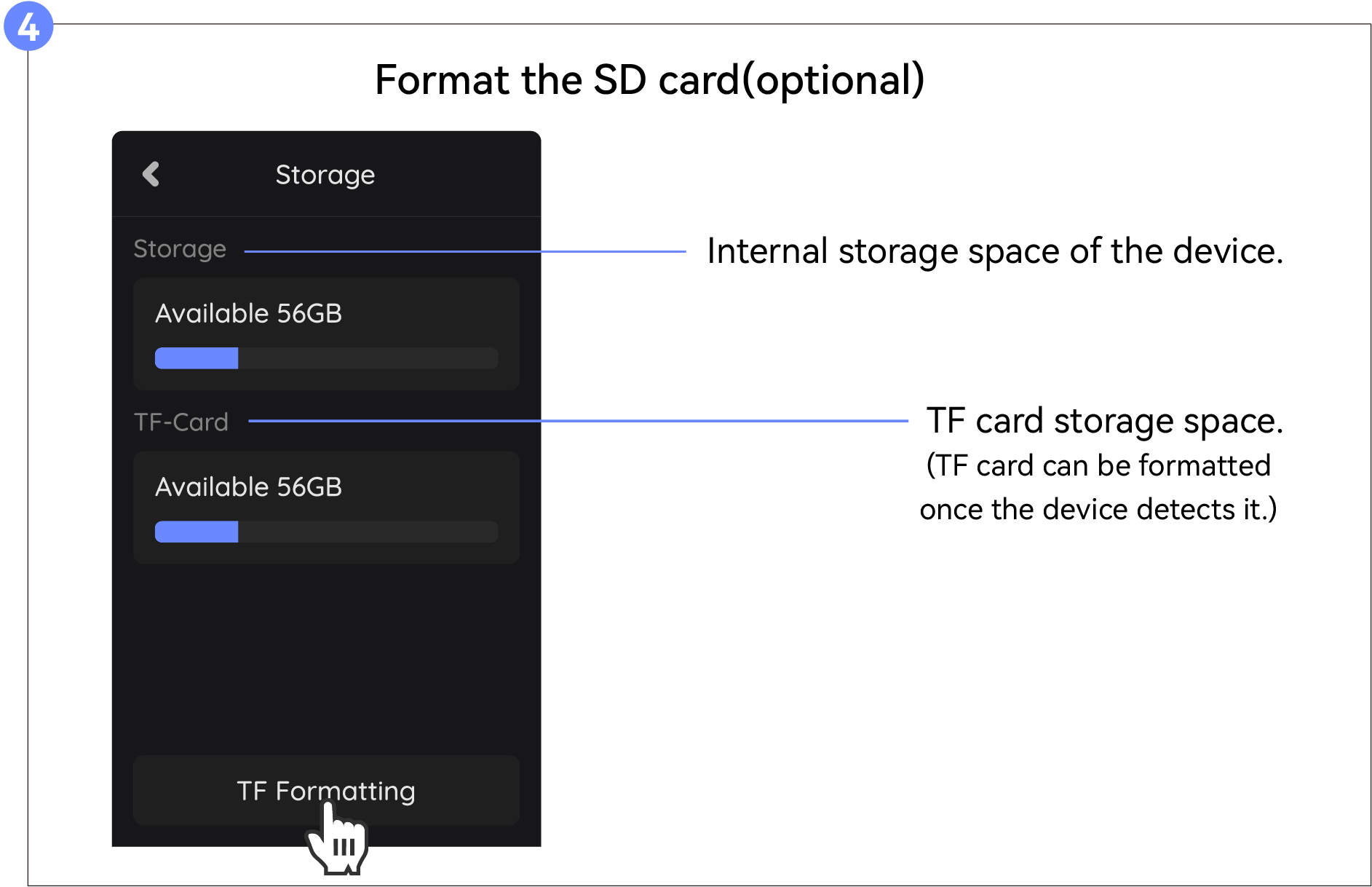
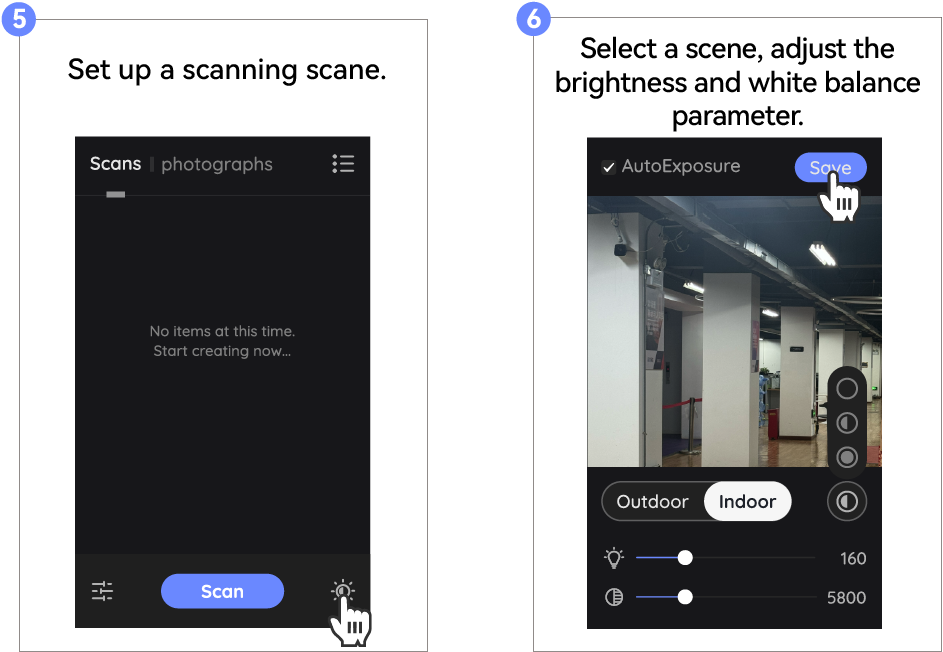
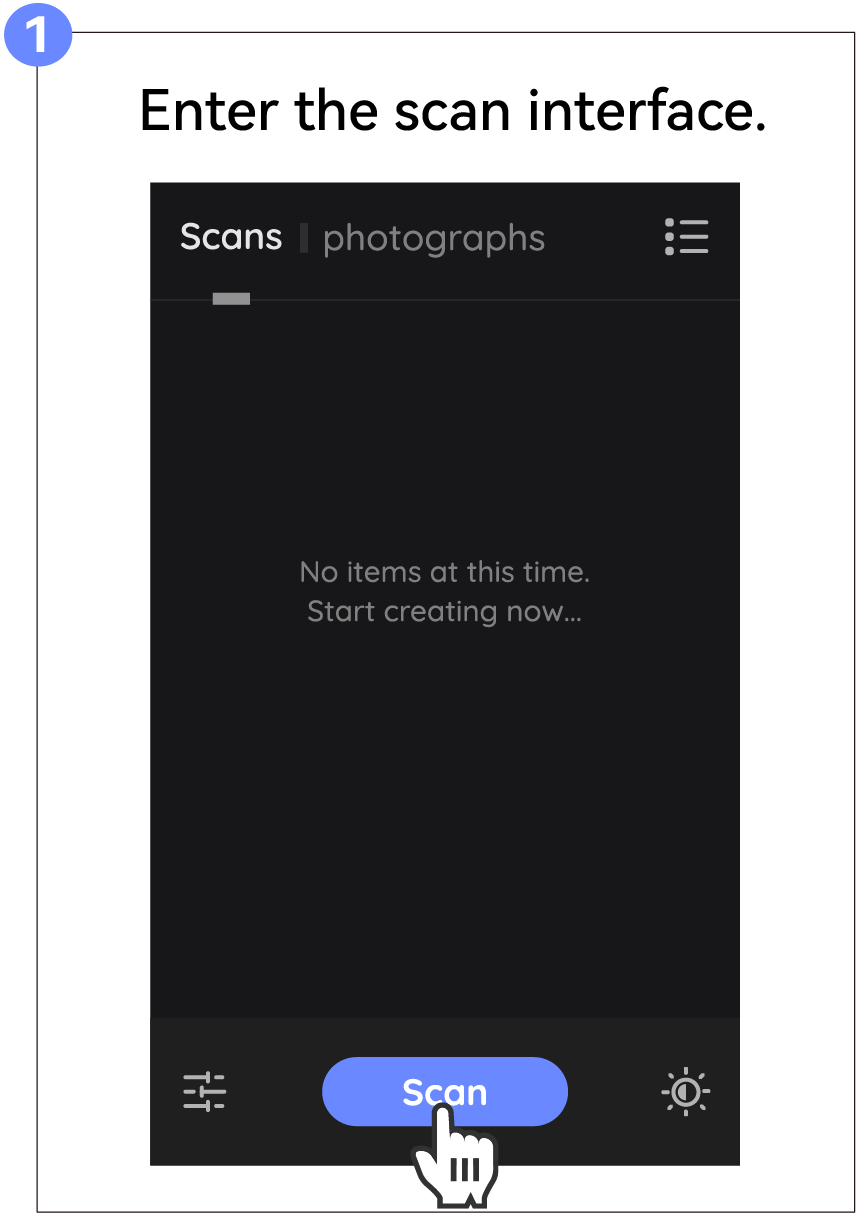
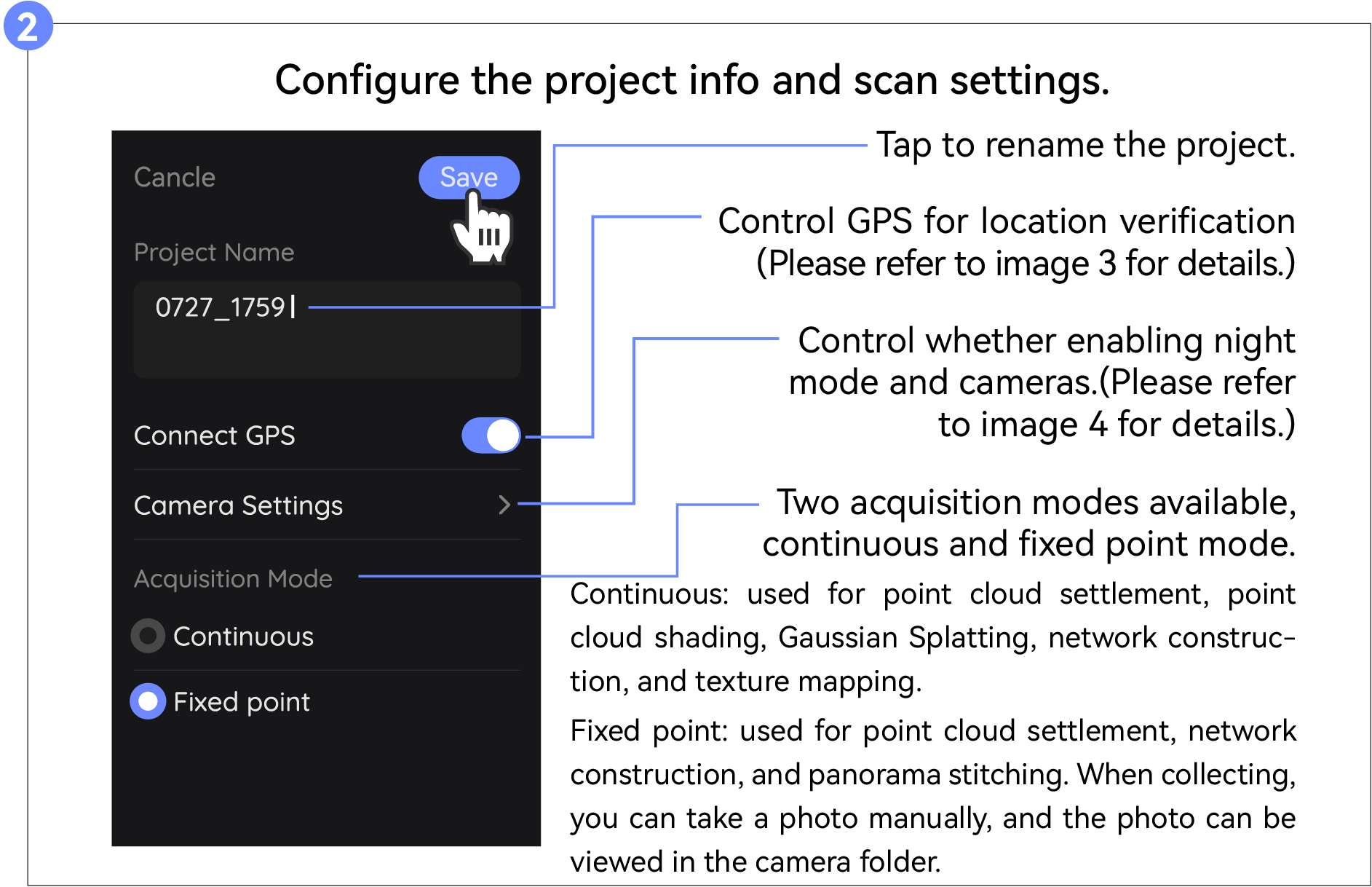
Start Scanning
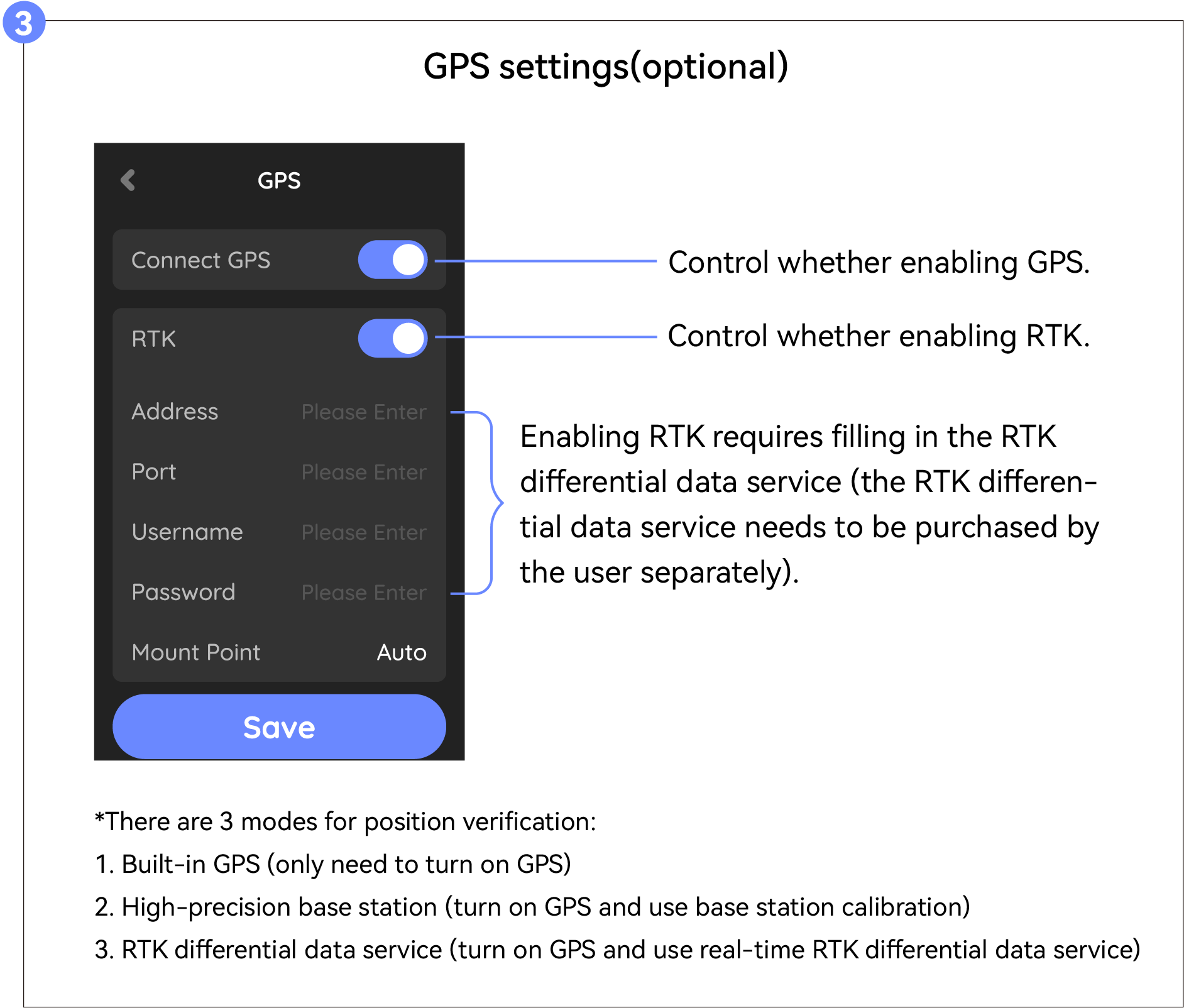
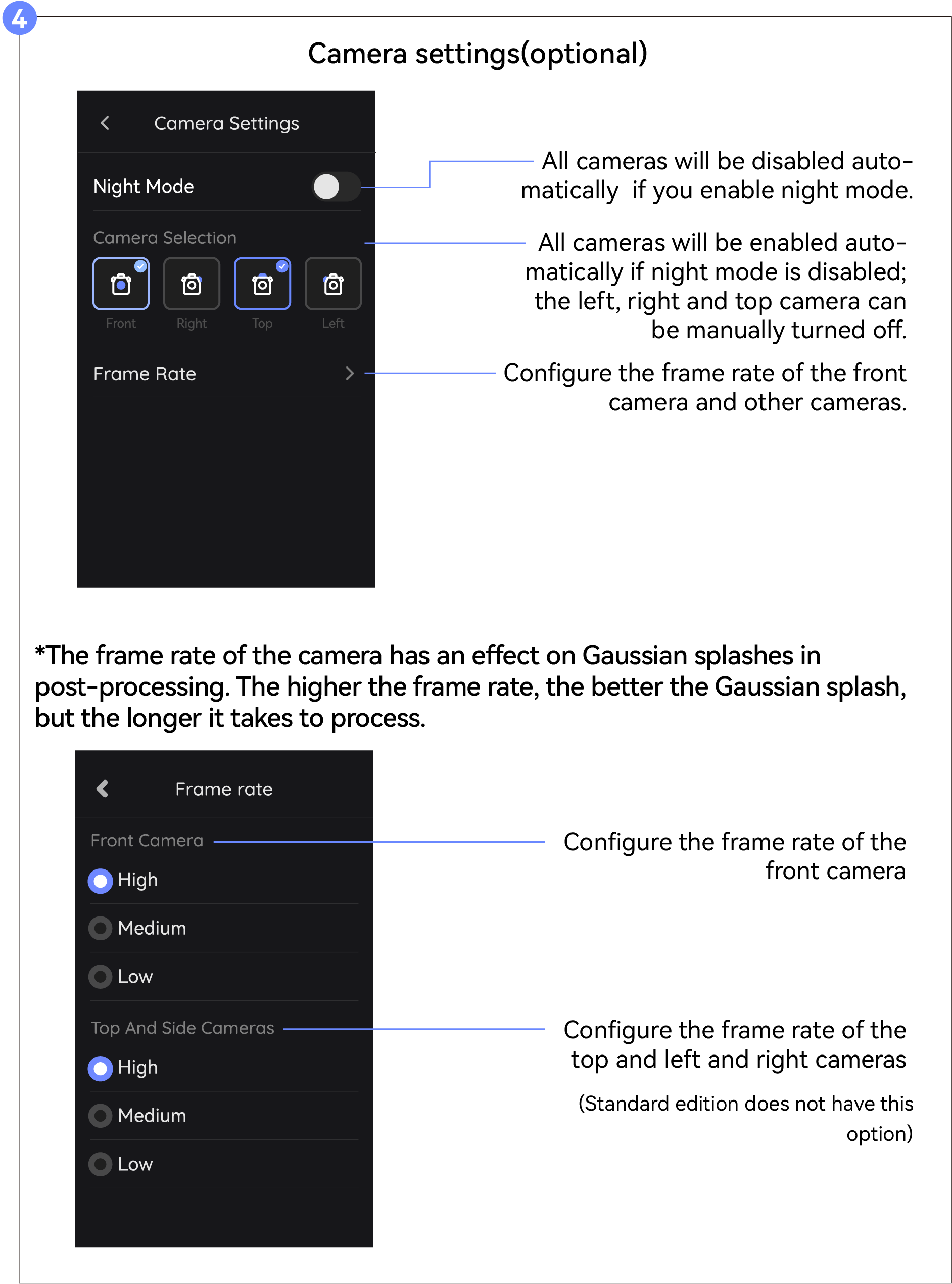
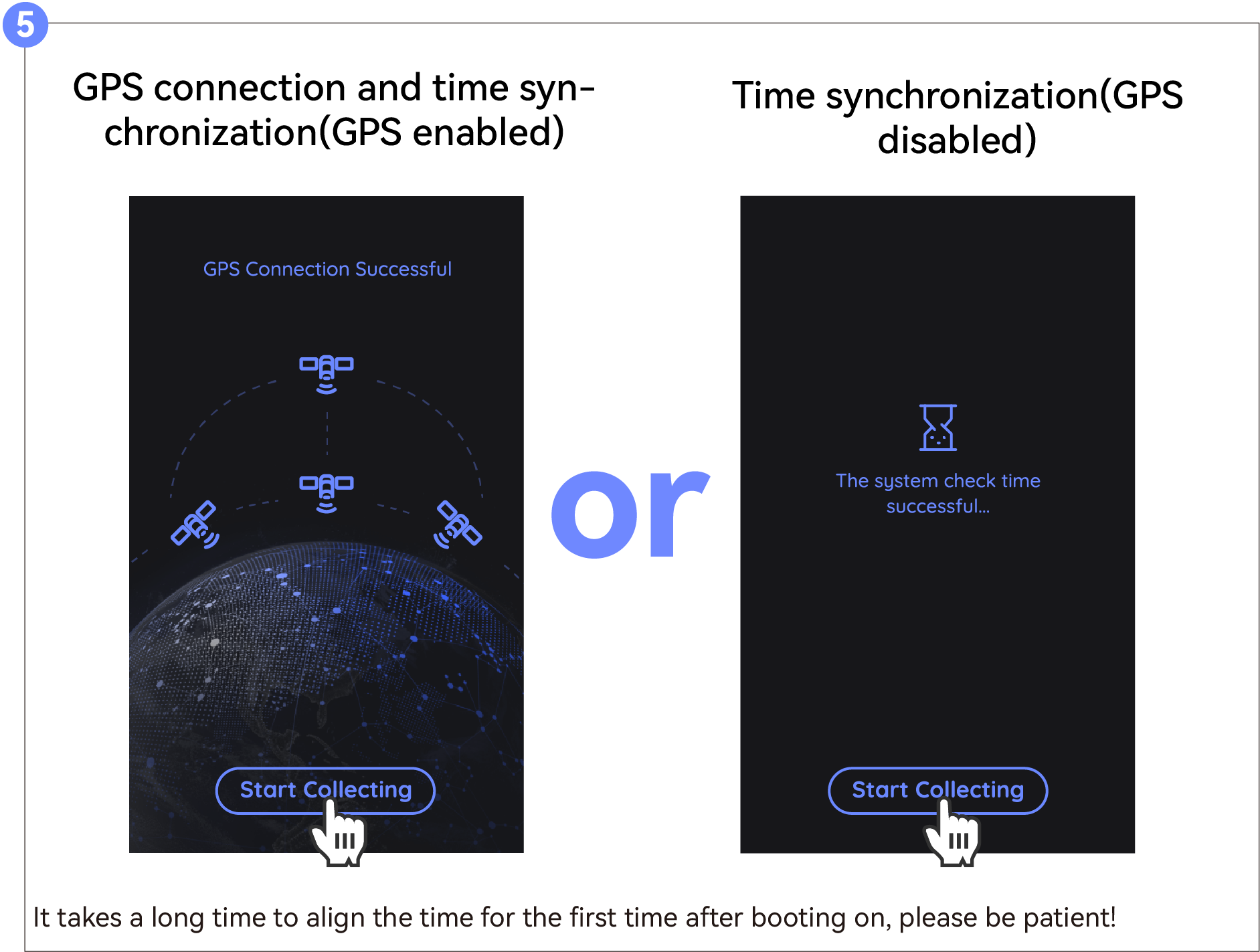
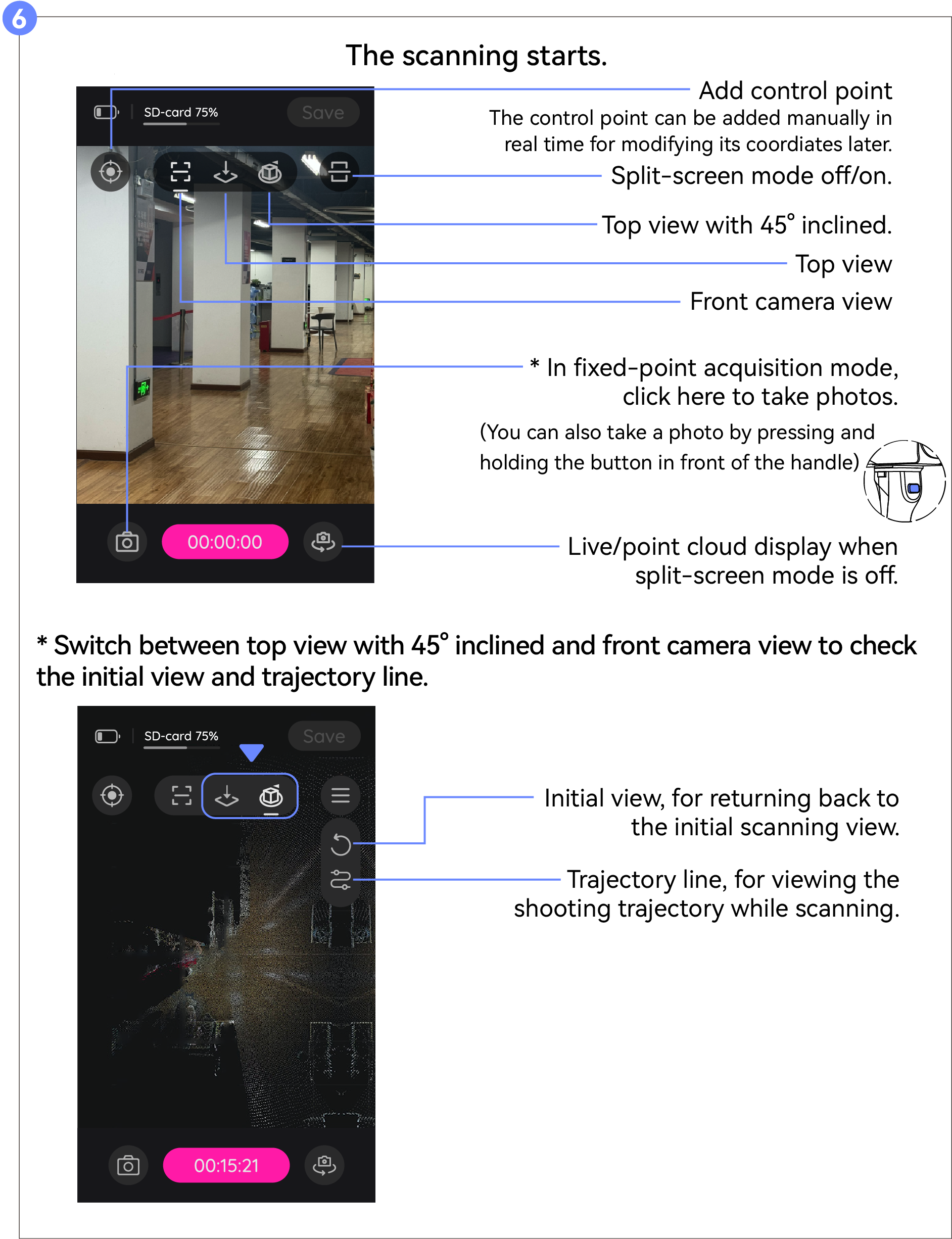
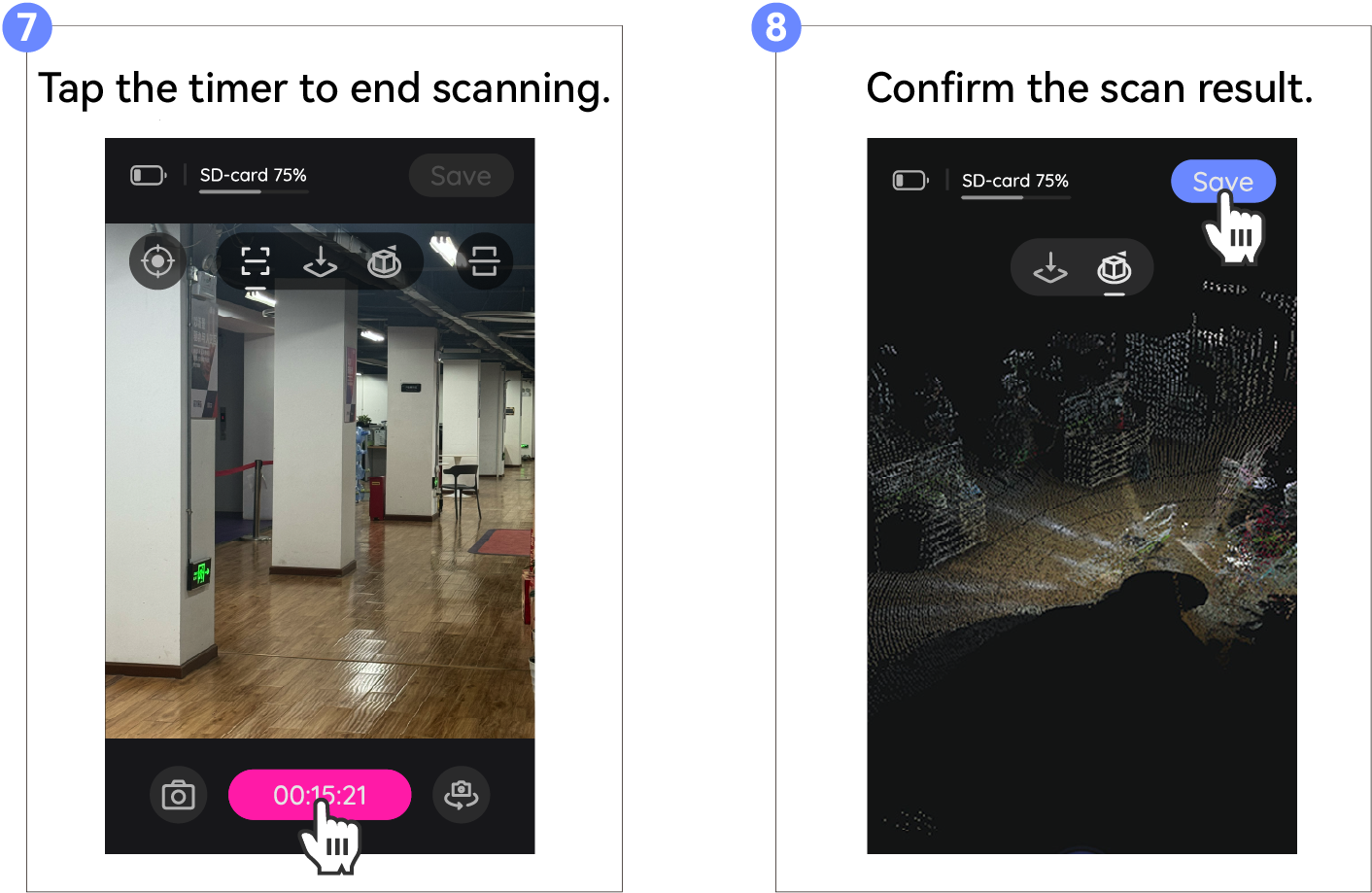
Esportazione Dati
Esportare i dati con la chiavetta USB o tramite hotspot.
(*Se i metodi sopra non funzionano, puoi esportare con il lettore di schede.)
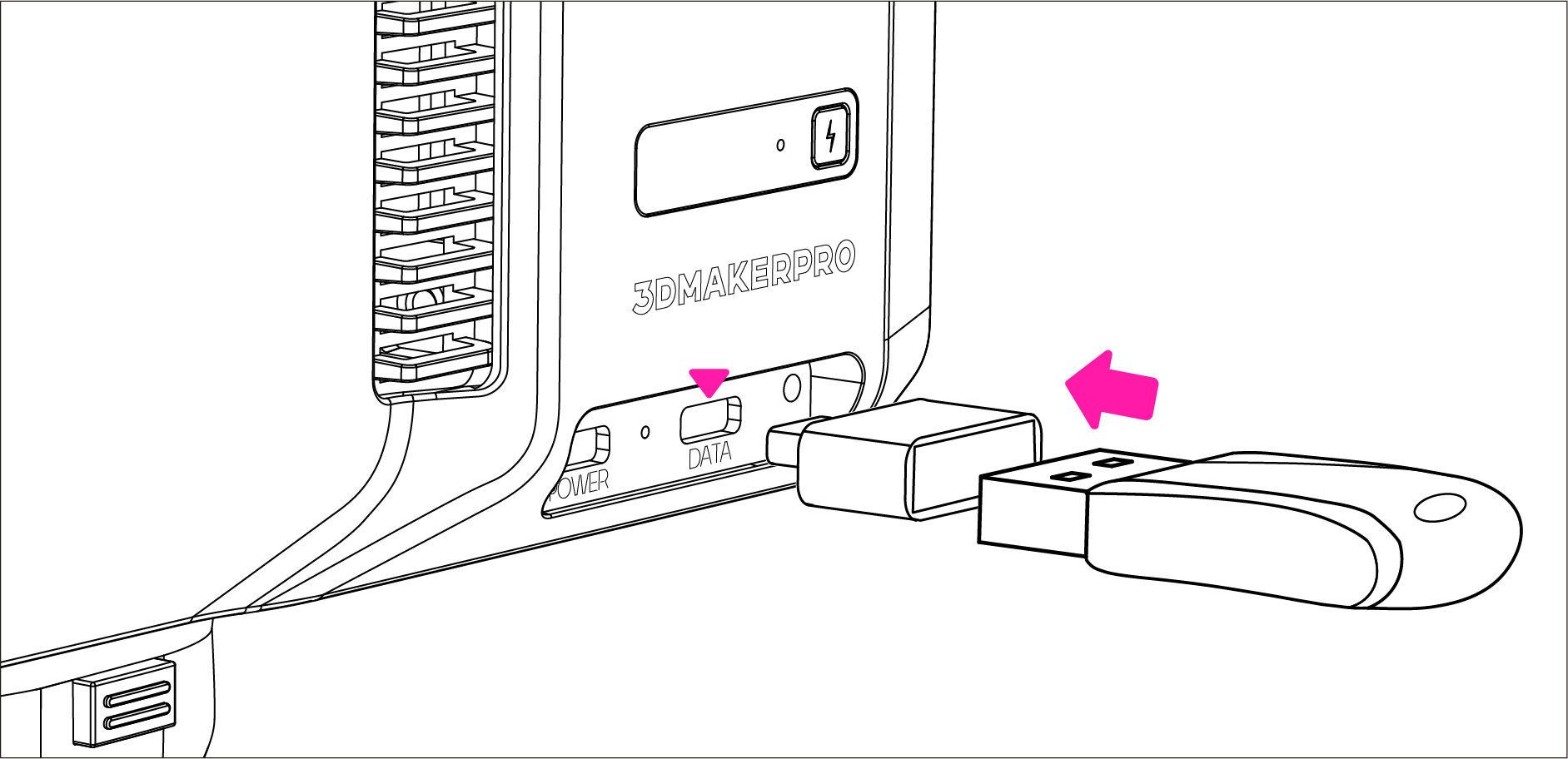
Esportazione tramite chiavetta USB
Collega la chiavetta USB con l'adattatore e inseriscili nella porta dati.
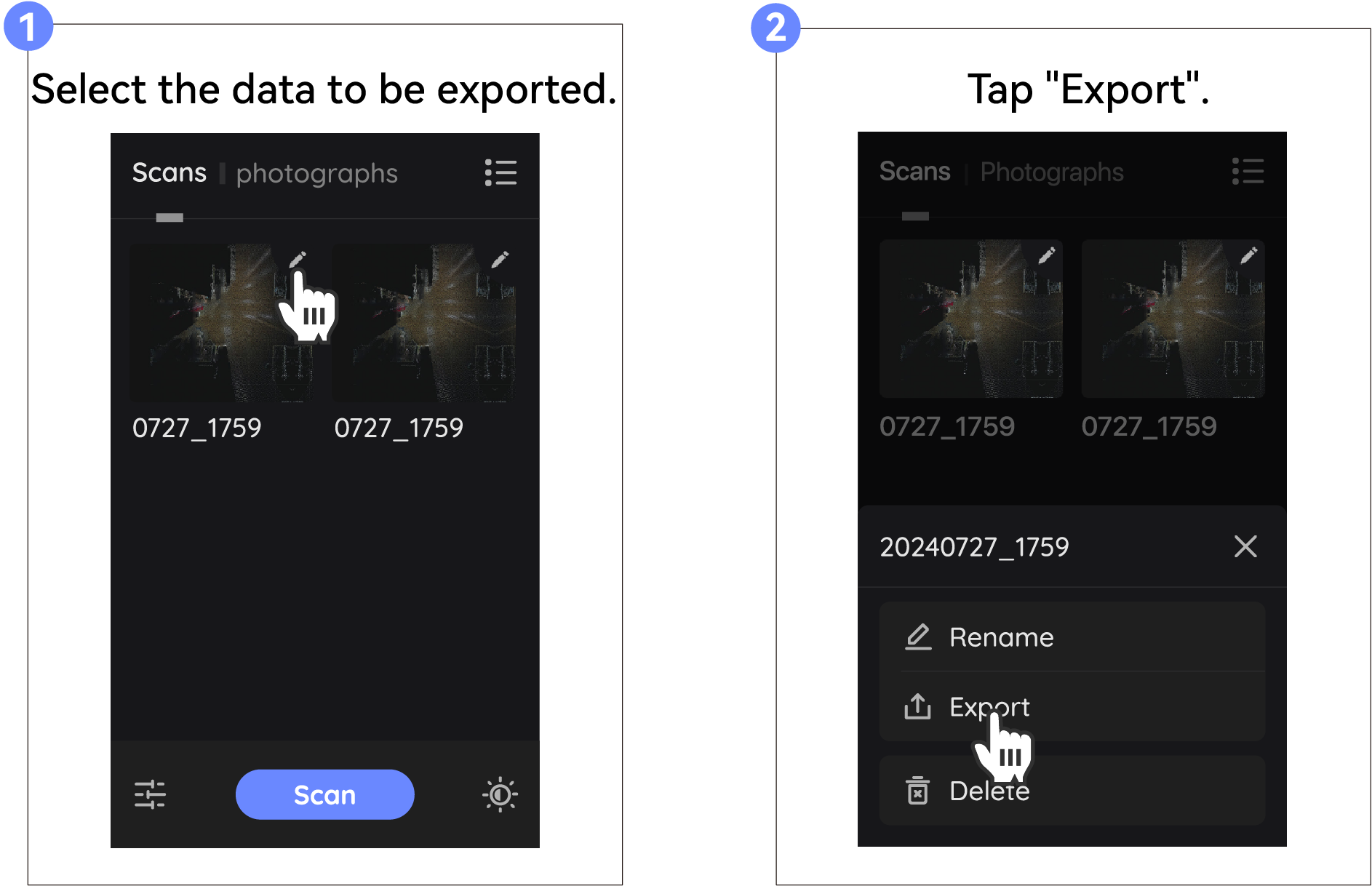
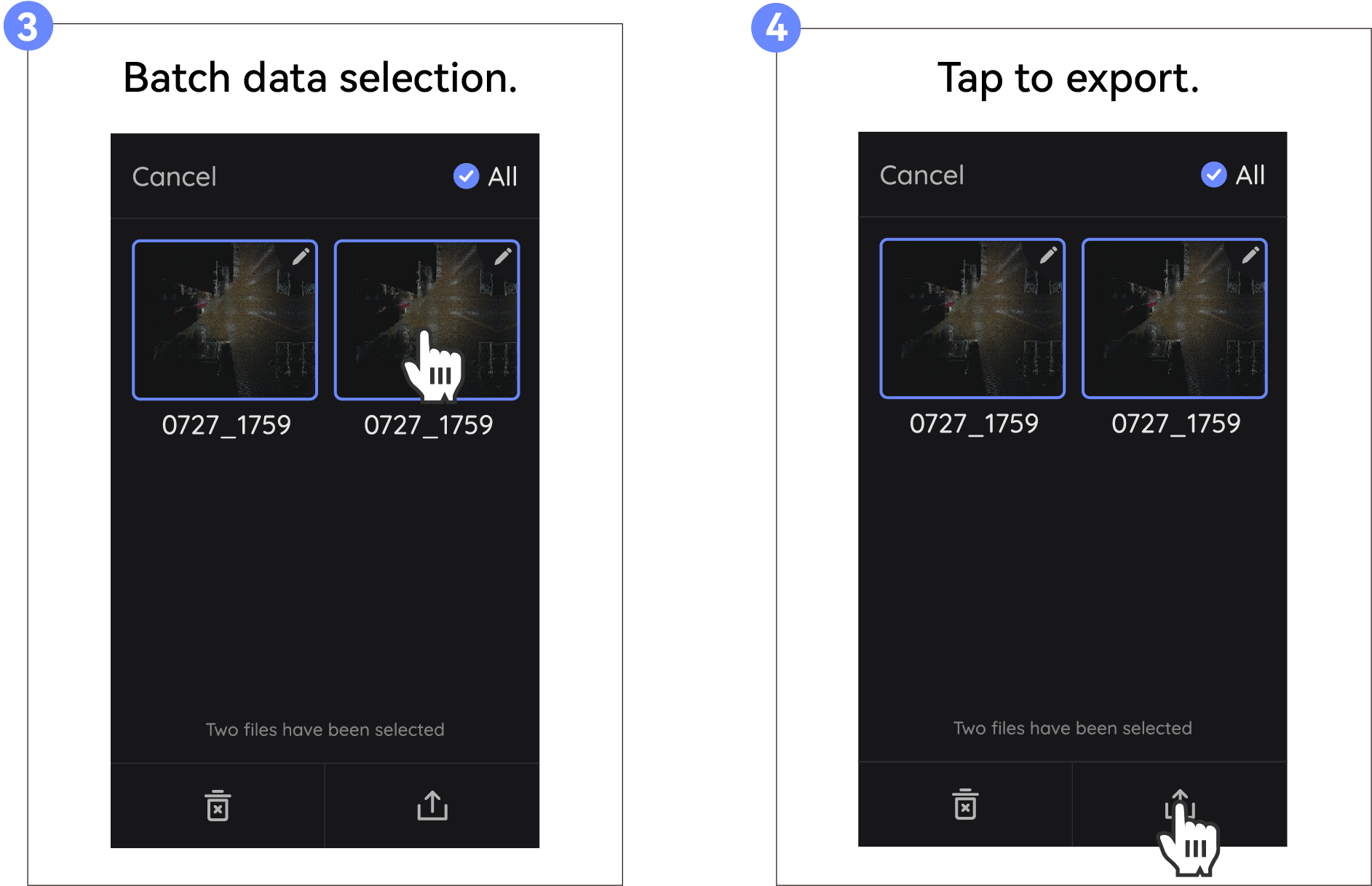
Esportazione dati singoli
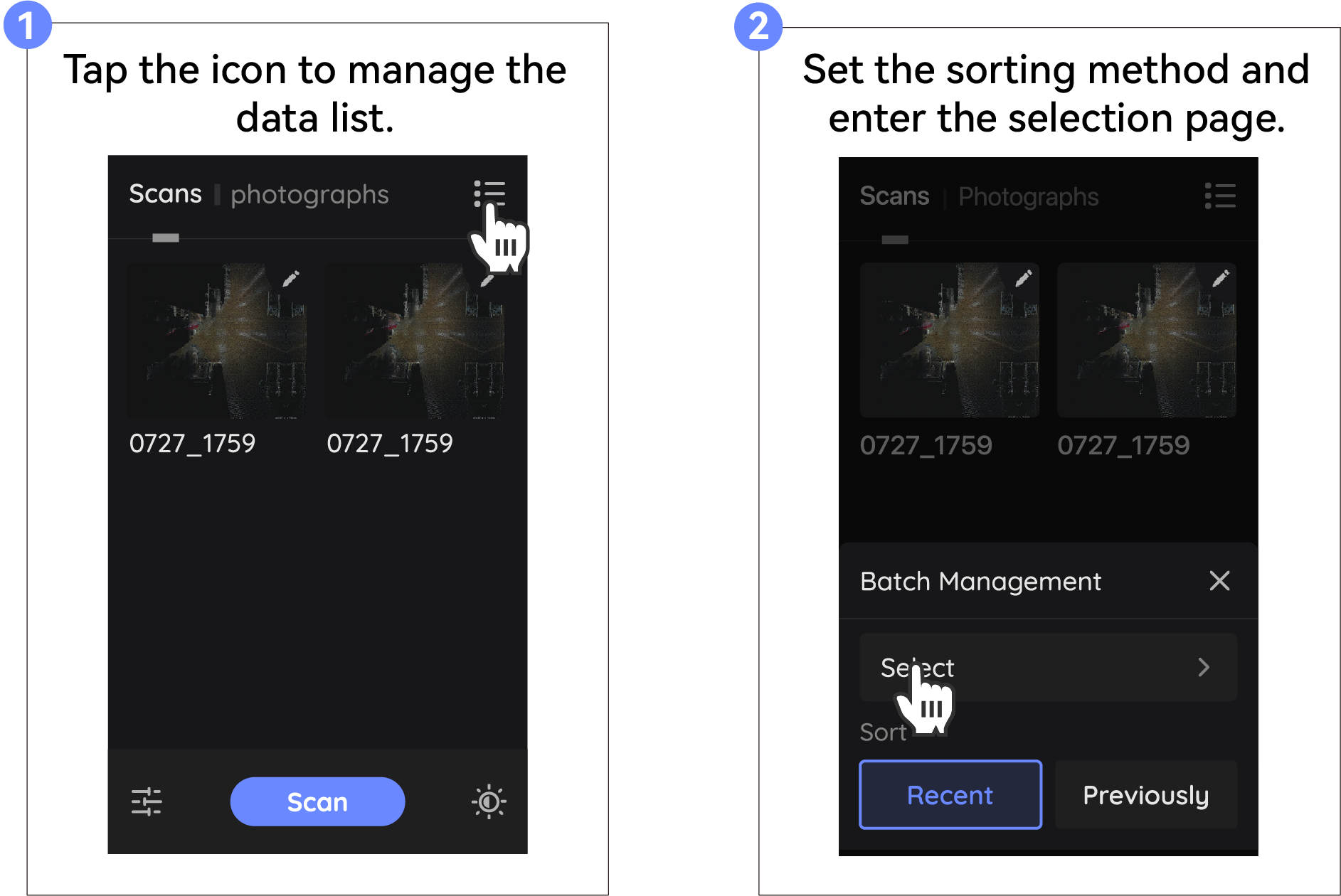
Esportazione in Blocco
Esportazione tramite hotspot
Per istruzioni dettagliate, consulta il seguente link:
Esportazione tramite lettore di schede
Preparazione prima dell'esportazione
Please prepare your own card reader (USB 3.0 or USB 3.2 is recommended, with a read/write speed of 100MB/s).
When using the card reader to export data for the first time, if you cannot read the data in the data directory, please upgrade your device to the latest version first. After upgrading, you will also need to format the Scheda di Memoria (if there is scanning data on the device, it is recommended to export it first using a hotspot or USB drive before formatting, as formatting will erase all data).
Esportazione
- Pull the Scheda di Memoria out from the bottom of the device and use your own card reader to transfer the data to your computer. Simply copy the data from the 'data' directory.
*The card reader shown is for reference only; please refer to the actual purchased product for use.
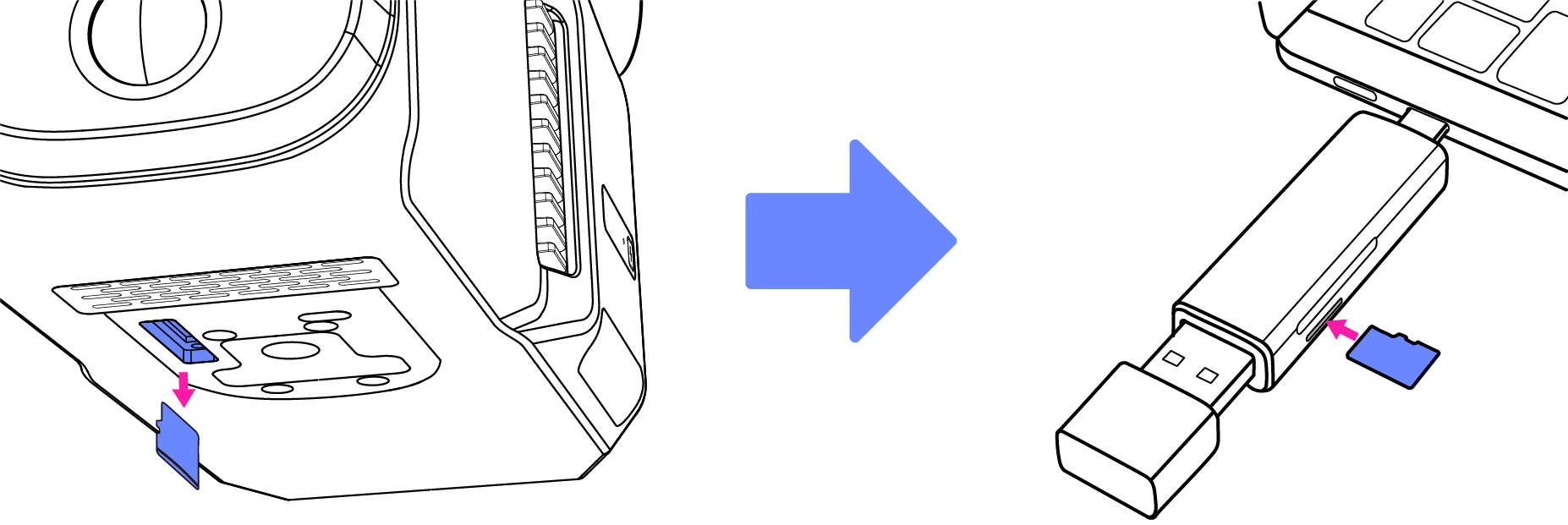
- After the export is complete, insert the Scheda di Memoria into the device and restart the device.
Aggiornamento to Latest Version
Preparazione all'Aggiornamento
- Scarica l'ultimo firmware dalla nostra comunità JMMeta(https://forum.jimumeta.com/home/help/download2.html?id=89ce7b9ffff54351bd89dc31c66253f4) to the USB flash drive, keep it as an zip file and save it in the folder named upgrade.
Nota: La cartella di aggiornamento deve essere creata manualmente se non esiste tale cartella nella USB.
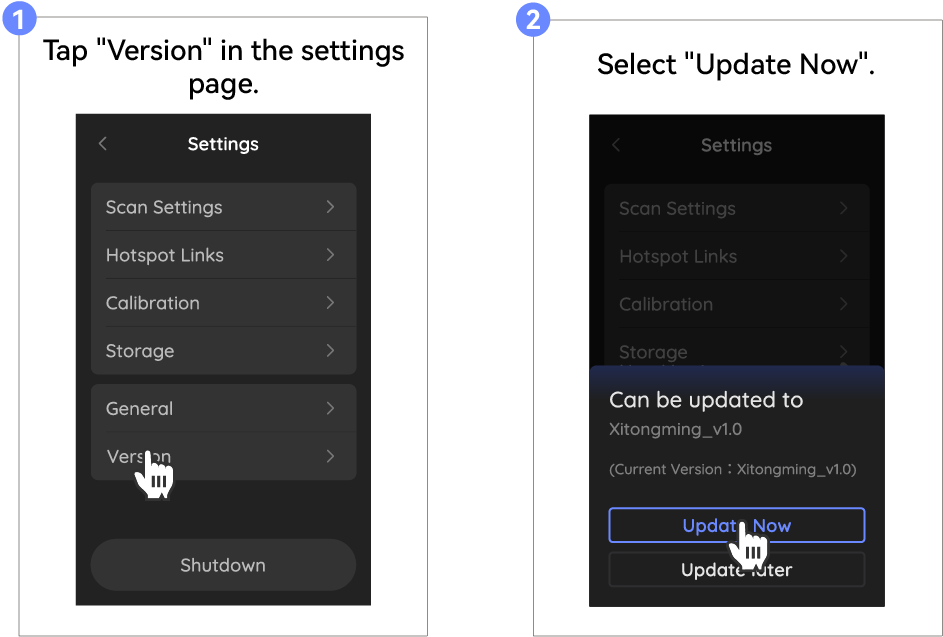
- Accendi prima il dispositivo, quindi collega la chiavetta USB al convertitore e inseriscilo into the data transmission port of the device.
Aggiornamento
Import the Calibration File
Il dispositivo è stato calibrato in fabbrica. Se il dispositivo deve essere ricalibrato, segui i passaggi seguenti per reimportare il file di calibrazione.
Preparazione all'Importazione
- Inserisci il numero SN del dispositivo nel software PC e scarica il file di calibrazione.
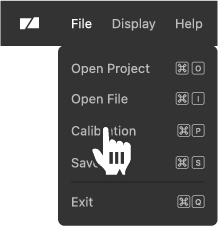

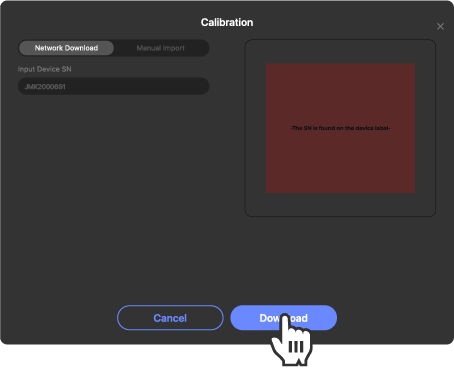

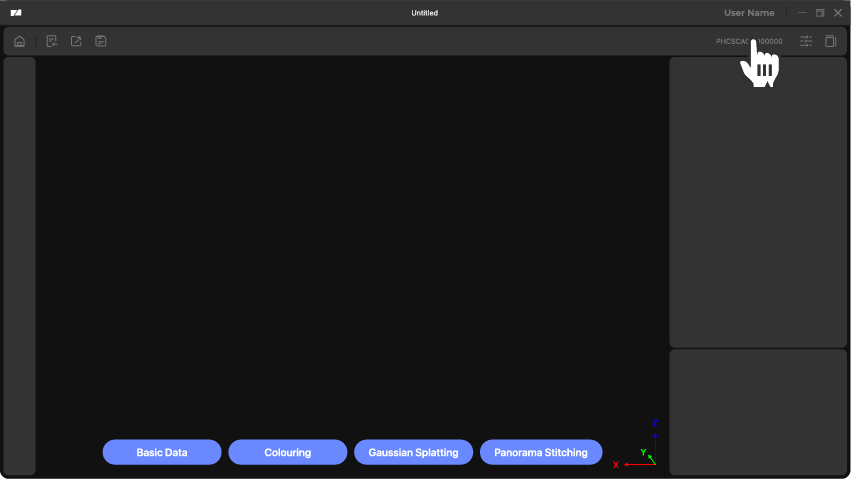
- Clicca sull'angolo in alto a destra del software PC per ottenere il percorso del file di calibrazione, and download the corresponding calibration file to the 'calibration' folder on the USB drive.
Nota: La cartella Calibration deve essere creata manualmente se non esiste tale cartella nella USB.
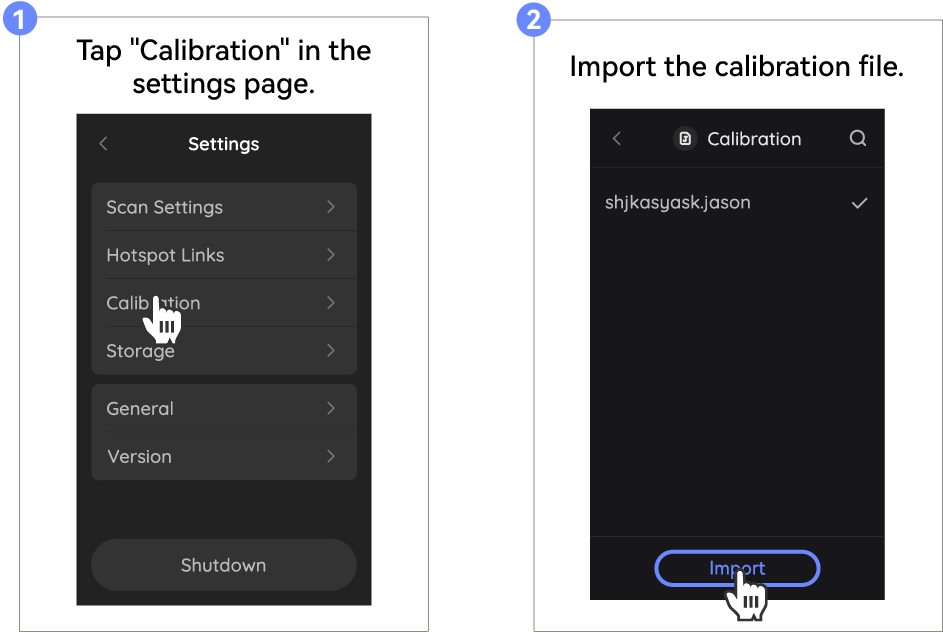
- Connect the USB flash drive to the adapter and insert them into the the device via data port.
Import
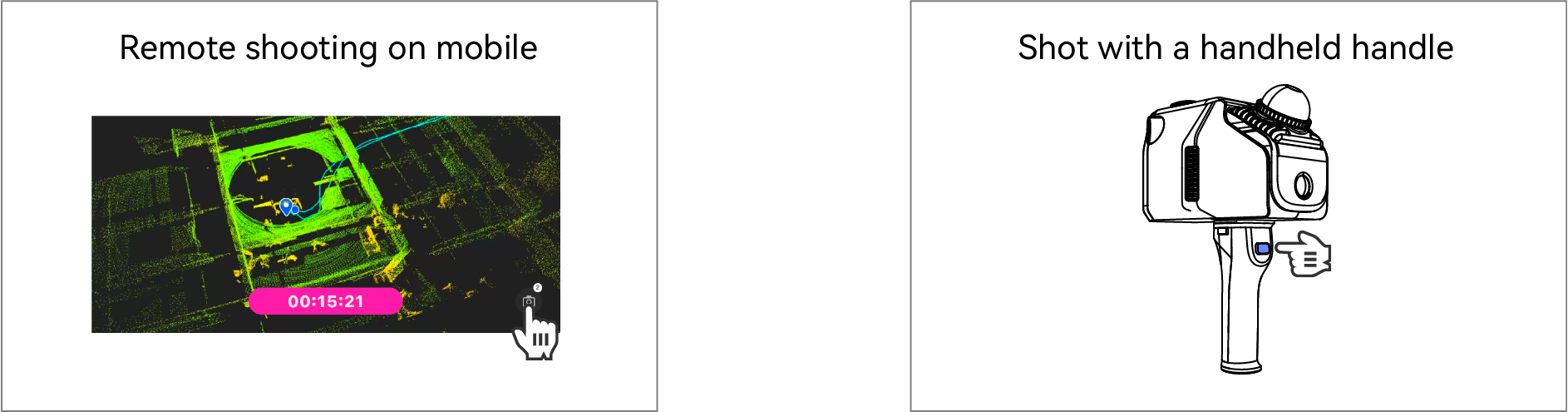
Fixed-point shooting
Quando si scatta a punto fisso per evitare che l'utente venga fotografato, se si utilizza un Treppiede per assistere lo scatto, prestare attention to the fixed equipment, and recommend that the user stay away from the equipment; If shooting with a handheld device handle, the user will need to hold the device up. To keep your shots stable, it is recommended to use a Treppiede.
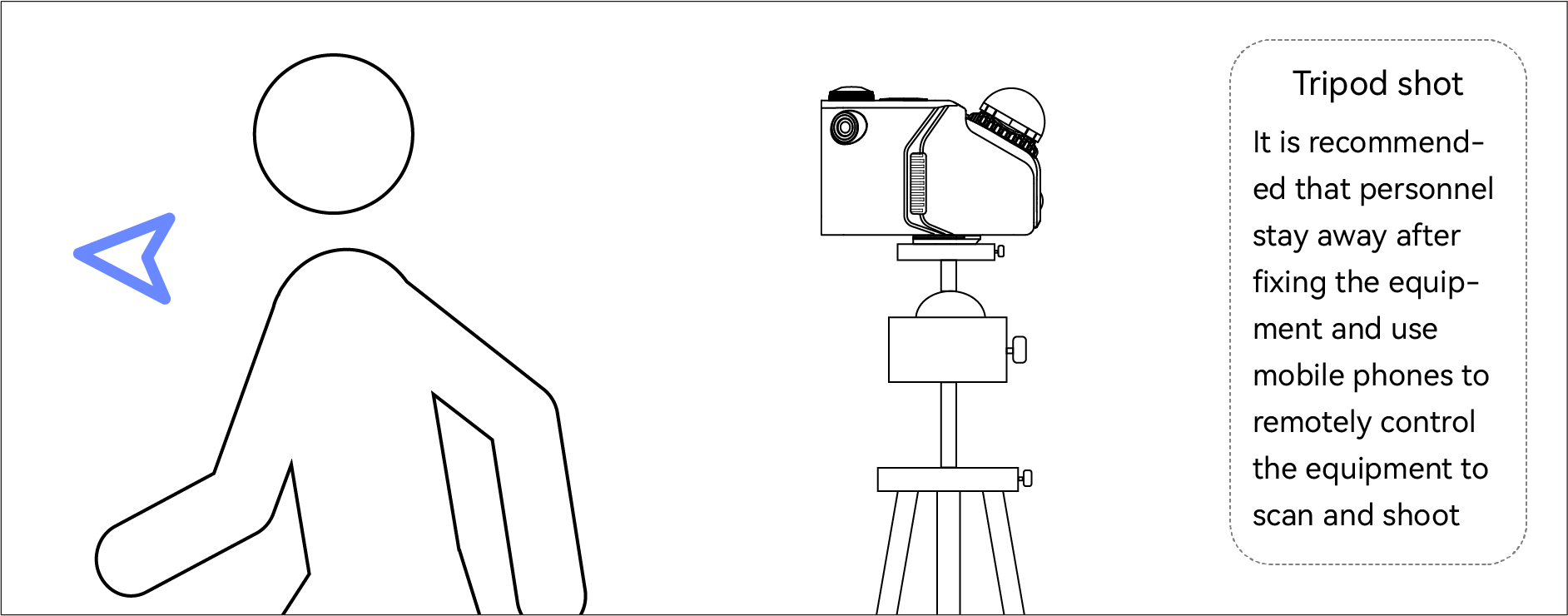
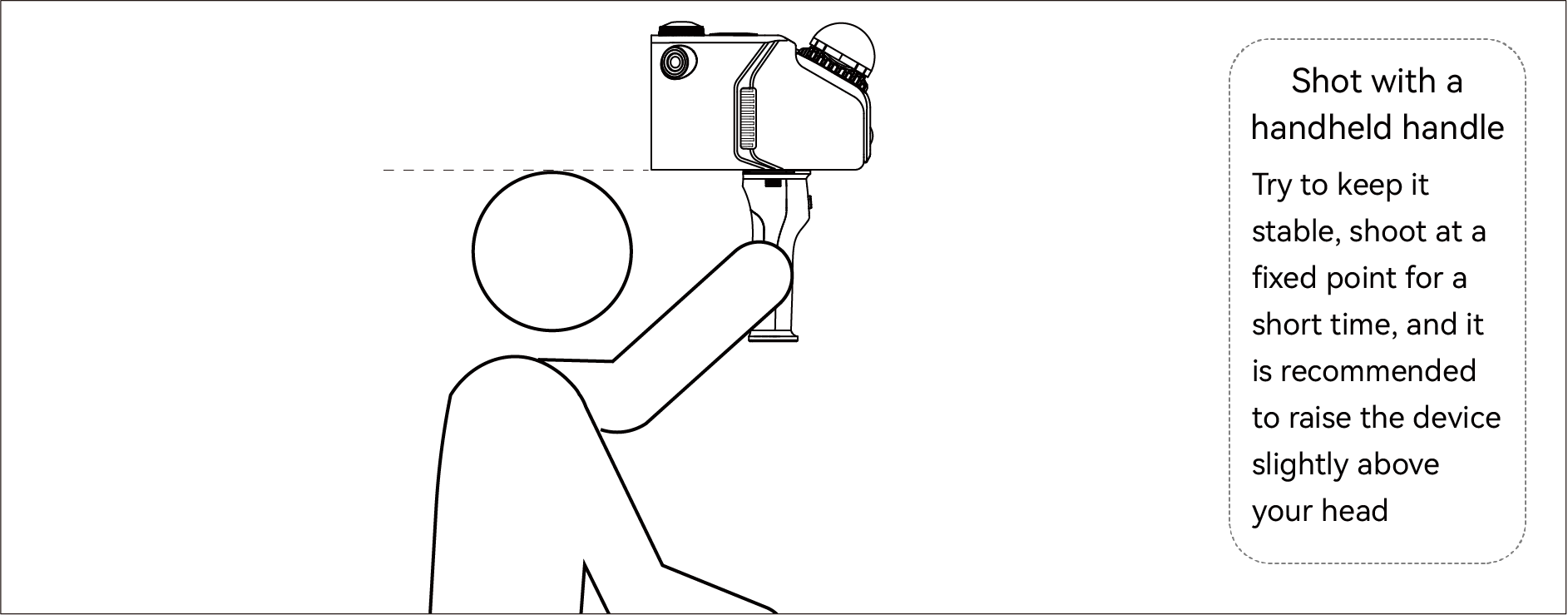
Per riprese a punto fisso: scatta 1-2 volte per posizione/angolazione, ripetendo ogni 3-5 metri.